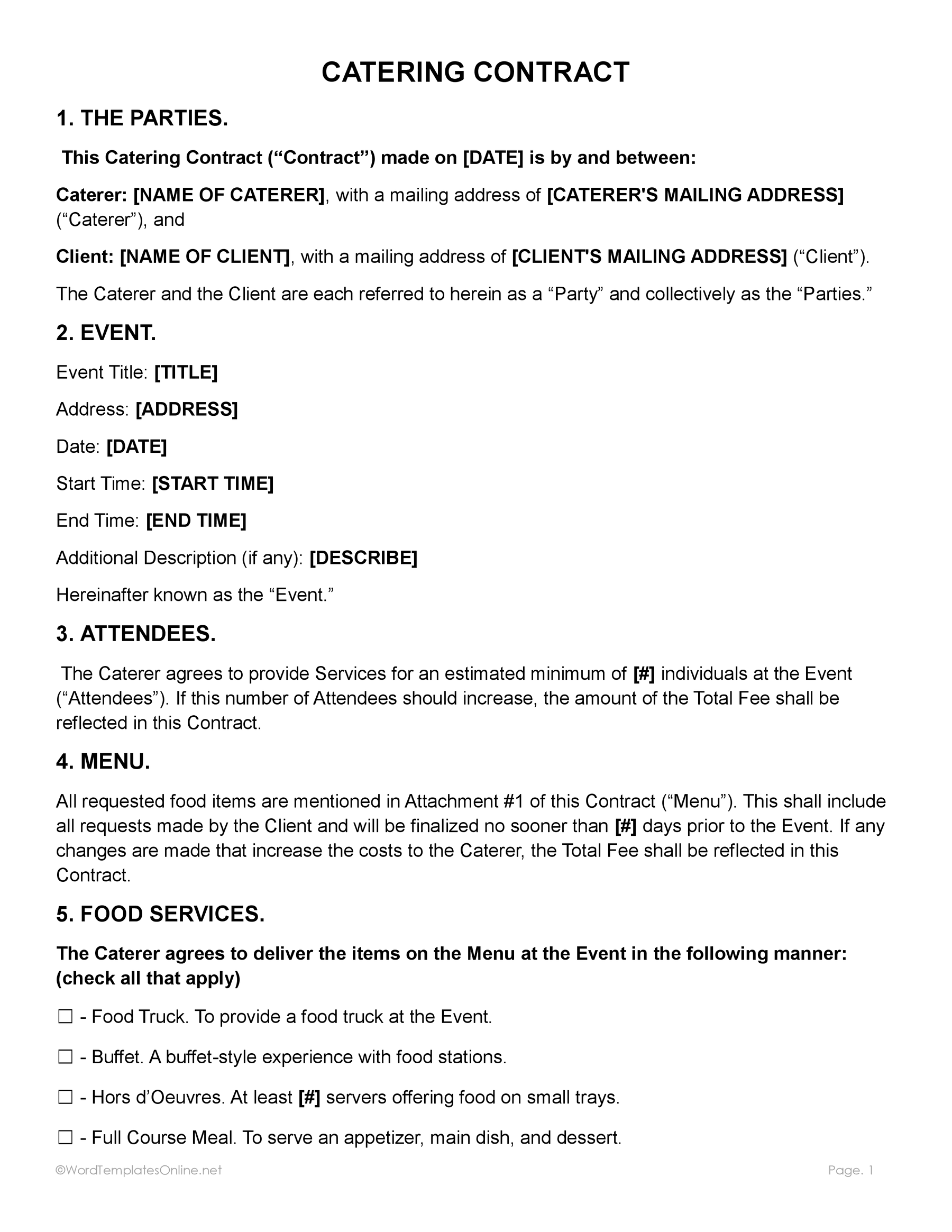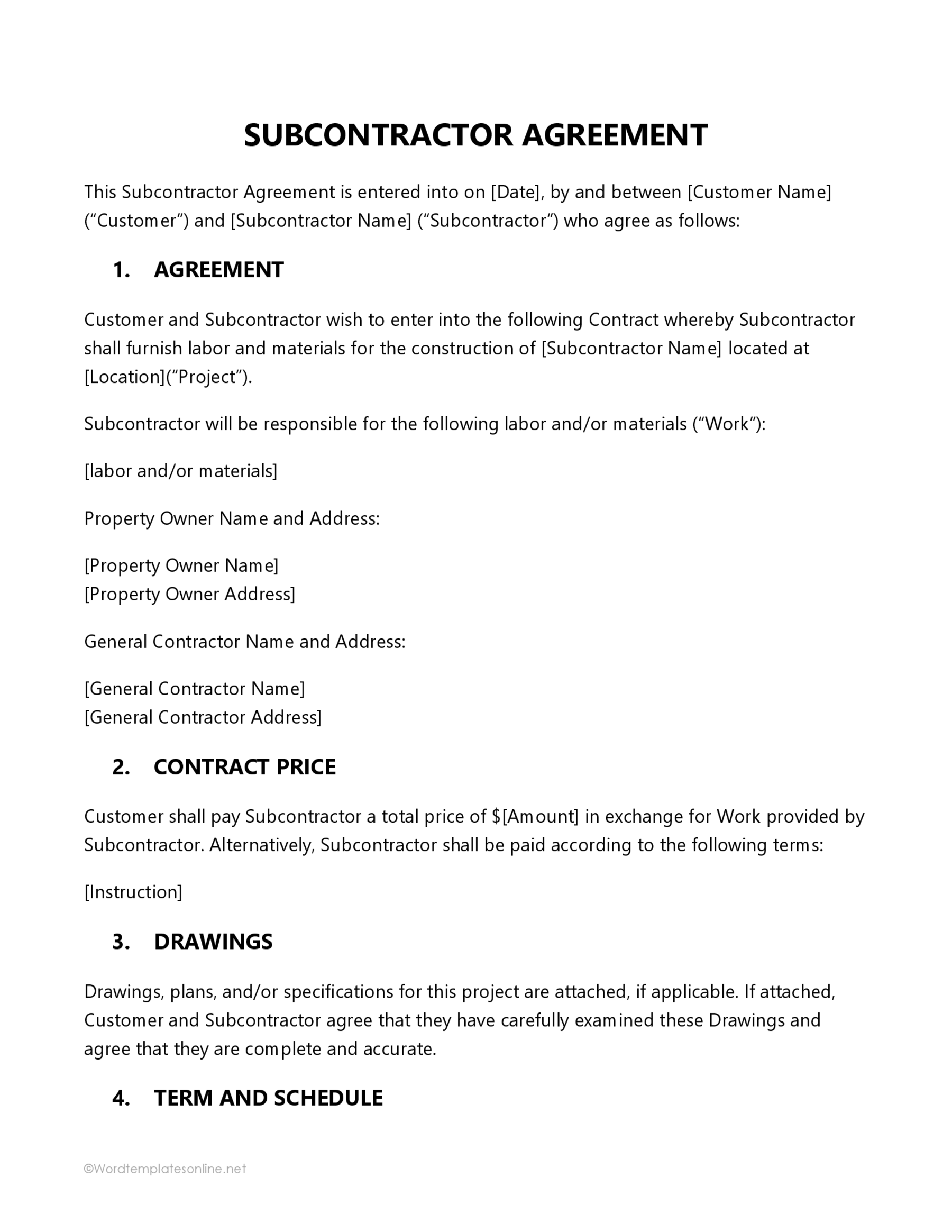
When a business hires an IT support provider, both sides may agree that technical problems should receive prompt attention. But what does that mean when an important system stops working? Does the provider need to acknowledge the problem, restore the service, or fix it completely within a certain period?
A service level agreement (SLA) puts those expectations in writing. It identifies the services being supported and explains how the provider’s performance will be measured.
The editable service level agreement template below is available in Microsoft Word (DOCX). It’s designed for ongoing IT support and includes provisions for service coverage, responsibilities, support hours, incident priorities, response targets, reporting, and escalation. The target values are left blank for the provider and customer to agree on.
The SLA is intended to accompany a related services agreement rather than replace the broader contract between the parties.
Service Level Agreement Template
Service Level Agreement Template
Decide what the IT support agreement actually covers
Before agreeing on how quickly a provider should respond, establish which services those commitments apply to.
A business might need support for employee computers, office networks, and certain business applications. Its provider may handle all three, or only some of them. If the agreement simply promises “IT support” without identifying the covered systems, both parties could have different expectations when a problem occurs.
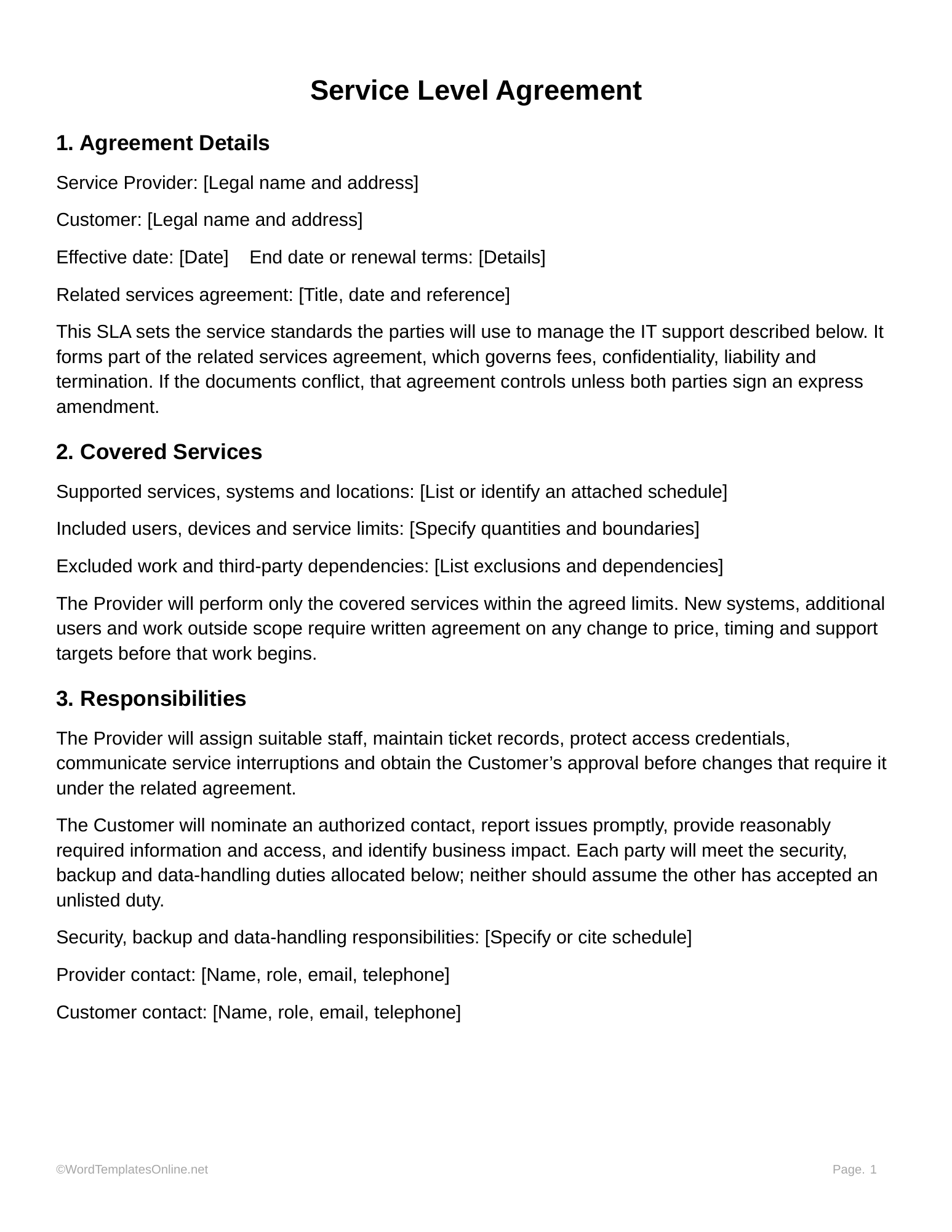
The Word template provides space to identify supported services, systems, locations, users, devices, and service limits. It also asks the parties to specify excluded work and dependencies involving outside providers.
These boundaries matter when software or equipment is managed by someone else. An IT provider may be able to investigate why employees cannot connect to an externally hosted application. That doesn’t necessarily mean the provider can repair a fault within the software vendor’s own systems. The agreement should describe the assistance the provider can offer without promising control over services it doesn’t operate.
The same applies when a business introduces new equipment or applications. The supplied SLA states that additional users, new systems, and work outside the agreed scope require written agreement on any related changes to price, timing, and service targets before that work begins.
Responsibilities deserve just as much attention as the service description.
The provider needs the information and access required to investigate reported problems. The customer needs someone authorized to communicate with the provider and approve changes when necessary. The template addresses these duties and provides contact details for both parties.
It also leaves space to allocate security, backup, and data-handling responsibilities. Don’t assume that hiring an IT support company automatically transfers every responsibility for business data or backups to that company. Discuss those duties and record the arrangement.
The SLA deals mainly with service standards. Its related services agreement covers broader matters such as fees, confidentiality, liability, and termination. If you’re preparing that broader agreement as well, our service contract templates and examples provide additional starting points.
Once the supported work and responsibilities are understood, the parties can make more meaningful decisions about availability and response targets.
Make support hours, reporting channels, and priorities clear
An employee who discovers a technical problem needs to know where to report it. They also need to understand when the provider is expected to respond.
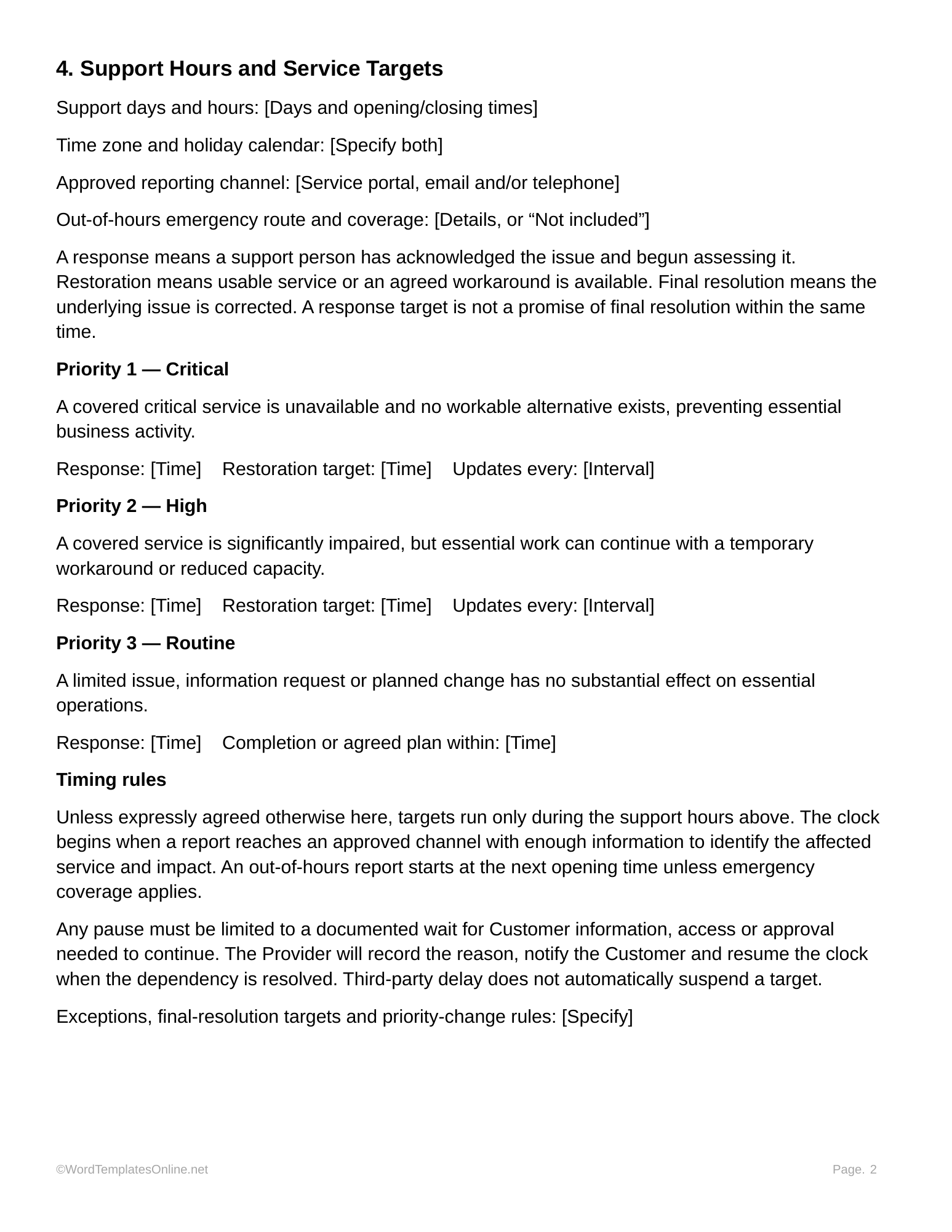
The SLA lets the parties specify support days, opening and closing times, the time zone, and the holiday calendar. These details are worth discussing even when both businesses normally operate during the day. Their schedules may not be identical.
The agreement also identifies the reporting channels that officially receive support requests. Depending on the arrangement, that might be a service portal, an email address, a telephone number, or a combination of them.
Someone sending a message directly to a technician may believe they’ve reported an urgent problem. But if that isn’t an approved reporting channel, the request may not be handled under the process described in the SLA.
Out-of-hours support needs its own decision. The template allows the parties to specify an emergency contact route and coverage details or state that emergency coverage isn’t included. A provider receiving an email in the evening doesn’t automatically mean someone is available to work on it that night.
There’s another point worth addressing after the agreement has been signed: the employees requesting support may never have read it.
A short internal support notice can explain the agreed hours, ordinary reporting method, emergency contact route, and information employees should provide. It doesn’t need to reproduce the entire agreement. People mainly need to know how to reach the right person and what to tell them.
The information in a support request also affects how the provider decides which issue to handle first.
This template defines three priorities according to business impact.
Critical applies when a covered critical service is unavailable, no workable alternative exists, and essential business activity cannot continue.
High describes a significant problem where essential work can continue through a temporary workaround or reduced capacity.
Routine covers limited problems, information requests, or planned changes that don’t substantially affect essential operations.
These are the definitions used in this particular agreement. Another provider may use a different classification system.
It’s more useful for employees to describe the effect of a problem than to label every request urgent. A report explaining which system has stopped working, what employees can no longer do, and whether an alternative is available gives the provider something meaningful to assess.
The parties should also agree on who assigns a priority and when it can be changed. The template includes space for priority-change rules.
A response is not the same as restoring or resolving a problem
One of the easiest SLA terms to misunderstand is response time.
A provider can respond to an incident without having fixed it. The acknowledgment may meet an agreed response target even though the affected system remains unavailable.
The downloadable agreement distinguishes three stages:
- Initial response: A support person acknowledges the issue and begins assessing it.
- Restoration: The service becomes usable again, either through a repair or an agreed workaround.
- Final resolution: The underlying problem has been corrected.
These stages don’t necessarily happen together.
For Critical and High incidents, the template provides separate spaces for response and restoration targets, along with intervals for providing updates. Routine requests have a response target and a period for completing the work or agreeing on a plan.
The agreement also allows the parties to specify final-resolution targets and exceptions.
None of these target periods is prefilled. The appropriate values depend on what the business needs and what its provider can reasonably deliver.
When does the support clock start or pause?
A response target means little unless both parties understand how its time is counted.
Under the supplied agreement, the clock begins when a report reaches an approved channel with enough information to identify the affected service and its business impact.
Unless the parties expressly agree otherwise, the targets run only during the support hours stated in the document. A request received outside those hours starts counting at the next opening time unless the agreed emergency coverage applies.
This is why the support calendar matters. A request submitted near closing time may be measured differently from one received early in the working day.
Sometimes the provider cannot continue until the customer supplies information, grants access, or approves a necessary action.
The SLA allows a limited pause for a documented wait involving one of those customer dependencies. The provider must record the reason, notify the customer, and resume the clock once the dependency has been resolved.
The agreement doesn’t allow every delay to be treated as a pause. In particular, a delay involving a third party doesn’t automatically suspend the target.
Both parties should understand what information is needed, when the pause begins, and what will allow work to continue. They should also agree on how updates will be communicated while the request remains open.
A paused clock is a measurement condition. It doesn’t mean the problem has been resolved.
Example: An order-entry system stops working
Consider this fictional situation.
A wholesale business relies on an order-entry system to process customer purchases. Shortly before its IT provider’s Friday closing time, the system stops accepting new orders.
Employees report the problem through the approved support channel. They explain that orders cannot be processed and that they don’t currently have a usable alternative.
Under the template’s definitions, the incident may qualify as Critical if the affected service is covered and the outage prevents essential business activity.
The provider acknowledges the request and begins investigating. That marks the initial response. It doesn’t mean employees can use the system again.
Later, the provider and customer agree on a temporary process that allows orders to be handled while the technical investigation continues.
At that point, usable service may have been restored through the agreed workaround. The underlying problem still needs to be corrected.
The provider eventually fixes the fault. That’s the final-resolution stage.
The availability of the workaround may also affect how the issue is prioritized, depending on the priority-change rules the parties agreed to.
Now consider when the incident was reported. Because it occurred shortly before closing, the support schedule and any emergency coverage affect how the target time is measured. If the provider later needs customer approval to continue, the documented pause rules may also become relevant.
The example doesn’t establish a particular deadline. It shows why one support request can have several important events and why the SLA needs to distinguish them.
According to Atlassian’s explanation of service level agreements, response and resolution measures serve different purposes. Its operational guidance also emphasizes setting targets that match service conditions rather than treating every request alike.
When reviewing your own agreement, check that each target refers to the event you actually want to measure.
Decide how performance will be reviewed and problems escalated
Once support begins, the parties need a way to tell whether the agreed targets were met.
A record showing that a request was closed doesn’t answer every performance question. It may not show when the provider responded, whether a workaround became available, or why work stopped for a period.
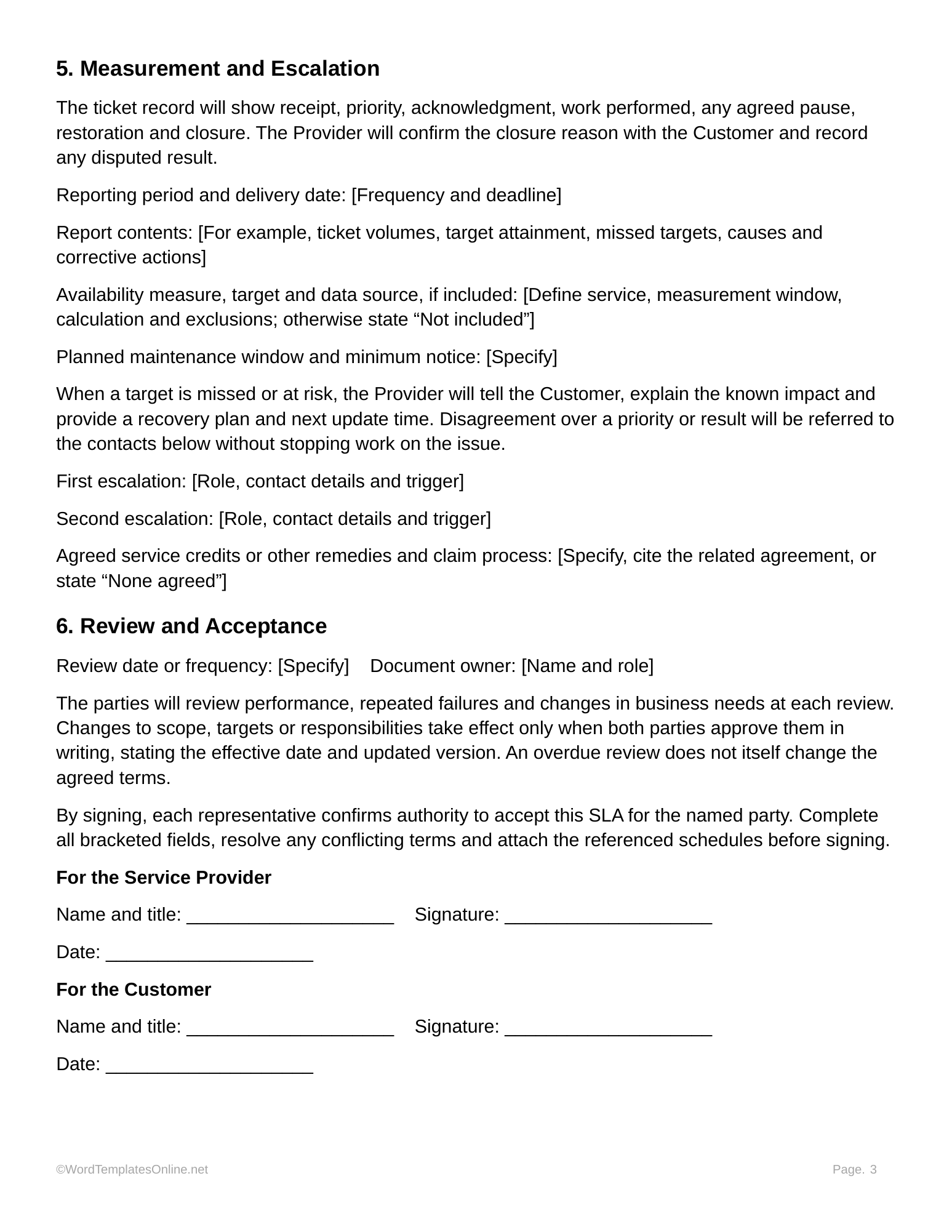
The supplied SLA calls for ticket records containing the time of receipt, priority, acknowledgment, work performed, documented pauses, restoration, and closure. It also provides for recording disputed results and confirming the reason for closure with the customer.
These details help both parties discuss what happened without relying entirely on memory.
The agreement lets them decide how often performance reports will be delivered and what the reports should contain. Useful information may include the number of requests handled, targets met or missed, reasons for missed commitments, and planned corrective actions.
As Amazon Web Services explains in its overview of SLAs, measurable service expectations give the parties a basis for assessing service delivery. The particular measures still need to fit the service being provided.
The Word template also includes an optional area for service availability. If the parties want to measure availability, they need to identify the service, measurement period, calculation method, data source, and exclusions. If availability measurement isn’t part of the arrangement, they can state that it isn’t included.
The document doesn’t calculate uptime or generate performance reports. It records the terms the parties intend to use.
Planned maintenance is another matter to discuss. The template provides space for the maintenance window and minimum notice, so the customer knows when interruptions may be scheduled.
What happens when the provider misses a target?
The agreement calls for the provider to notify the customer when a commitment has been missed or is at risk. The notice should describe the known impact, a recovery plan, and the time of the next update.
There are also two escalation levels where the parties can identify the relevant contacts and the circumstances that trigger escalation.
Service credits or other remedies can be addressed in the SLA or related services agreement. They aren’t automatic simply because a target was missed.
A useful performance review should therefore look at both the records and the agreed terms. If the parties disagree about an incident’s priority or a paused period, they can compare the recorded events with the definitions they accepted.
That discussion may also reveal whether the original targets still suit the business.
Set realistic terms and review the Word agreement before signing
It’s tempting to choose the shortest possible response time when preparing an SLA. A quick promise sounds good on paper. It becomes less useful if the provider cannot deliver it under the agreed working arrangements.
Before entering target values, discuss what the business needs and how the support service actually operates.
A company that depends heavily on one system may need a different response arrangement for an interruption to that system than for a routine request. The provider should consider its support hours, available staff, workload, and any emergency coverage it can offer.
Past service records can also help when they’re available. They show how requests have been handled under existing conditions and may provide a better starting point than copying targets from another agreement.
The provider and customer can then decide what commitments are realistic for each priority and whether additional coverage is needed.
When you’ve agreed on the main terms, open a working copy of the DOCX and replace its bracketed prompts with the actual information.
The agreement should identify the correct parties, the services being supported, the support calendar, approved reporting methods, target values, responsibilities, and escalation contacts.
Pay attention to the related services agreement and any referenced schedules. The documents should describe the same arrangement without leaving conflicting terms unresolved.
The template also contains spaces for the effective date, end date or renewal terms, review arrangements, document owner, and signatures for both parties.
A review date is useful because business needs may change. The supplied agreement states that changes to scope, targets, or responsibilities require written approval from both parties, with an effective date and updated version. An overdue review doesn’t automatically change the existing terms.
The download contains three agreement pages and a separate WTO credit page. Keep the original file and make your changes in a working copy. After editing, check the finished layout in Word’s print preview. Additional wording or longer names may affect where the pages break. The credit page is part of the source document rather than an additional agreement section.
Before signing, both parties should understand the commitments they’re accepting and settle any unanswered questions. For arrangements involving significant legal or financial consequences, a qualified professional can review the completed terms under the applicable law.
Keep a copy of the signed agreement and any later written amendments. When a support problem occurs, everyone involved should be able to refer to the same agreed expectations.
About This Article