People love talking about productivity, but honestly, most people don’t actually know where the time is going. One minute the day starts, and the next thing you know, it’s 7:00 clock in the evening, and somewhere the information stuff isn’t finished.
The problem isn’t that you don’t do hard work, but it’s usually that you can’t manage your time. You lose track of small tasks, delays occur, interruptions happen, and an inefficient workflow is what lets you forget the track of time.
The issue is real, so the time study templates. A perfect template helps make everything visible. With this, you don’t rely on guesses; you get real numbers and patterns that help you know where you’re investing time and what’s the reason for the delay.
Moreover, the thing that makes you use them in no time is that you don’t need complicated software or a huge management system. A clear template can give everything you need, from workflows to bottlenecks to employee activities. Let’s find out where to get these templates and whether they are useful in real-time.
The Real Goal of a Time Study Template Isn’t Just “Tracking Time”
Not you, but maybe everyone who hears time study immediately starts to think that it’s about watching the clock all day, but that’s not really the point. The real goal is to understand how work happens, where time quietly vanishes, and what can be improved without making everyone feel rushed or overworked.
Sometimes, the productivity issues come from small delays and inappropriate steps that people ignore until they’ve been tracked properly. Well, time studies help identify those hidden inefficiencies early. Maybe your one task takes many hours to finish because of too many steps, like discussion and approval, or maybe employees keep switching between tools and losing focus.
The fact that when these patterns are visible, workflows and tasks can be adjusted to make things smoother and more consistent. Truly speaking, it’s not about pushing people to do more work every second of the day. A time study template is all about increasing productivity without creating burnout. When you streamline workflows, managing tasks becomes a breeze, and scheduling becomes more realistic.
What Usually Goes Inside a Time Study Template
A perfect template is not a myth; it just needs to have some elements that make it reliable and good to go. Let’s have a look:
1. Task names and activity descriptions
It all starts with putting the simple yet significant details, the part where you list out the actual work being done. It could be anything from responding to customer emails to running machines on a production line. Moreover, it could be related to your personal tasks. The goal is to mention each activity so it’s easy to track and analyze later.
2. Start times, end times, and duration
This section is basically what tells you the full purpose of this time study template. Here, you can record when a task starts, when it ends, and how long it took overall. Once you start catching the time, it’s really easy to manage tasks efficiently.
3. Breaks, delays, and interruptions
Real workdays are full of chaos, and a good time template helps you account for that. How? Well, this section gives freedom to enter delays, unexpected delays, system downtime, waiting for approvals, or any distraction. We might overlook these things, but they affect productivity more than you realize.
4. Employee or department information (specifically in employee time study)
If you’re using an employee or business study time, you get space for employee names, departments, job roles, or teams. The purpose is to compare workflows across different teams and understand where the issue is happening.
5. Notes for process observation
The section is surprisingly helpful because sometimes only numbers can’t tell the whole story. You can mention here why delays occur, why something took longer, or if the process or step felt unnecessarily complicated. It may seem like a small observation, but it can have a big impact later on.
A Look Into Multiple Time Study Templates (And What They’re Best For)
No template is one-size-fits-all, and honestly speaking, that’s a blessing in disguise. Different workflows and even humans need different kinds of tracking. That’s why we’ve designed multiple templates to fit your specific goal.
Office productivity/business time study template
Office work and business can get extremely chaotic, particularly when it comes to meetings, emails, admin work, and interruptions. That’s where you need this template, as it lets you find out how much time is being consumed on different tasks.
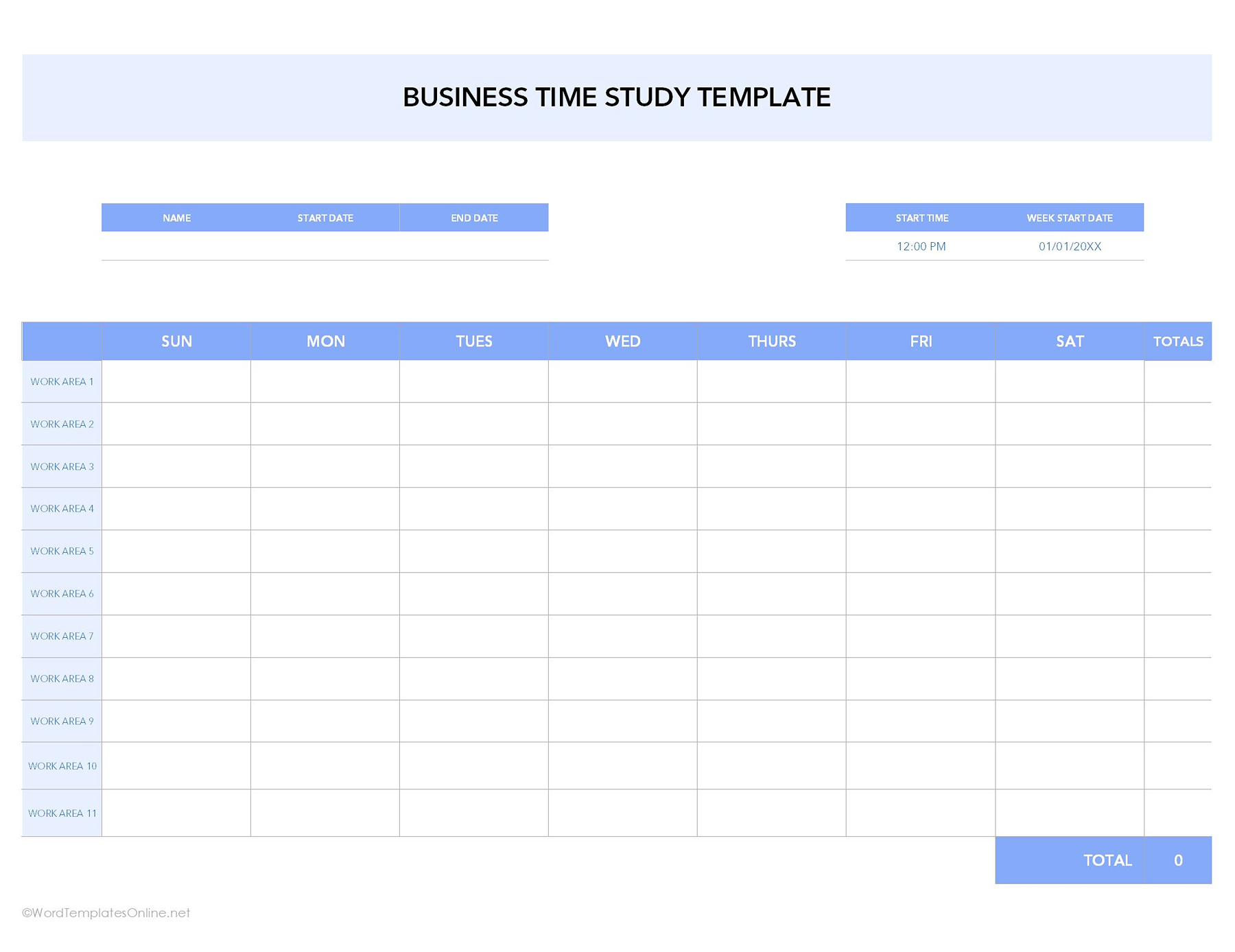
The layout is pretty clean, which makes it simple to use without exhausting you. You can add details like employee name, dates, and start time at the top, while the main table helps you record work hours for different tasks across the week. Anyone who owns a business, teams, and an office can use this template to have a transparent picture of productivity without using any extensive software.
Personal time audit template
If you want to have a check on your daily habits, you must get this template. This is the easiest way to know how you spend your time throughout the week, so you can learn whether you’re making the most of it or just passing the time.
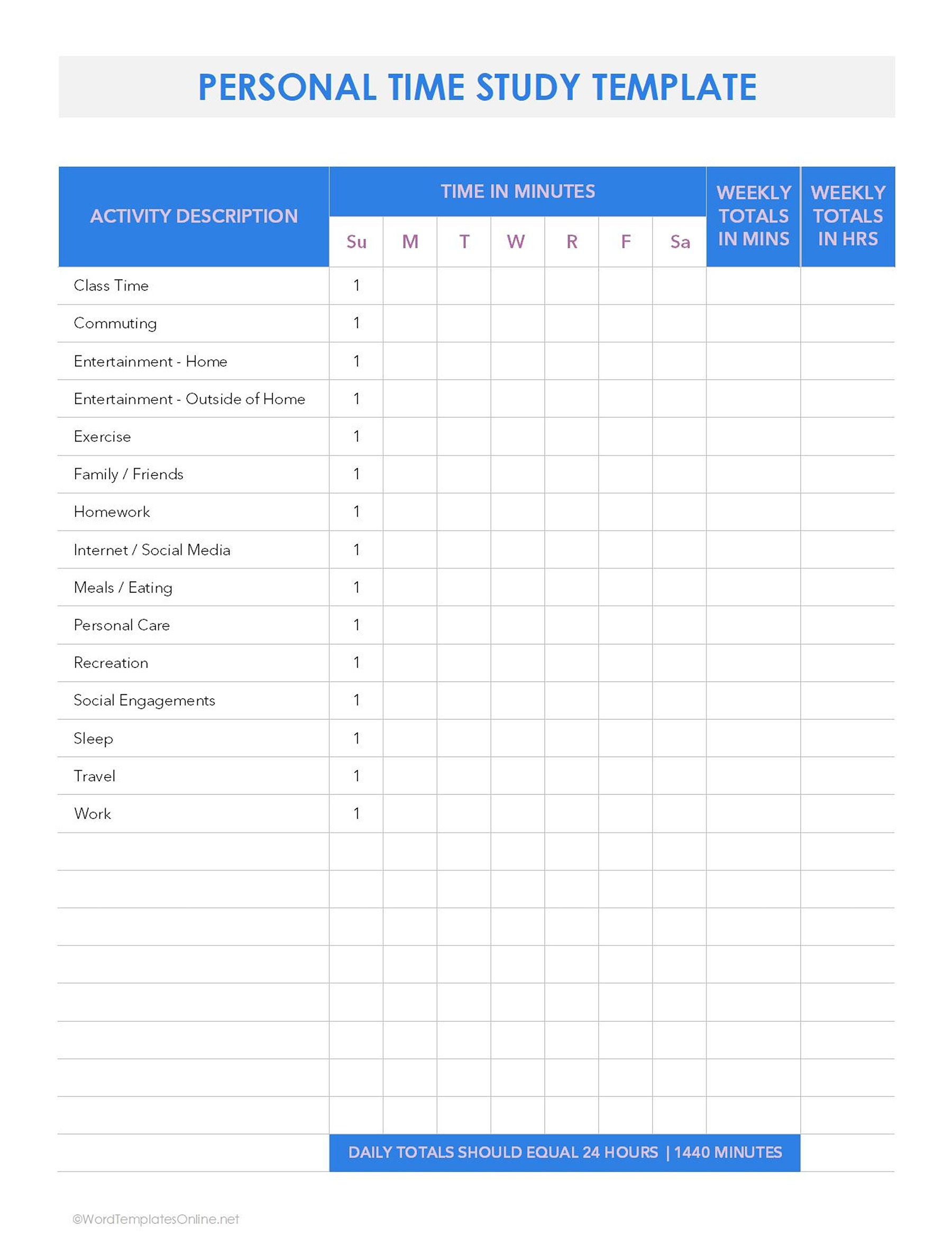
This template comes in a clean portrait that is incredibly easy to use. Right off the bat, you’ve got an activities column where you write all your daily stuff like sleep, meals, gym, going out, etc. Right next to it, there’s a spot to log exactly how much time you’re dropping on those activities over the course of the week.
At the bottom, it lets you add the numbers to get your weekly totals in both minutes and hours. This makes it super simple to find out sneaky habits or areas you might be throwing time away. If you’re a student, freelancer, or working from home, this is a total lifesaver for taking control of your schedule and getting this done efficiently.
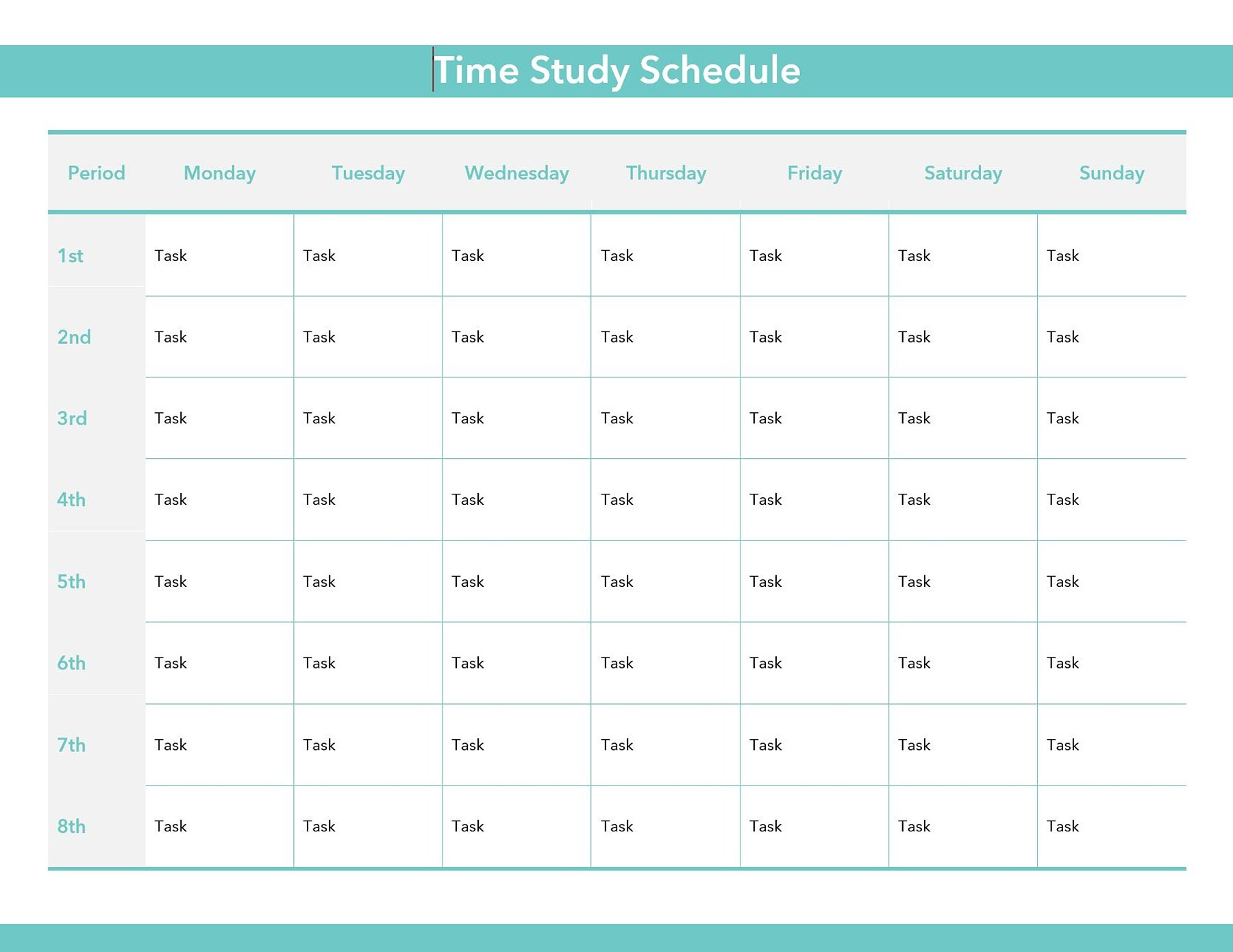
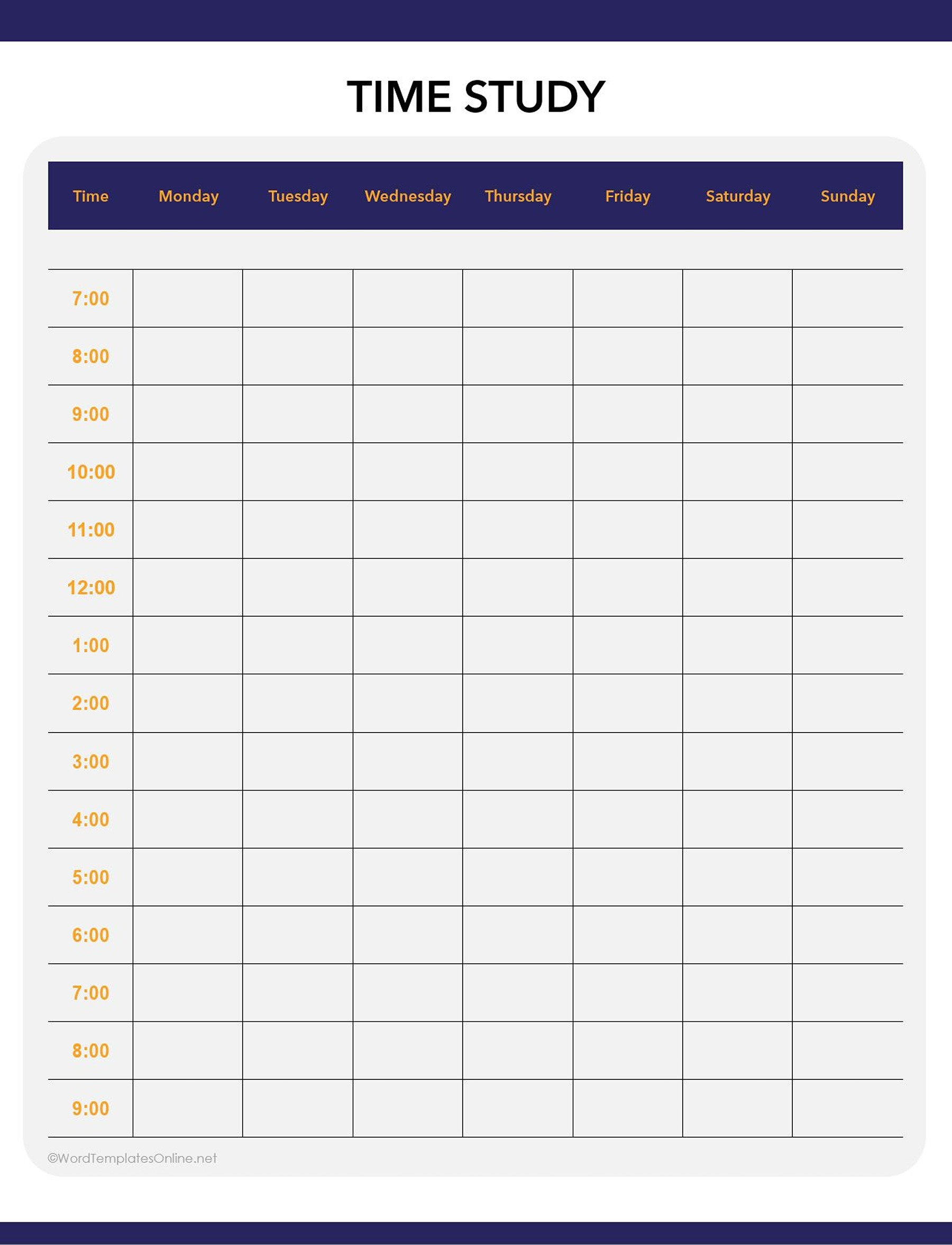
You can also use this clean template if you have a lot more on your to-do list. It’s more like a weekly planner, which you use to map out specific daily duties over eight different time periods.
WIC or healthcare time study daily log template
Healthcare environments move fast, and any small delay can miserably affect patient care. For this reason, we’ve come up with templates that help healthcare or WIC staff look at how much time is spent on different work activities throughout the day.
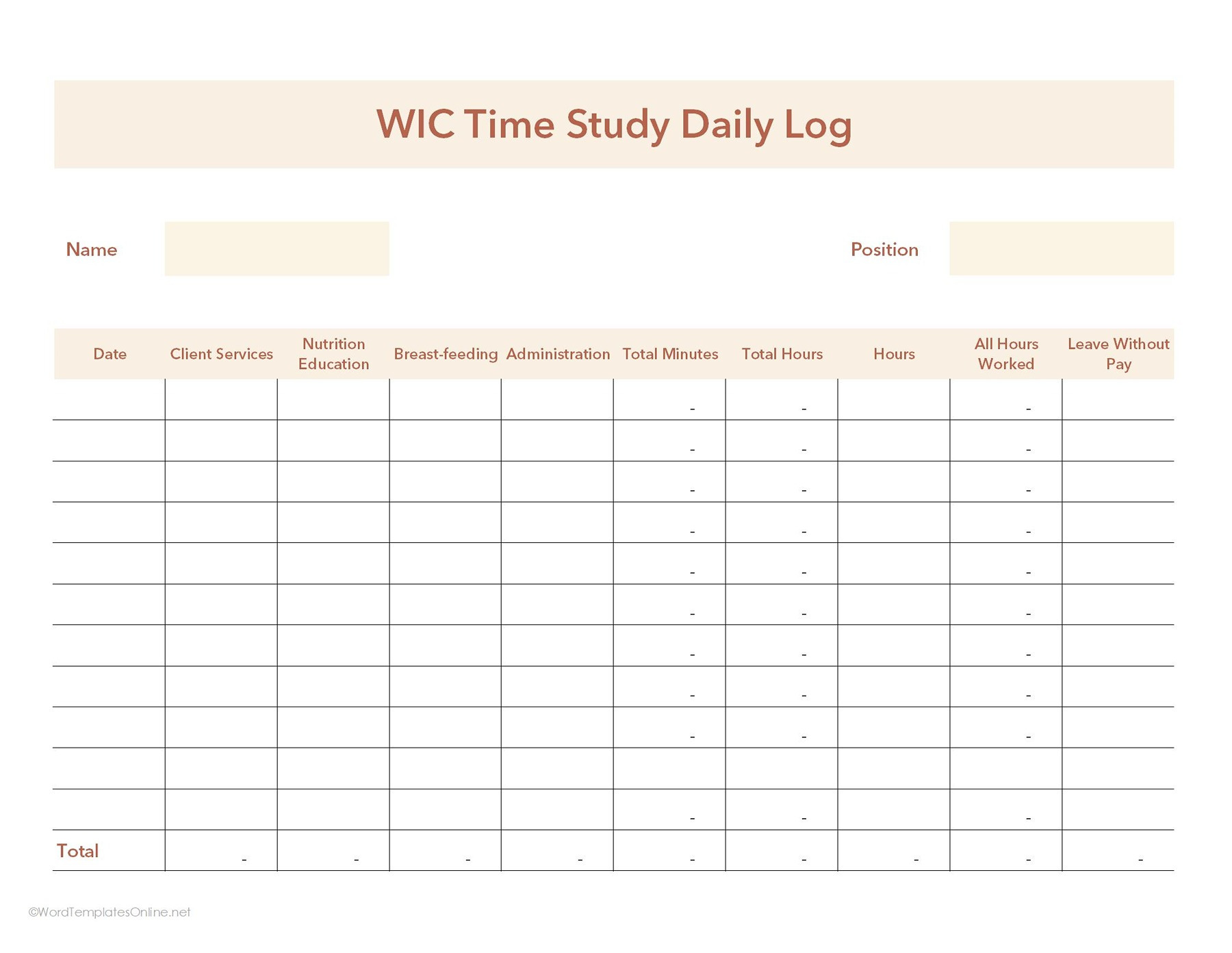
As you can see, at the top you will add the main employee’s name and the position they are working in. In the main table, you will insert details like client services, nutrition education, and other tasks (depending on your segment) against total hours worked and leave tracking. This way, you can easily figure out what the daily tasks are, monitor employee workload, and keep accurate time records.
Basic management time study template
Sometimes, your work and tasks are going with the flow, and you don’t really know what the next day will have for you. That’s why you need this basic time study template that gives you the freedom to record anything.
Time Study Template-01
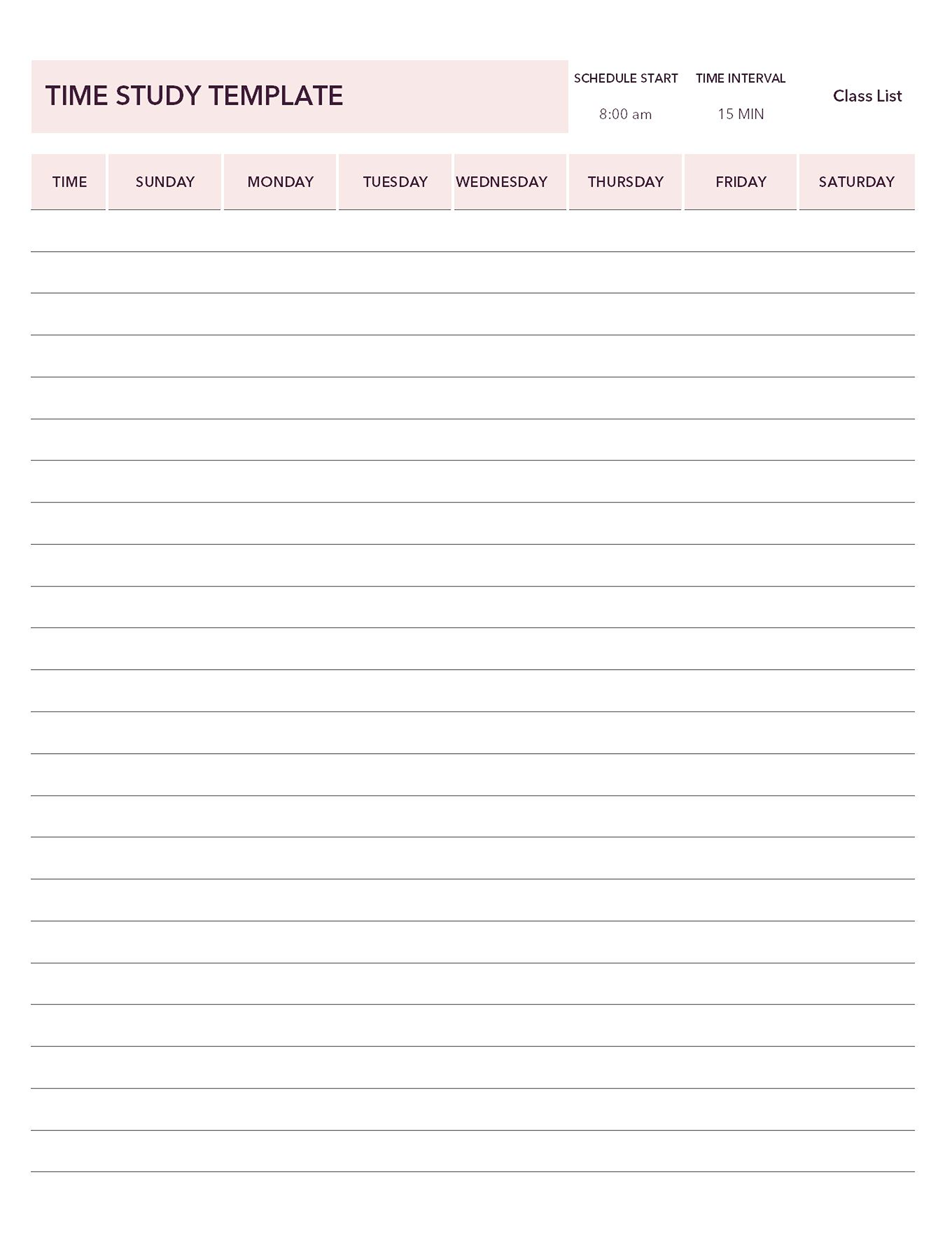
Time Study Template-02
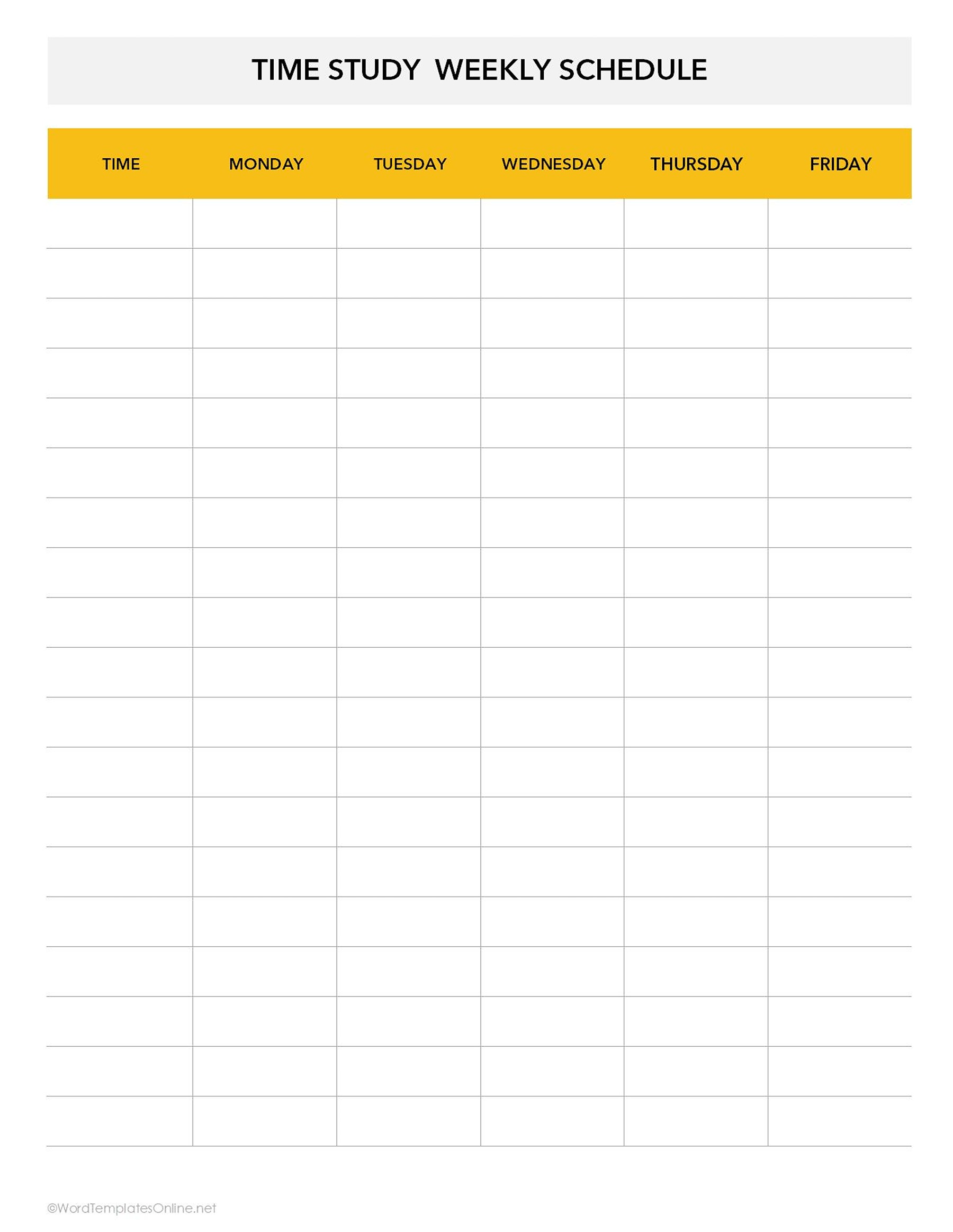
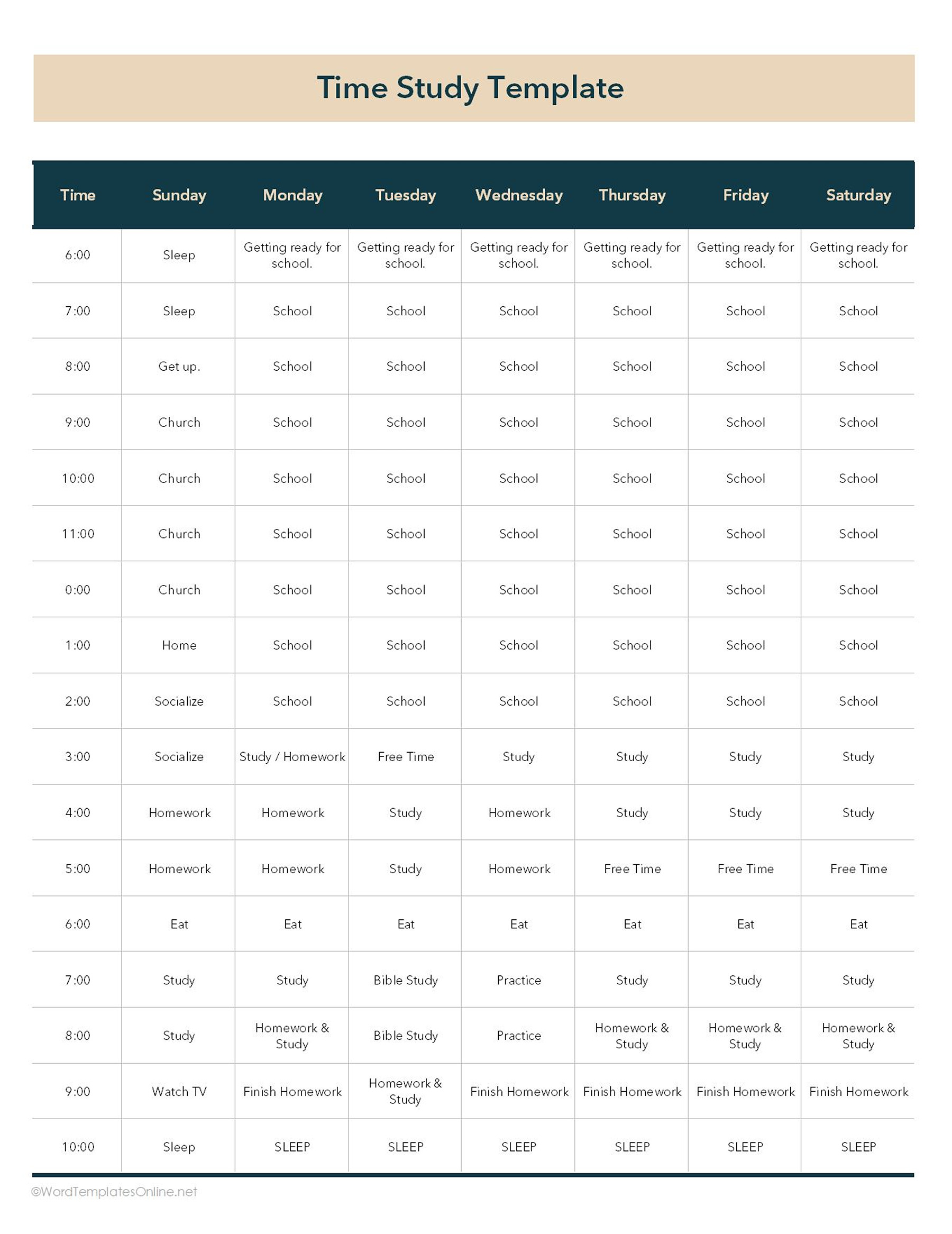
As you can see, this template gives you a simple format and a clean grid, which breaks the workday into customizable time increments across Sunday to Saturday. Under this, you can log anything you want to, depending on your needs, such as client services, admin duties, or specialized work against the time slots.
Human resources (HR) time study template
Skip the classic punch card and say yes to this ultimate time tracker template, as it helps employees and their boss stay on the same page about working hours.
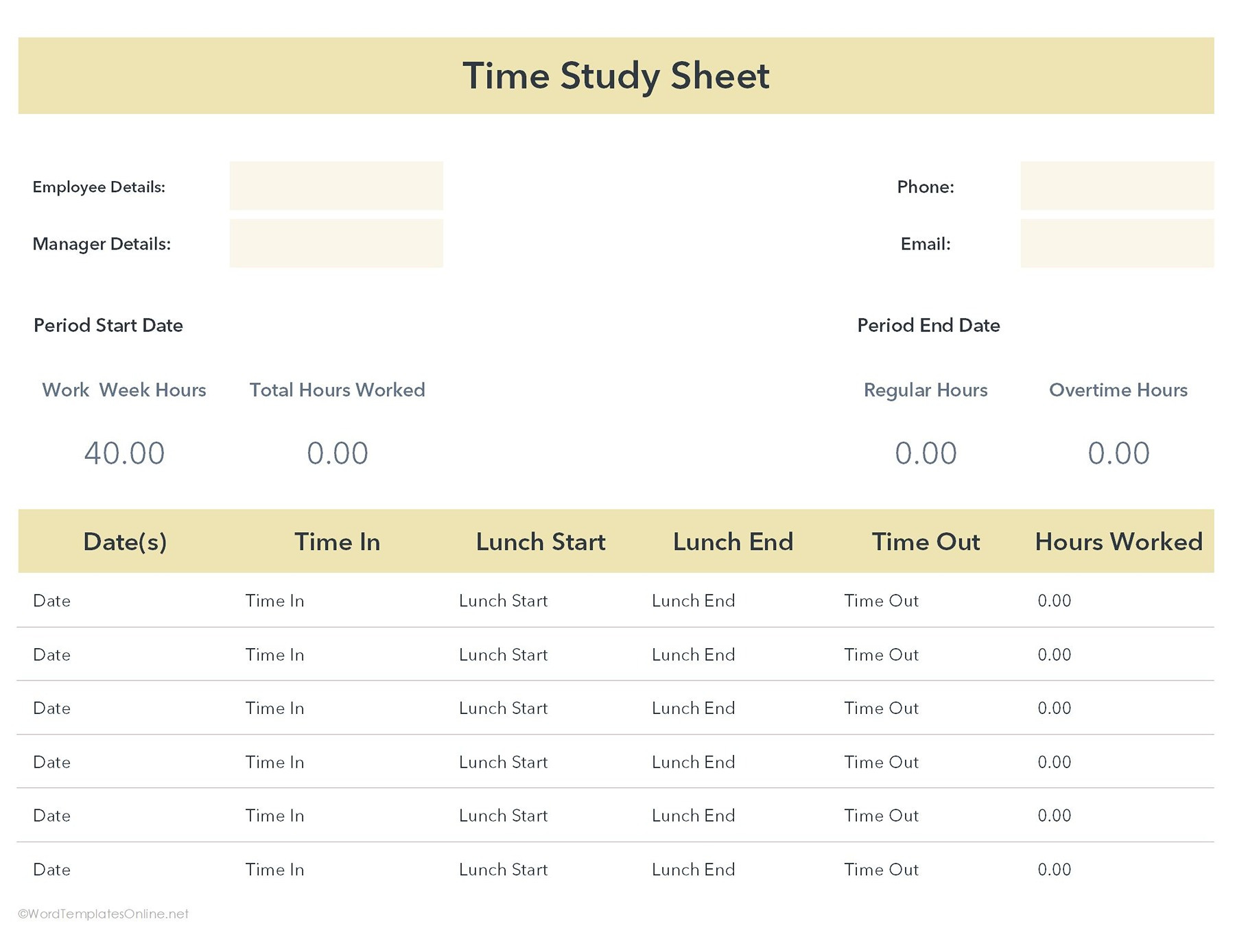
Up top, you need to fill out the basic paperwork stuff, such as who your boss is, your contact info, and the specific period against which you’re tracking time and hours.
Right below, you get a little dashboard. It shows what a normal work week looks like (e.g., 40 hours), and then automatically crunches the numbers to show the total hours worked, regular hours, and any overtime spent. The best thing? No manual math required!
After this, you get a daily log where you check real things happening. Every day, the employee fills out the four quick things: clock in, lunch start, lunch end, and time out. This template is useful for many reasons; first, it lets your HR know how much time you’re given, and if you do overtime, it gets you paid for it.
Process time study template
If you don’t know why your workflow is taking too much time, then you must use this template. Sometimes it’s not the task; it’s the unnecessary steps that make it complicated.
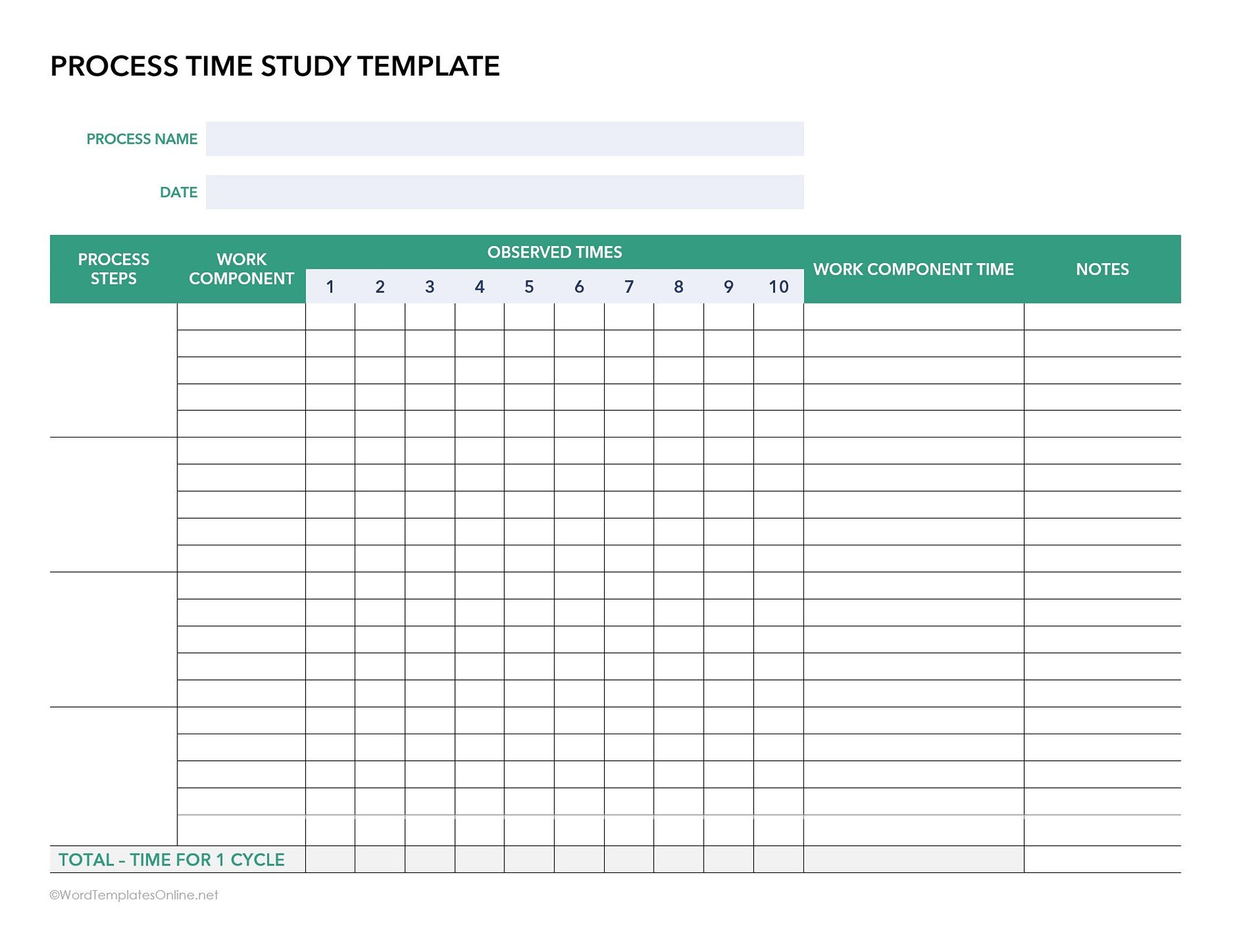
Generally, the template is designed for anyone who wants to optimize a specific, repetitive workflow. This removes the need to check the whole workday and acts like a stopwatch log to time against a single task (let’s say, packaging an item) by breaking it down into its individual steps and work components.
Now, how does this work? An observer times the worker doing the same process ten different times and checks the natural variations in speed by adding the results in the main grid.
By averaging those times on the right and adding them at the end, businesses can get a clearer picture of where the bottleneck is happening and calculate the perfect time for completing one particular task.
Time Study Template-04
Time Study Template-05
Time Study Templates for Teams vs. Individual Use: Which One to Go For
All time study templates may look the same, but they are not used the same way. Some are designed for businesses to manage workloads and employee performance. At the same time, others are more personally oriented and help individuals understand how their own time is being spent during the day.
Now comes the question: which type of template makes sense for you? Truly speaking, it all depends on what you’re trying to fix. If you want to enhance your employee workflows, staffing, or business operations, team-based or employee-based templates are more useful. But if you’re trying to maintain your own schedule, limit distractions, or become more productive, an individual time study template is probably a better choice.
Mistakes That Can Completely Ruin a Time Study
Sometimes, it may seem small, but some mistakes can completely destroy your time study. Let’s have a look:
- Tracking Too Many Little Details: If you try to track every little detail, it can make the template difficult to manage. Adding too much information can make it tough to spot the real productivity issues. So that’s why it is best to track important details.
- Using Inconsistent Timing Methods: When you use a template, make sure you are tracking consistently. Because you can’t track some tasks in minutes, others in hours, and some randomly. This can result in unreliable data, which can make your entire study inaccurate.
- Ignoring Breaks and Interruptions: Well, if you think that workdays go without any distraction, you’re wrong. They’re never meant to be perfect, as delays are part of it. Ignoring those things sets an unrealistic picture, which can ruin your time study.
- Gathering Data But Never Analyzing It: Remember one thing: a time study isn’t just about filling out a spreadsheet. The real value comes when you start analyzing the data, find out bottlenecks, and simplify your workflow based on these numbers.
The Effective Way to Understand Time Study
If you think you will go crazy about the data, don’t worry; we have some techniques for you that let you understand the data easily.
- Use Categories Instead of Random Notes: You don’t need to write messy notes everywhere; it’s better to use categories to organize tasks and responsibilities. Through this, you can keep the data cleaner and make patterns easier to spot.
- Compare Times Across Similar Activities: Comparing similar tasks can reveal a lot. For example, if one employee completes a process in 2 hours, and another department takes 3 hours on the same task, it helps find out where the workflow might need adjustment.
- Highlight Delays and Repetitive Tasks: Let you know a trick: if you literally want to improve productivity, the smart move is to notice where delays keep occurring. If the same interruptions or similar tasks show up again and again, that’s a red flag, and it means your workflow needs improvement.
Final Thoughts
If you think the time study template is all about watching every minute, you probably get the wrong idea. It’s about understanding how time is actually being used. Sometimes the biggest productivity problems aren’t obvious until you check out workflows properly. Small delays, unnoticed interruptions, and inefficient habits can waste your hours without anyone noticing it. That’s what makes templates extremely useful. They turn assumptions into real insights and let you know where you need to make changes in order to improve your routine and workflows.
Frequently Asked Questions
Are time study templates difficult to use?
Not really. If you have the right templates, they are easy breezy. You just need to add tasks, timing, and a few notes, and you’re good to go.
Can Excel automatically calculate task durations?
Yes, for sure. Our Excel templates have in-built formulas and calculations that automatically sum up your task duration, total hours, and other things.
About This Article