You’ve gathered the scoop, lined up your best photography, and cooked up a headline that practically leaps off the page. Yet staring at an empty document leaves you completely stumped on how it will look as a physical newspaper. Columns? Headlines? Images? Where does everything go?
That’s where a newspaper template saves the day. Instead of thinking about fonts, columns, page layouts, and spacing, you can start with a built-in structure and make it your own. Whether you’re making a school project, historical design, or old vintage vibe one, there’s a format for just about every kind of project.
What Is a Newspaper Template?
As defined, it is generally a ready-made blueprint for creating a newspaper. With this, you don’t need to figure out where everything will go; you already have a pre-arranged layout to work with. It has space for headlines, articles, columns, images, captions, date, and other similar newspaper elements. You just need to bring the content, while the template handles much of the format and design for you.
Why Start with a Template Instead of a Blank Page?
The answer is really simple. Nobody really wants to spend half of their day fighting with columns and trying to make every headline line up. A PRE-BUILT newspaper layout template gives you a head start, keeping everything consistent and making editing much easier. That’s why everyone wants a perfect template.
The Anatomy of a Newspaper Page
A newspaper page is more than a bunch of articles squeezed together. You can’t put just anything anywhere; there’s a strategy behind where everything goes. Let’s find out what makes a perfect page.
1. Newspaper Name and Masthead
In simple words, you can say that the masthead is the newspaper’s introduction. It usually sits at the top and includes the publication name, logo, date, and other identifying details. Think of it as the part that tells readers, “Yep, you’re looking at the right newspaper.”
2. Headlines That Grab Attention
What really gets people’s attention is headlines. A strong one tells readers what the biggest story is, while the small ones help introduce supporting articles. They give the page a clear hierarchy, so readers know where to look first.
3. Articles and Column Layout
If you have ever read a newspaper, you must know that articles are typically broken into columns. This makes longer content easier to scan and read. Moreover, rather than one giant block of text stretching across the page, the columns create a familiar newspaper-style flow.
4. Photos, Captions, and Visual Breaks
A page packed completely with text can feel like a homework assignment nobody asked for. That’s why this section comes in to break things up while adding context to stories. Additionally, a well-placed image can also attract the audience’s attention to an important article without taking over the whole page.
5. Supporting Stories and Smaller Sections
Not every story needs the center page. Smaller articles, announcements, quotes, and side stories can fill the side spaces around the main feature. These sections add variety and make the page feel more like a complete publication rather than one big article.
Newspaper Template Showcase: Choosing the One That Goes With Your Need
Well, there’s no one-size-fits-all template for all the situations. That’s why we have designed multiple layouts so that you have complete freedom over what you want. Let’s have a quick look at your options:
Want Complete Creative Freedom?
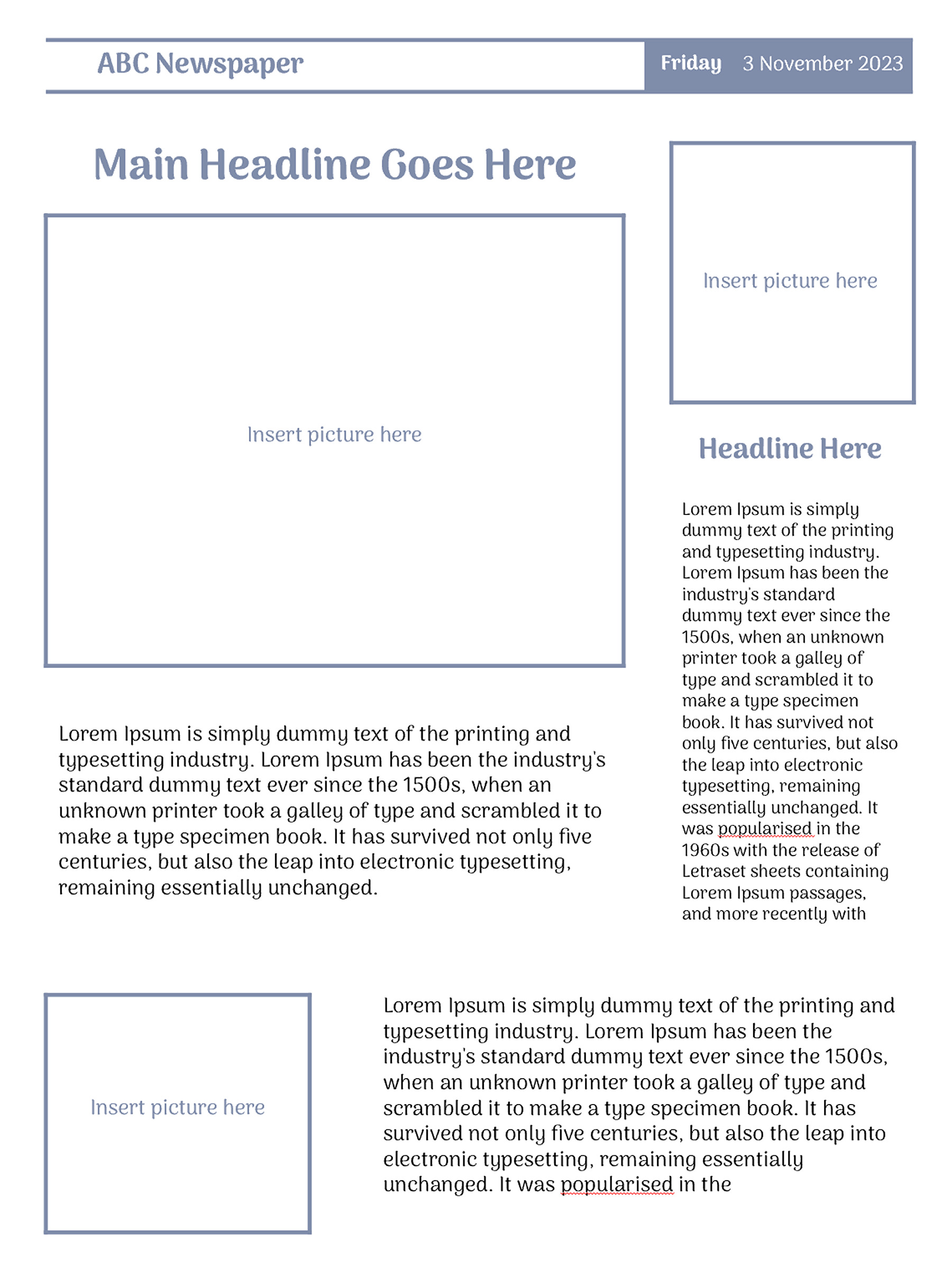
Sometimes you know exactly what you want, and don’t want a pre-filled design getting in the way. That’s where the Blank Newspaper Template comes in. It starts with a newspaper name and date bar across the top, followed by a large main headline and a spacious photo area for the couple’s main picture.
Over on the right, as you can see, a neat little side column gives you extra space for a bonus photo, headline, and quick story, while the bottom section leaves room for one more snapshot and highlight.
Best of all? It’s completely editable: just edit the placeholder text, drop in your favorite wedding photos, and write down your own killer headlines to make it your own.
Blank Newspaper Template
Blank Newspaper Template
Creating a Personalized Newspaper for an Event?
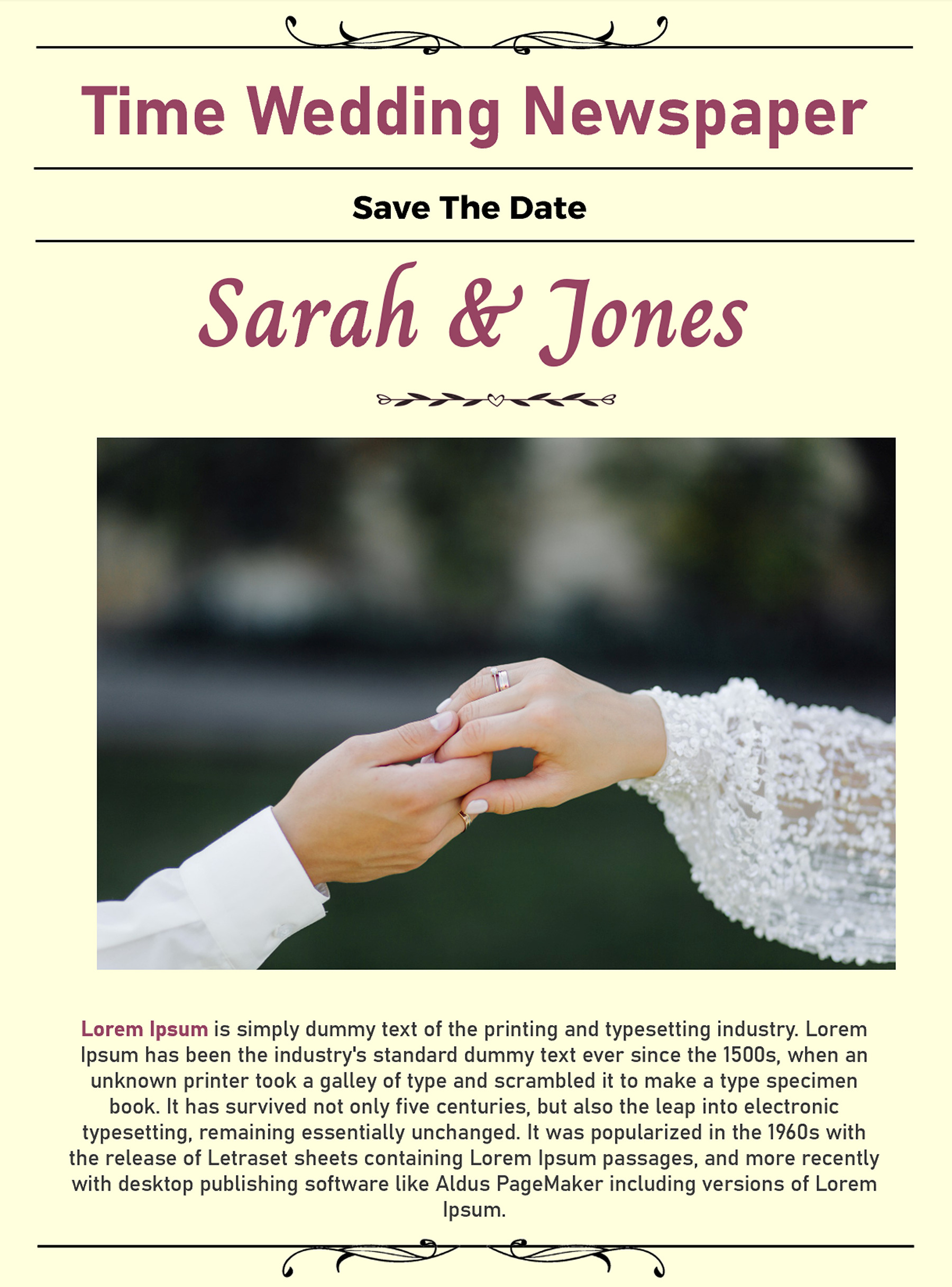
Planning something special and want to turn it into a newspaper-style keepsake? The Wedding Newspaper Template could be a fun place to start. At the top, there’s space for the newspaper title, followed by a “Save the Date” heading and the couple’s names in a large decorative font. The center of the page is dedicated to a large wedding photo, giving the couple the main spotlight. Below it, there’s space so that you can add your wedding story, announcement, or personal message.
Wedding Newspaper
Wedding Newspaper
Going for a Classic or Historical Look?
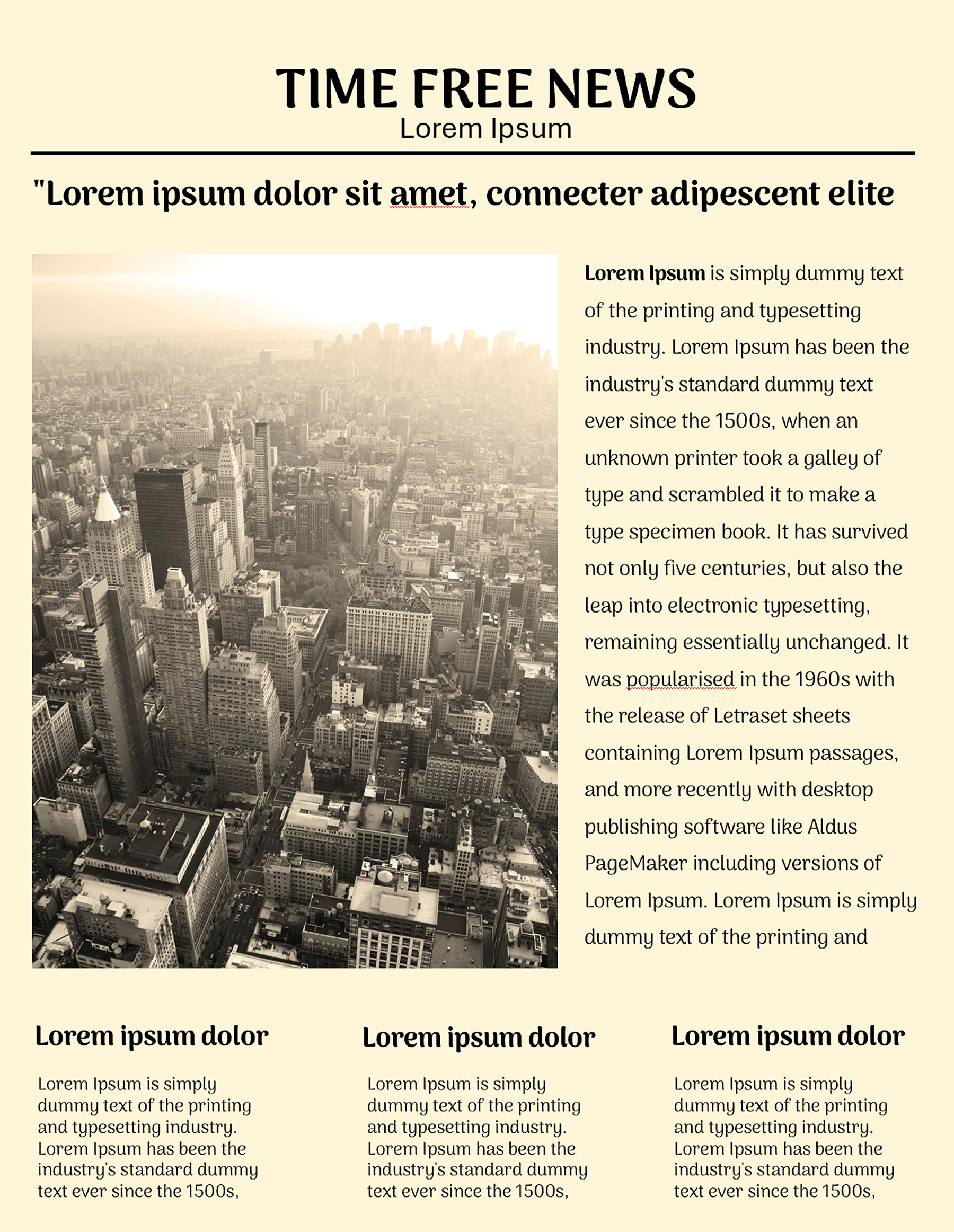
Trying to get that “straight out of another era” newspaper feel? The Vintage and Old Newspaper Templates are worth using. The 20th-century classic layout features a bold, all-caps title at the very top paired with a smaller subtitle line below. Below the masthead, a prominent headline tells readers exactly what your newspaper is about.
The upper section also leaves space to add a vertical photo on the left side, with a multi-paragraph article column running right beside it. Additionally, the lower portion of the layout is divided evenly into three distinct mini articles, each topped with its own bold heading.
Vintage newspaper
Vintage newspaper
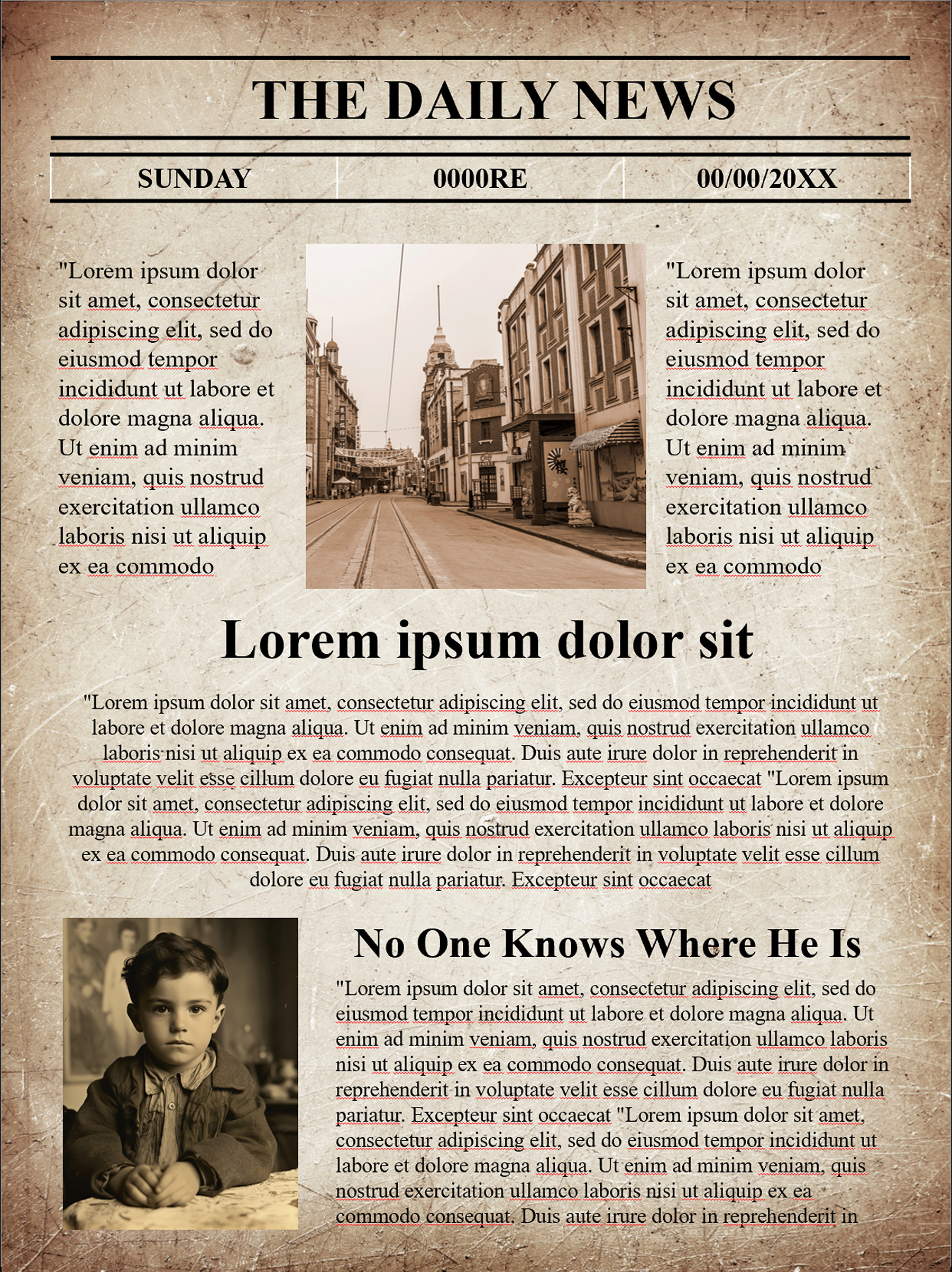
On the other hand, if you want to step back in time with a classic front-page layout that looks like it was ripped straight from the history book. The old newspaper template is what you’re missing.
At the very top, a strong masthead sits proudly above a traditional issue and date bar. Just below, you get a spacious place to add the photo, framed neatly by two narrow columns of text on both sides. This makes it easy for you to explain the story and add visuals.
Moving down, you also get a wide block of story text with a prominent headline that is enough to catch the reader’s eye. This section is best for showcasing your trendy story and adding an antique picture behind it.
old newspaper
old newspaper
Creating a Memorial Newspaper?
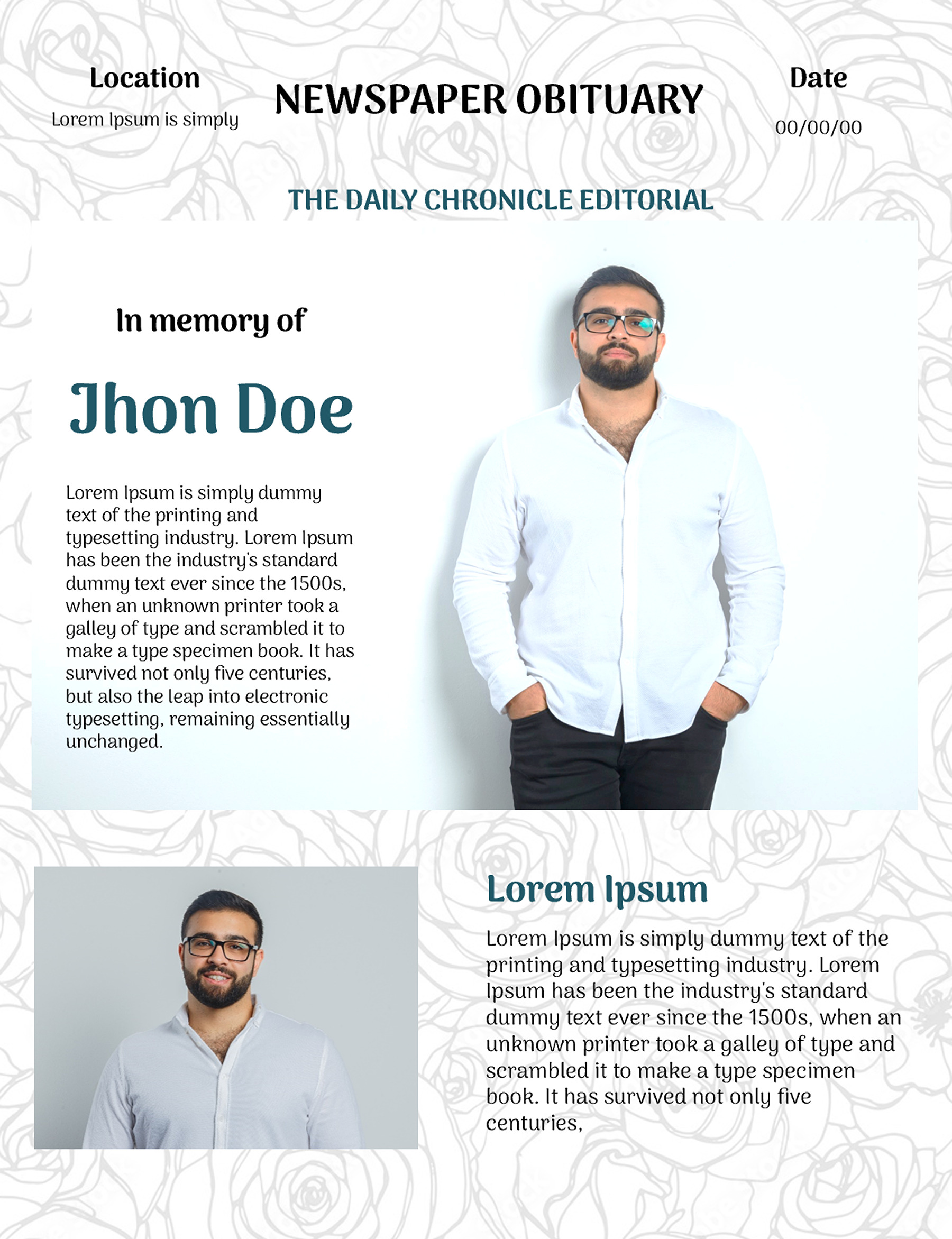
In order to honor someone and to create a newspaper for a tribute or memorial piece, the Obituary Newspaper Template gives you a more suitable starting point. Here’s how you can bring this to life:
Newspaper Obituary Template
Newspaper Obituary Template
- You can use the top banner for the publication title, and fill the side fields with the service date and location so guests have all important information in one place.
- Right below, you get a full-body portrait of your loved one on the right side, balanced on the left side by their name in bold font.
- The lower section gives you a place to cherish a snapshot on the left with a dedicated tribute story, favorite quote, or any special message on the right.
Focusing on One Story?
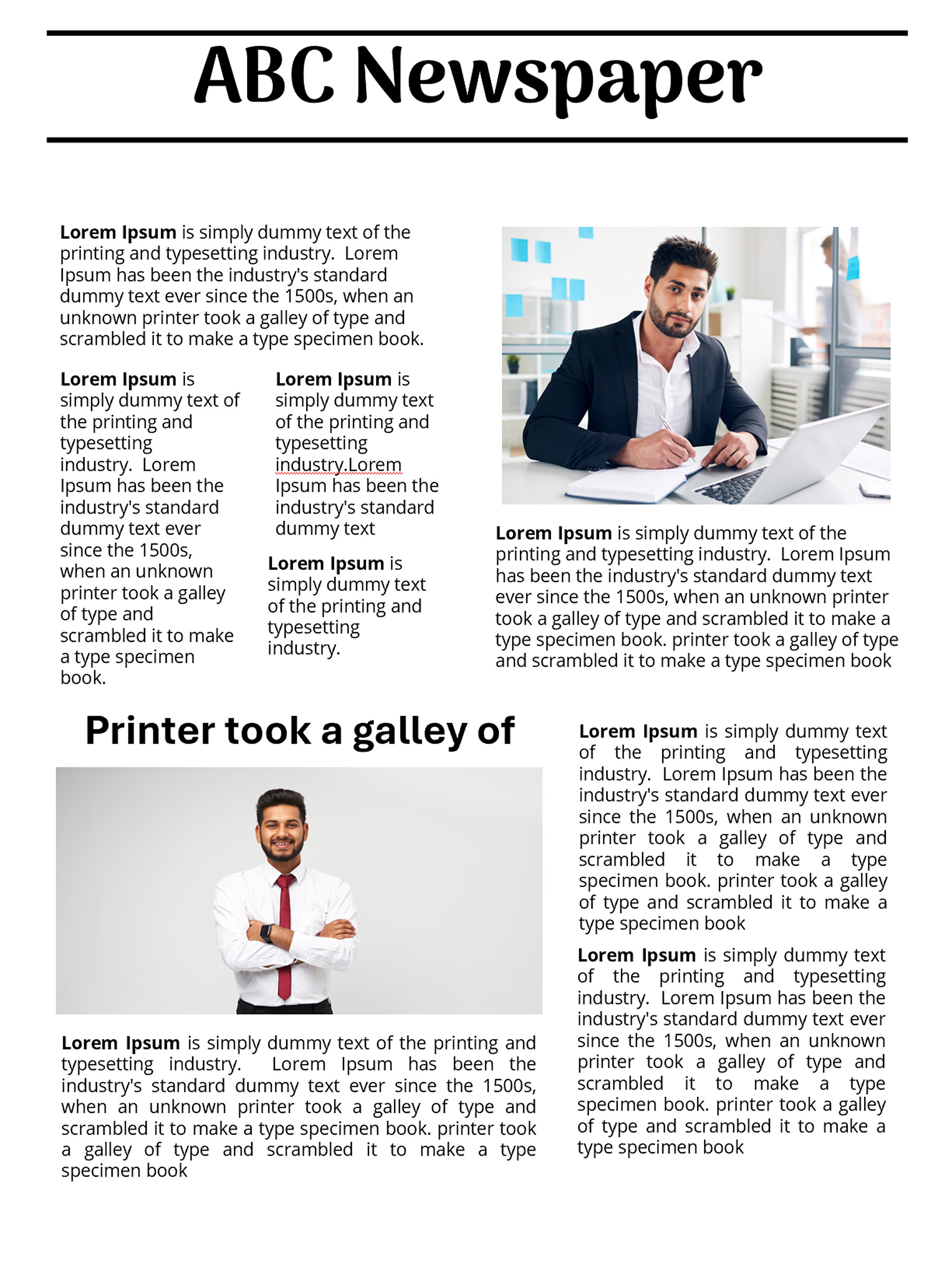
Then you must use a Newspaper Article template to dive into the ultimate professional broadsheet experience. It is perfect for bringing your corporate newsletter, business updates, or creative features to life.
Newspaper Article Template
Newspaper Article Template
At the very top, use the bold headline along with a dividing line to immediately explain what it is about. The upper section of the template features a clever side-by-side layout with a hero image on the right. Apart from this, it gives you space to write a multi-column article on the left to smoothly roll out your lead story or executive overview.
Moving down to the lower half, the layout gives you a secondary headline, photo space, and story text on the right, so that you cover your information seamlessly.
Need a Strong Opening Page?
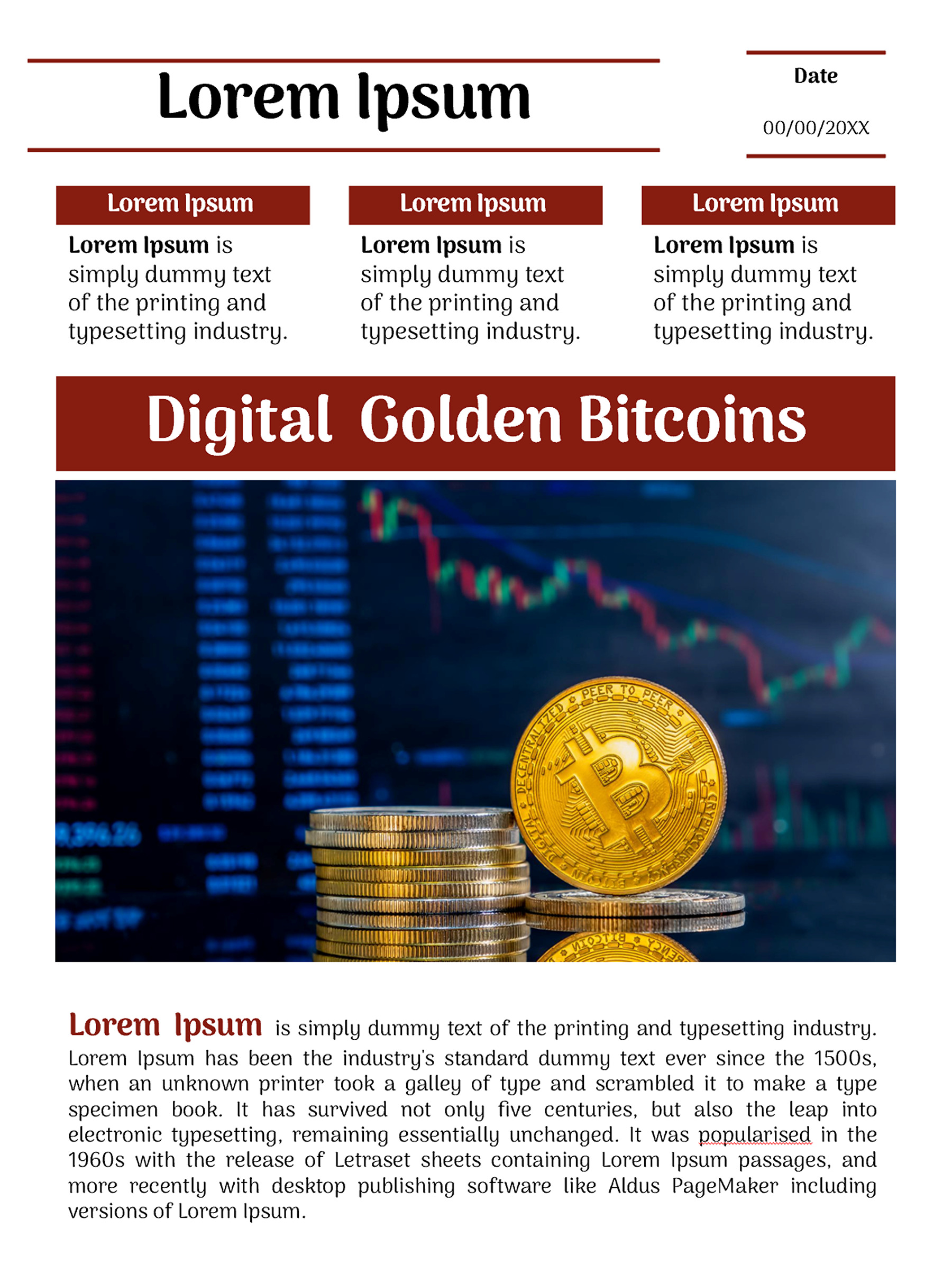
The absolutely amazing front-page newspaper template is what you need to grab attention. Plus, this is what makes it an ideal choice for financial reports, tech trend breakdowns, market analyses, or business news updates.
Front Page Newspaper
Front Page Newspaper
Talking about the template, you can use the bold publication title banner at the top and date line to brand and timestamp your edition. The three-column teaser grid right below, framed with bold headings, works perfectly for highlighting quick blurbs, secondary headlines, or breaking news summaries.
Below that, you see the bold title banners aligned with a large photo that get attention quickly, designed to showcase your primary story. Finally, you can use the wide text block at the end of the page to give your main feature story plenty of room to breathe.
Making Something Fictional or Just for Fun?
If you want to create a made-up publication, classroom project, joke newspaper, or fictional news story, you can go for the Fake Newspaper Template.
Fake Newspaper Template
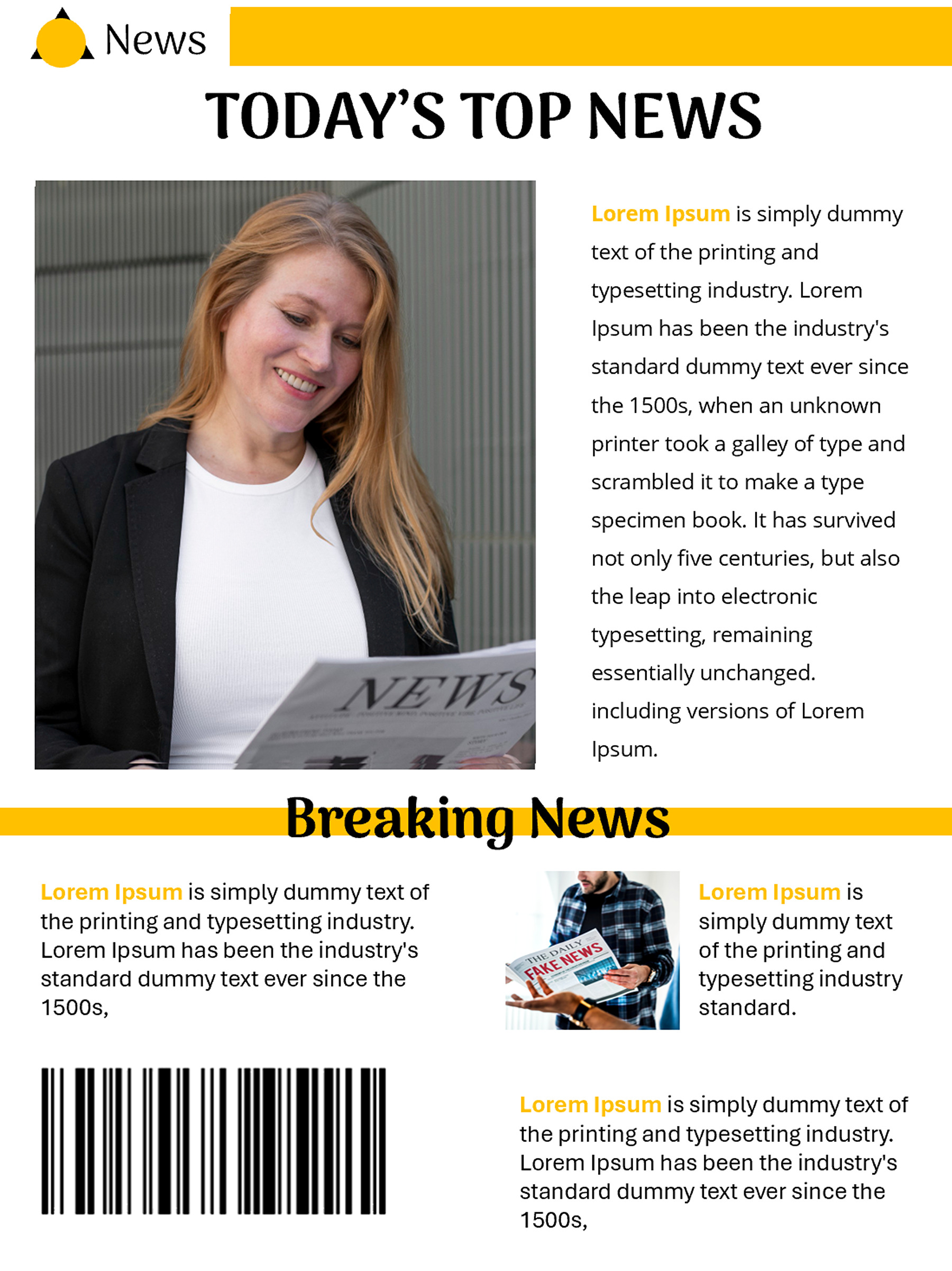
Fake Newspaper Template
The layout gives you an original vibe. Structurally, you can use the top section to feature a prominent logo and headline to establish your publication’s identity. In addition to that, the upper section is divided into a side-by-side arrangement, allowing you to use the large vertical photo slot on the left as a hero image. Moreover, it also has a detailed multi-paragraph article block on the right.
Below that, you get a dedicated breaking news banner that serves as a clear divider to introduce the lower half of the page. Finally, you can use the lower section’s flexible grid, consisting of multiple text blocks, an additional photo box, and a bottom barcode graphic, to wrap up your edition with extra stories.
How to Create a Perfect Newspaper With a Template
Getting a template is one thing, and how you put this into practice is another. Here’s how you can create an effective one:
- Pick your style: Is it a wedding keepsake, a school project, or fictional? Pick a template that goes with your idea so that you don’t need to edit any template or try to squeeze your information into another format.
- Plan your stories and headlines: Don’t just throw your stories. Decide what deserves your spotlight and manage accordingly. Plus, make sure you keep the headlines short, clear, and that satisfy the hook.
- Add your articles and images: Every layout gives you enough space to write your stories, articles, announcements, and other details. Use the space appropriately and add photos where they make sense. Plus, don’t forget captions if they help explain what readers are seeing.
- Adjust the layout: Move things around the page until it feels balanced rather than packed like a suitcase five minutes before a trip. If needed, resize the images and text, but keep the columns easy to read.
- Give the finished page a final proofread: Before you go for sharing or printing, give the page a final look so that you can spot any inconsistencies or spelling errors.
Newspaper Template Design Mistakes to Avoid
Well, even with ready-made templates, a few mistakes literally make your newspaper look more like a crowded document than a real publication. Here’s what to avoid:
- Trying to Fit Too Much on One Page: Don’t think that more content means better newspapers. Squeezing text, photos, and details to cover everything on one page makes the page feel stuffed and also loses the real essence of it.
- Making Every Headline the Same Size: The fact is that if every headline is shouting for attention, nothing actually stands out. Use different sizes to create a visual hierarchy and help readers know where to look first.
- Using Tiny Text To Save Space: What’s the point of saving space if nothing is visible? Don’t shrink the font to cover your text. Adjust the layout instead of sacrificing readability.
- Mixing Too Many Fonts and Styles: Make sure to keep things simple with a small and consistent font combination. You’re creating a newspaper, not running a typography experiment and every font on your computer.
Ready to Put Your News on the Page?
Creating a newspaper doesn’t have to involve endless editing, perfectly aligned columns and thinking why that one picture refuses to sit where you want it. However, with the right newspaper template, you have a solid starting point. Just add your stories, headlines, photos and personal touches, give everything a quick polish, and you’re ready to go. Whether you are looking for a wedding keepsake, advertising a personal story, or showcasing a school project, explore our collection and pick your style. Because we’ve got something for everyone!
FAQs
Can I customize a newspaper template?
Yes! You can swap text to make it your own. These layouts come into editable format so that it is easy for you to adjust the changes.
Can I make a fake newspaper with a template?
Absolutely! You can use the template belonging solely to this type to make a newspaper that fits your needs.
About This Article