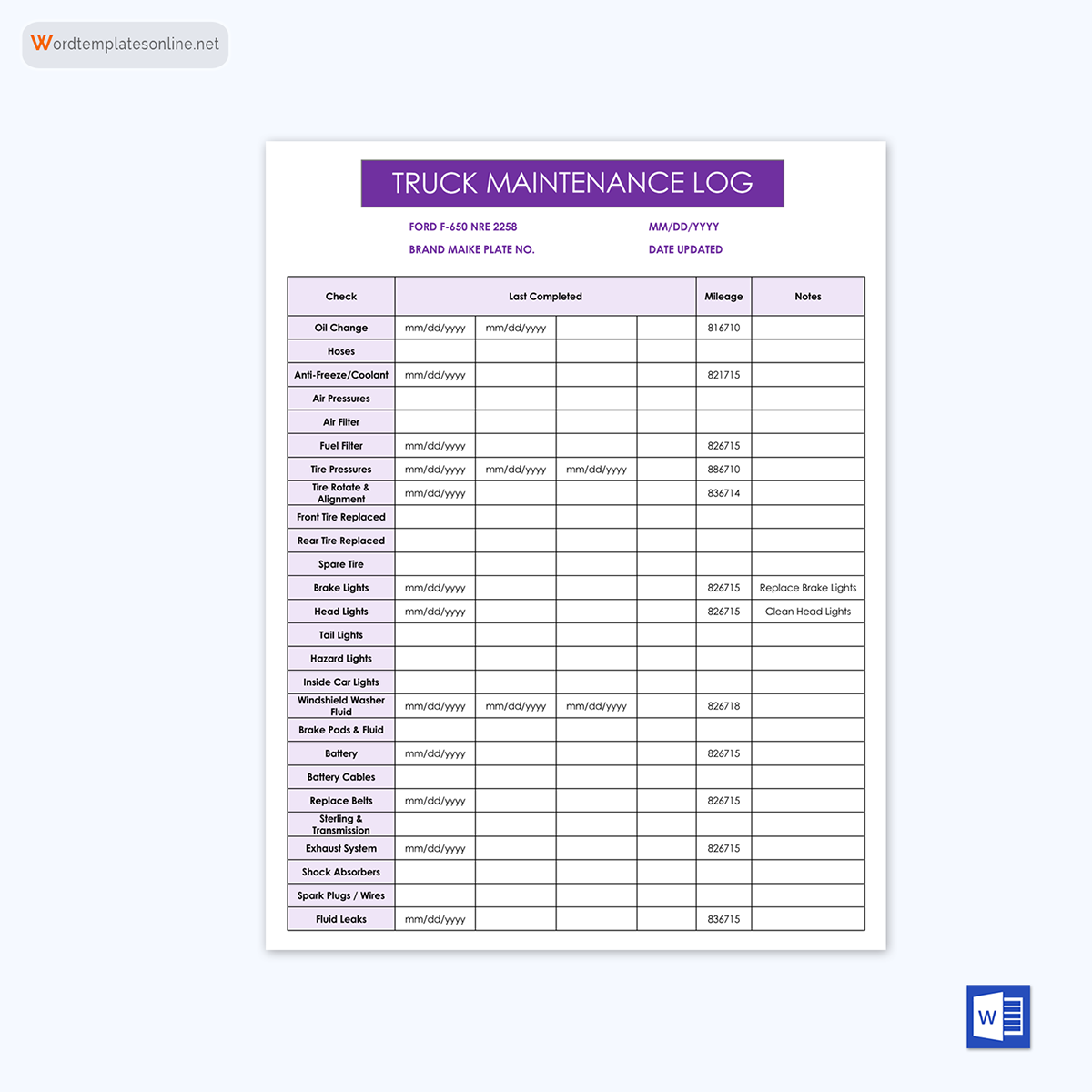
A call log is a systematic way to keep track of phone conversations. It records the caller’s and recipient’s IDs, call direction (incoming or outgoing), purpose of the call, its status, and duration. Keeping these details organized helps teams and individuals maintain clear, transparent communication.
Thanks to their systematic methodology, call logs have multiple uses. Healthcare providers use them to track patients’ communication records, and schools utilize them to maintain parent-teacher interaction. Moreover, businesses, sales teams, and customer service departments also rely on call logs to follow up with clients, manage professional communications, and ensure quality service. They are also beneficial for personal use if you want to keep track of daily call records. Overall, a call log is a tool that helps achieve clarity, accountability, and quick access to relevant information.
To make this process even simpler, we at Word Templates Online offer a range of professional call log templates. Customized according to your needs, these templates can be used for patient and parent logs, business, sales, client, customer, daily, employee, and sample logs.
Now, without any delay, let’s take a closer look at each template and see how they can streamline your call management.
Did you know? 85% of people whose calls are not answered do not call back, which can result in a potential client loss.
Call Log Templates
Business call log
Companies use business call log templates to record employee or department-made business phone calls. Whether it’s a conversation with a client, a prospect, or a business partner, business call logs make it easier to document key details and maintain reliable records.
We have two business call log templates available:
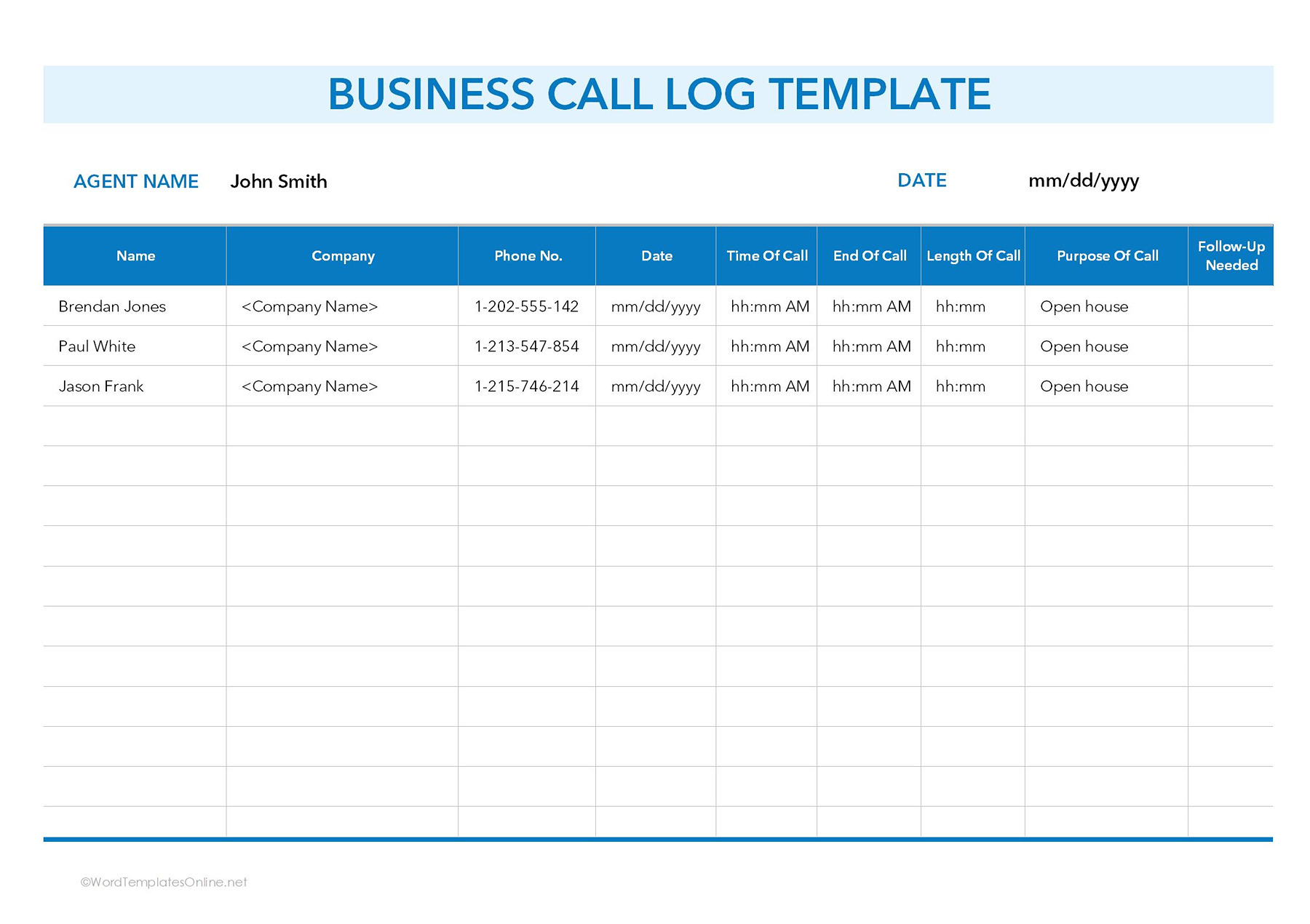
Business Call Log Template 1
This business call log template includes the following fields:
- Agent Name: Name of the person who made the call.
- Date: Date when the call took place.
- Caller details: Recipient’s name, company, and phone number.
- Call timing: Time of call, end of call, and call duration.
- Purpose of call: Reason for the call (e.g., was it an inquiry call, was it a follow-up, or a meeting).
- Follow-up needed: Any next steps, such as a scheduled call.
Use:
This template is best suited for small and large businesses, real estate agents, client managers, and anyone in client-facing roles. It helps companies manage sales follow-ups. It further promotes accountability across teams and helps managers spot trends in client behavior for better decision-making.
For example, a Boston-based realtor, Joey Buyers, calls a client interested in a condo in Miami. Their call started at 10:15 AM EST and ended at 10:40 AM EST, for a duration of 25 minutes. Joey wrote “discussed property features and financing options” and “schedule a property visit next week” in the purpose and follow-up fields. By logging all key details, he made sure that both he and the client were aligned and no details were missed.
Business Call Log Template 2
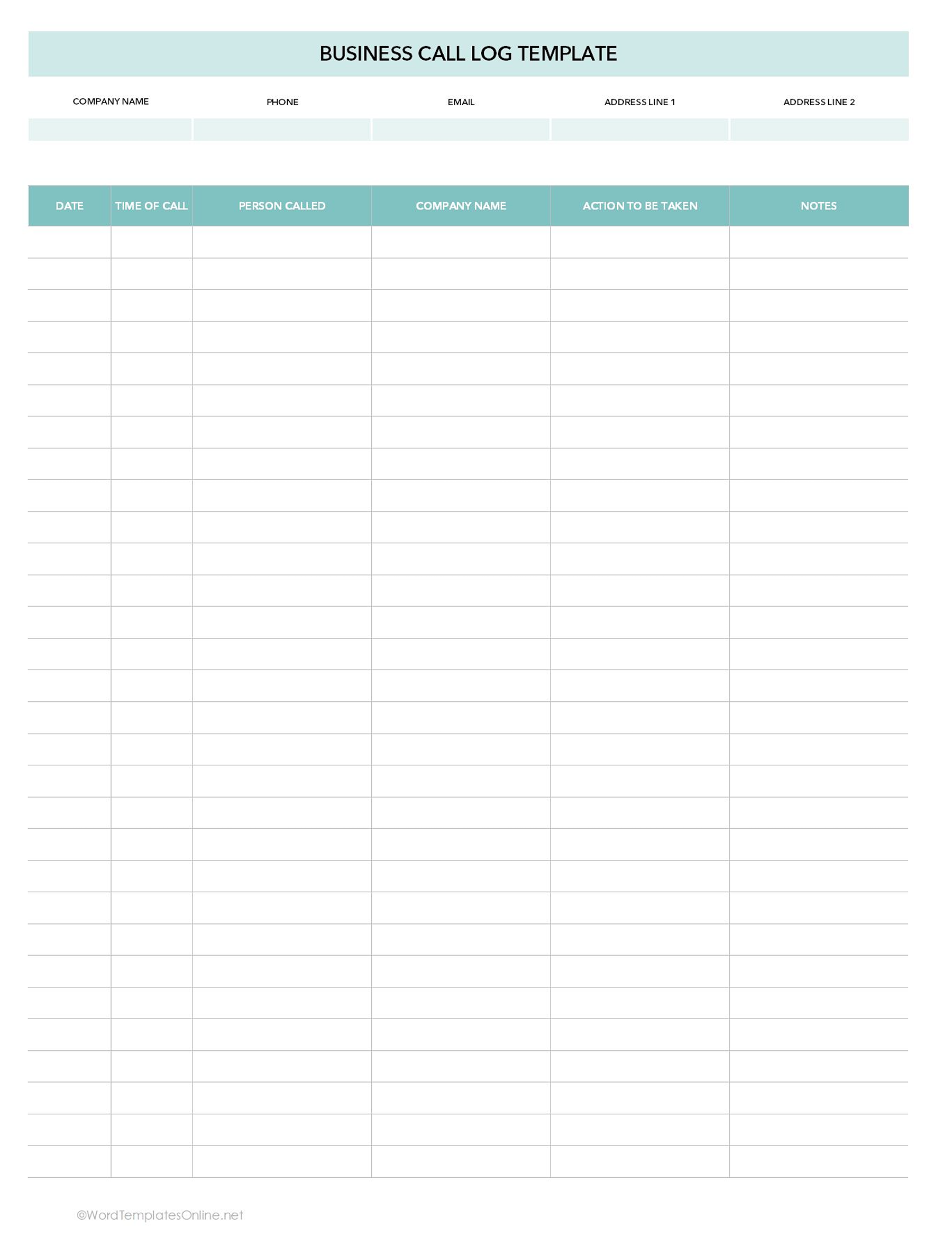
This template is designed for general business communications where call data needs to be recorded, but not in extreme detail (like the time of a call or its duration). It records the following information:
- Company’s details: Company name, phone number, email, address line 1, and address line 2.
- Call & caller details: Date, time, caller name, caller’s company, action to be taken, and notes.
Use:
This business call log template is perfect for administrative staff, front desk communication, vendor or supplier calls, and internal team communication.
For instance, Sarah, an administrator at WeWork NYC, gets a call from a supplier in Chicago about a delayed shipment of office equipment. She logs the company name, contact person, and date. She noted down “follow up with logistics department” as action needed, and “supplier requested expedited delivery” in the notes section. Later, the operations manager reviews the log to resolve the delay efficiently.
Customer service call log template
Customer Service Call Log is a structured tool that helps support teams document, monitor, and resolve customer interactions.
This template is designed to make sure that all feedback, complaints, inquiries, and follow-ups are documented.
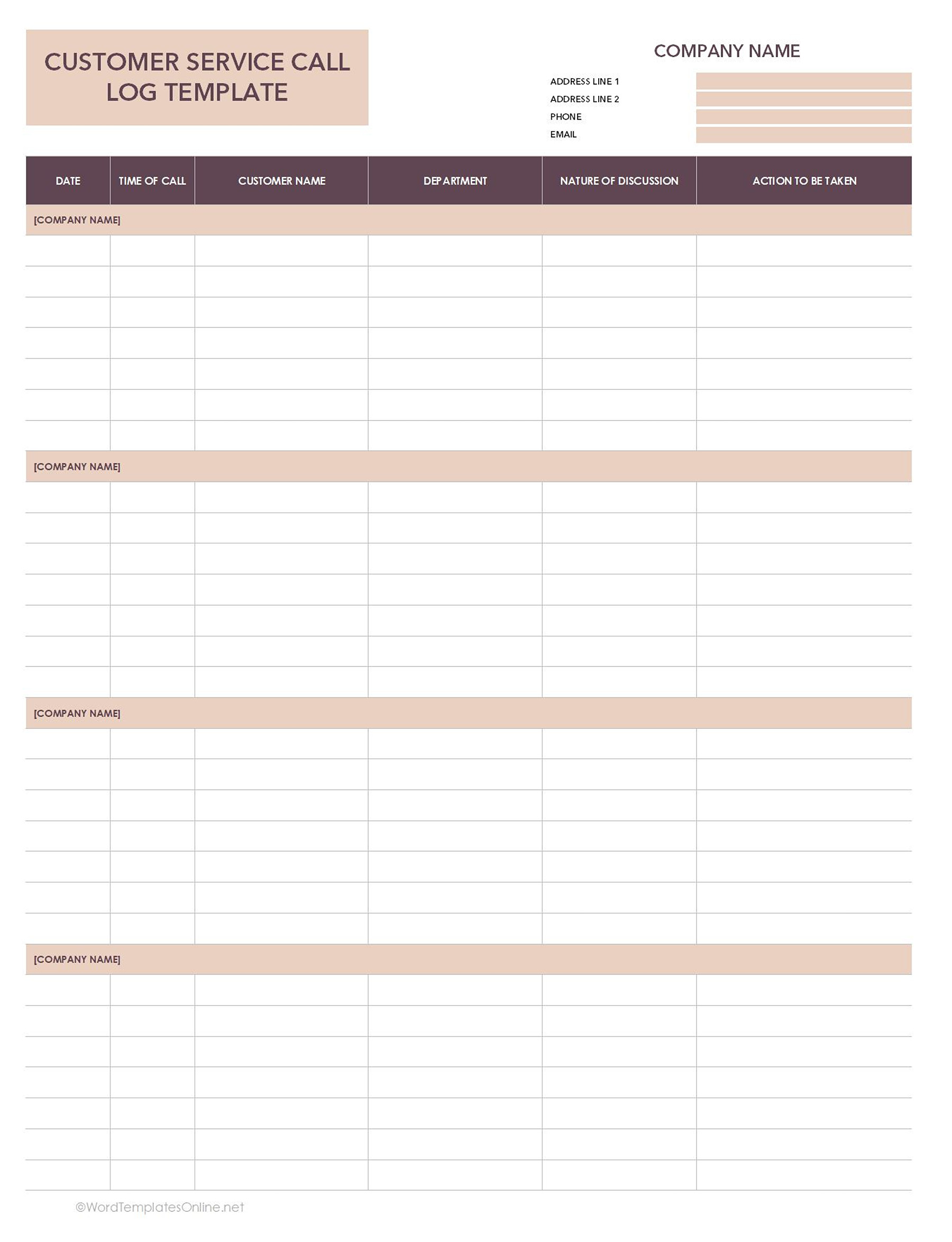
In the top right, write your company’s name, phone, email, and address lines 1 and 2.
In addition, this template records:
- Date of call
- Time of call
- Customer’s name
- Department: The department handling query.
- Nature of discussion: Summary of call.
- Action to be taken
Use:
This template is designed for customer service departments. It also helps track unresolved issues and makes follow-ups easier.
One standout feature of this template is its use of repeated header bars throughout the page. These sections are intentionally placed to break the sheet into clear segments, which makes it easier for customer service teams to manage high volumes of daily calls.
The divided layout helps agents log interactions without clutter. It also keeps the document visually structured during printing or when multiple team members contribute to the same sheet.
Let’s say, a New York-based support agent at Salesforce receives a call from a client experiencing login issues. The agent will instantly log the date, time, customer name, department (e.g., Technical Support), discussion summary, and next steps. The supervisor can later review the log and ensure timely resolution.
Client call log templates
A client call log is a document that helps professionals maintain a clear record of interactions with clients. It’s particularly useful for anyone handling multiple clients simultaneously. Client call log ensures that client relationships remain strong by recording call details, action items, and notes in one place.
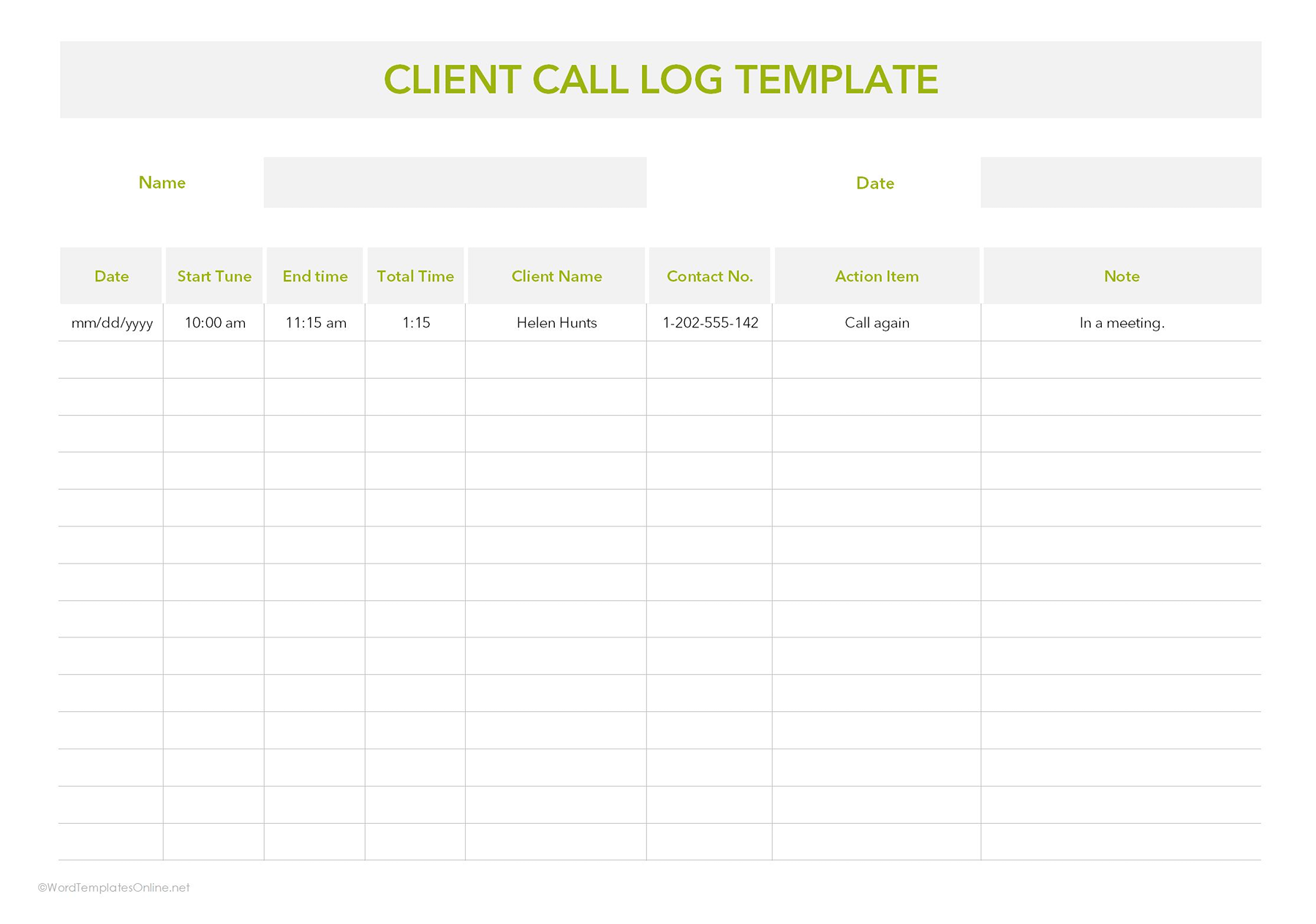
Client Call Log Template 1 (detailed tracking)
This template provides detailed tracking of clients’ calls, including timing, duration, and follow-up actions. It’s recommended for anyone who wants a detailed record of each client interaction.
This template keeps track of:
- Your name and date.
- Date, start time, end time, and call duration.
- Client name and contact number
- Action item (next steps)
- Notes
Use:
Perfect for tracking client meetings and sales calls. It allows time tracking that results in timely follow-ups and accountability. Other than that, it supports performance analysis and strategy by maintaining detailed interaction history.
Client Call Log Template 2
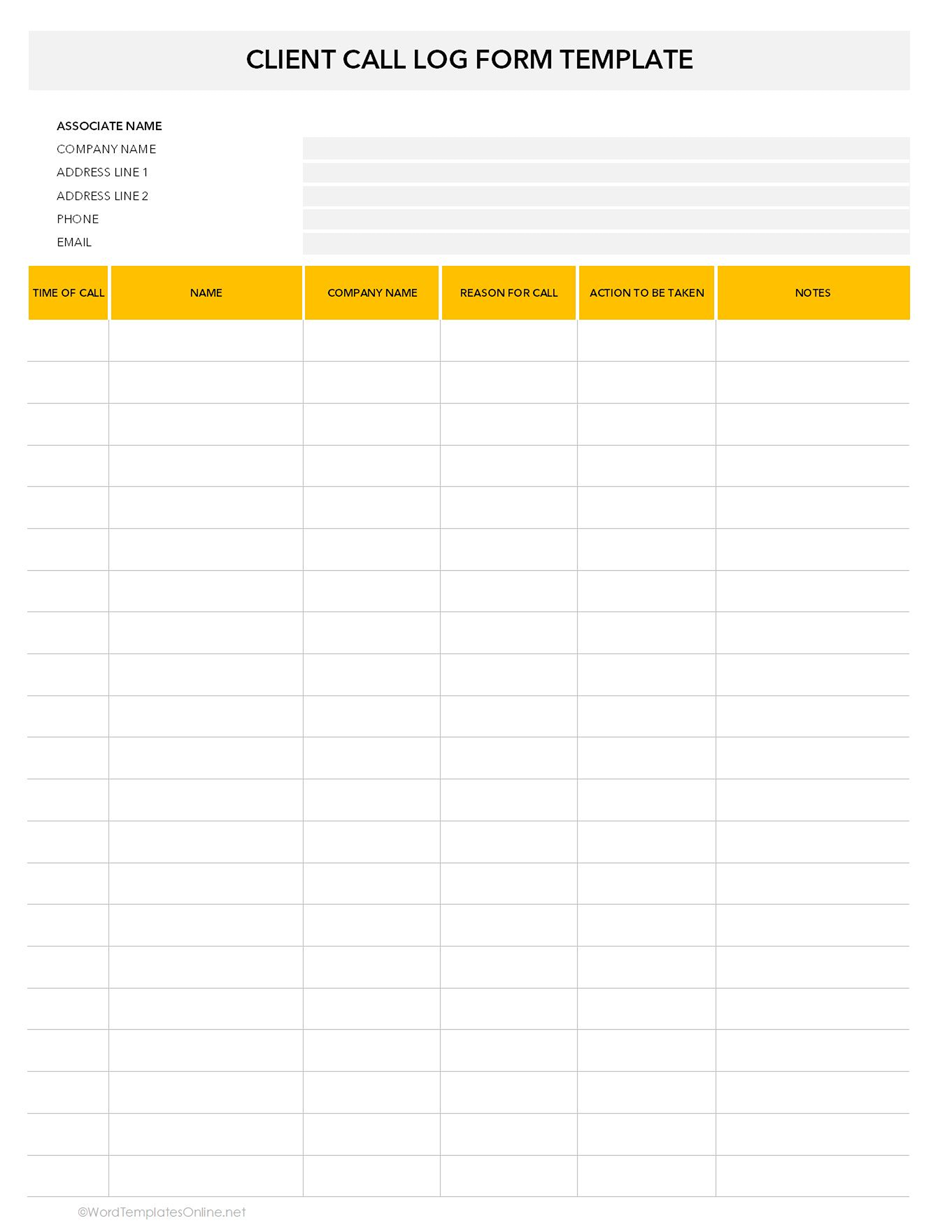
This template is highly recommended for quick call documentation where your focus is on client information and action items rather than precise timing. It works best for professionals who need a streamlined logging system.
This template includes:
- Associate name (agent handling clients) and company name
- Address, Phone, and email
- Time of call, client name, and company
- Reason for call
- Action to be taken
- Notes
Use:
This template is ideal for professionals dealing with high-volume interactions where speed is critical. Account and relationship managers use them to track ongoing conversations. Consultants and advisors benefit from recording discussions and recommendations, which makes it easier to track action items for each client. Small business owners and entrepreneurs can also use client call logs to maintain a clear overview of interactions. Even project managers find them valuable for tracking client approvals and project updates.
For example, a Los Angeles-based marketing consultant receives a call from a client at HubSpot to discuss campaign adjustments. The consultant logs the call time, client name, company, discussion points, and follow-up actions. Later, the project manager reviews the log to check whether all updates are implemented promptly.
Sales call log templates
As the name suggests, sales call logs are used by sales professionals to track and organize their clients’ phone interactions. These templates capture crucial details to improve the team’s productivity, performance, and strengthen client relationships.
There are two different sales call log templates available on our website:
Sales Call Log Template 1
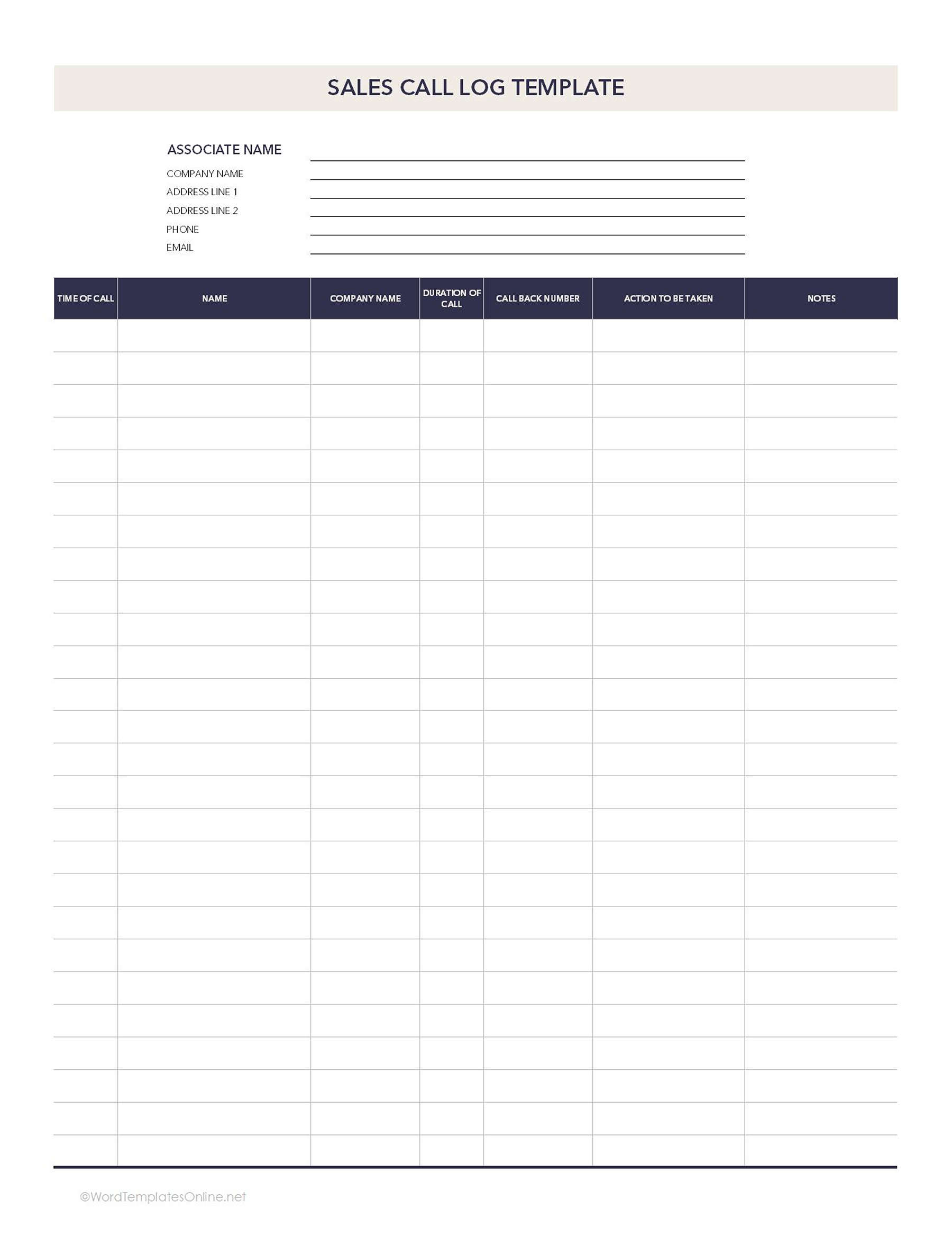
This template is best suited for medium to large sales teams who need to track multiple sales associates and manage high call volumes.
This template highlights:
- Associate name and company name
- Address lines, phone, and email
- Client’s name, company, time of call, duration, and callback number
- Action to be taken and additional notes
Use:
- Useful for account managers, sales executives, and team leaders to monitor performance.
- Supports detailed reporting for sales meetings, performance reviews, and pipeline management.
For example, A sales associate at Salesforce speaks with a potential client in Austin regarding a software demo. They record the client company, callback number, time, and duration of the call, and next steps in the sales call log. At the end of the week, the sales manager reviews all associates’ logs to track follow-ups, evaluate performance, and update the pipeline report.
Sales Call Log Template 2
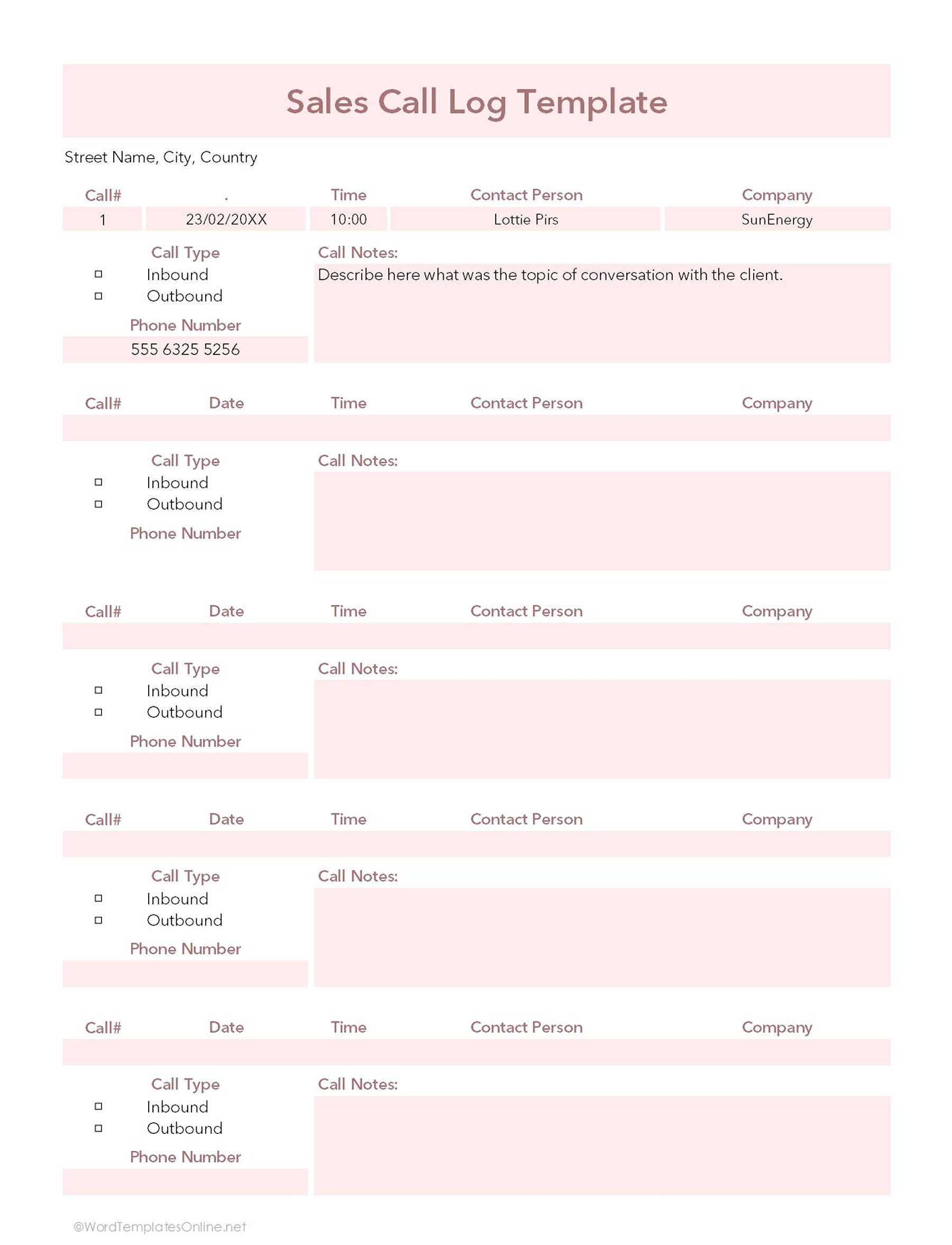
One thing that makes this template different is its format. Instead of shared columns for multiple clients, this template defines each client’s details separately, making it easier to track individual interactions. This template also provides more writing space for notes and is perfect for detailed call summaries.
Other than that, this template includes:
- Date and time of call
- Client name and company
- Call type (inbound/ outbound)
- Call notes/ discussion summary
- Phone number of the client
Use:
It’s highly recommended for any sales professional who wants a lightweight call log. Other than that, small business owners can use them to log calls quickly without tracking duration.
For Example, A Brooklyn-based small business owner receives an inbound inquiry from a client at FedEx Office regarding bulk printing services. They log the call type, client details, summary of the discussion, and next steps (send price quote). The clear format helps them follow up without missing any details.
Daily call log templates
Daily Call logs are designed to record all calls made or received in a day. Individuals can use them to get a clear overview of daily communication activities to make sure nothing is overlooked.
Depending on the client’s focus (detailed discussion tracking or quick reference logging), there are two templates available:
Daily Call Log Template 1
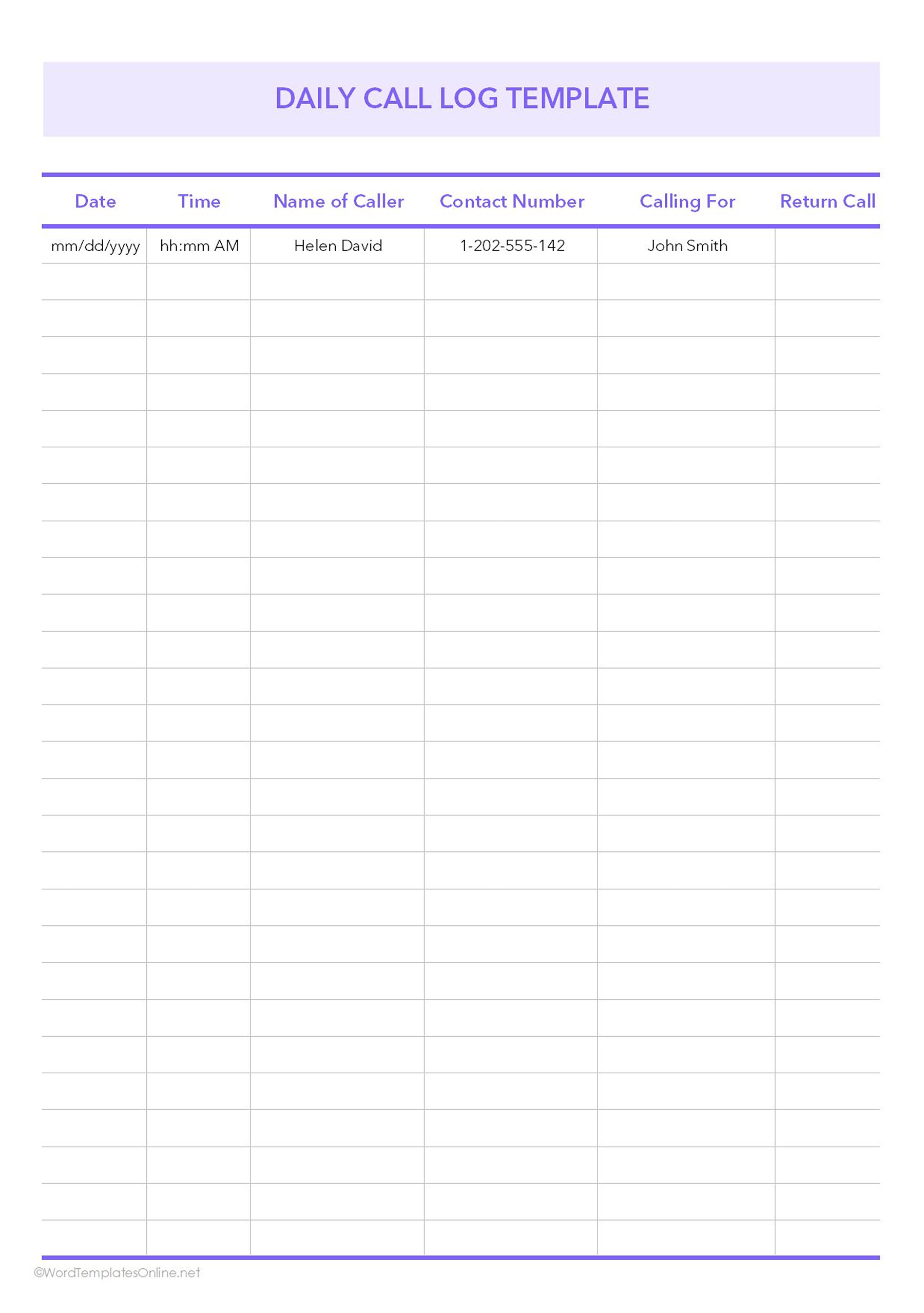
This template is best for quick reference calling. It provides a quick snapshot of daily calls without detailed notes. It simply focuses on who called, why they called, and whether a follow-up is needed.
This template lists:
- Date and time
- Name of caller
- Contact number
- Calling for
- Return call
Use:
It works well for personal use and for front desk individuals who handle frequent calls and need to log them efficiently. It is also great for small businesses and solo operators who don’t need detailed discussion logs.
Daily Call Log Template 2
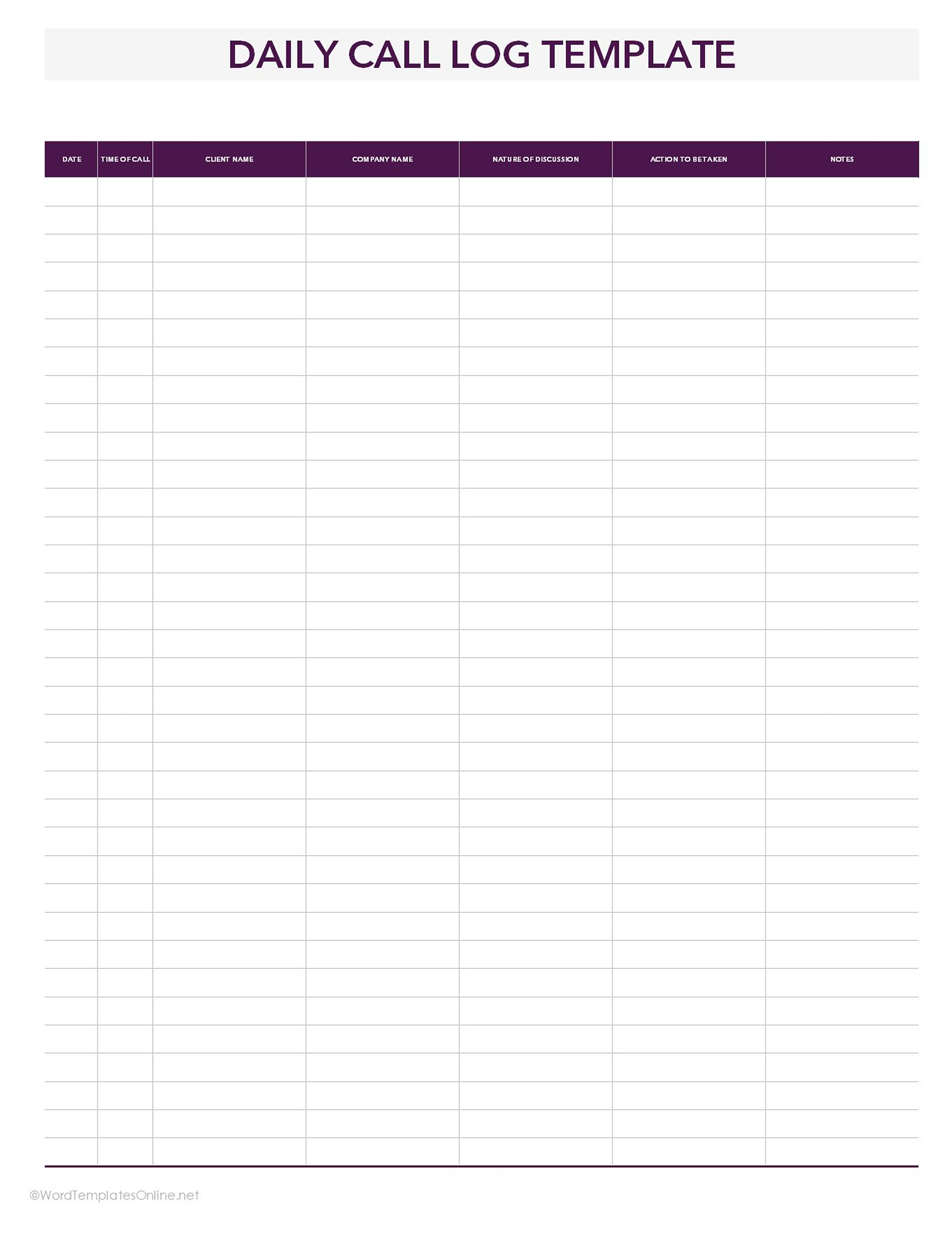
This template is more suitable for daily tracking of detailed discussions. It includes action items and a notes section that help prioritize follow-ups and provide additional details about the call.
What this template records:
- Date and time of call
- Client name and company name
- Nature of discussion
- Action to be taken
- Notes
Use:
This template is perfect for daily use. Sales teams, customer service agents, managers, or anyone who wants a detailed daily overview can use it.
For Example: A customer service supervisor at Spectrum receives a call from a client in Phoenix reporting an internet outage. The supervisor logs the call, noting the technical details and the action required (dispatching a technician). Additional notes include the client’s availability and urgency. At the end of the day, the supervisor uses the log to update the task queue and ensure the follow-up is completed.
Employee call log template
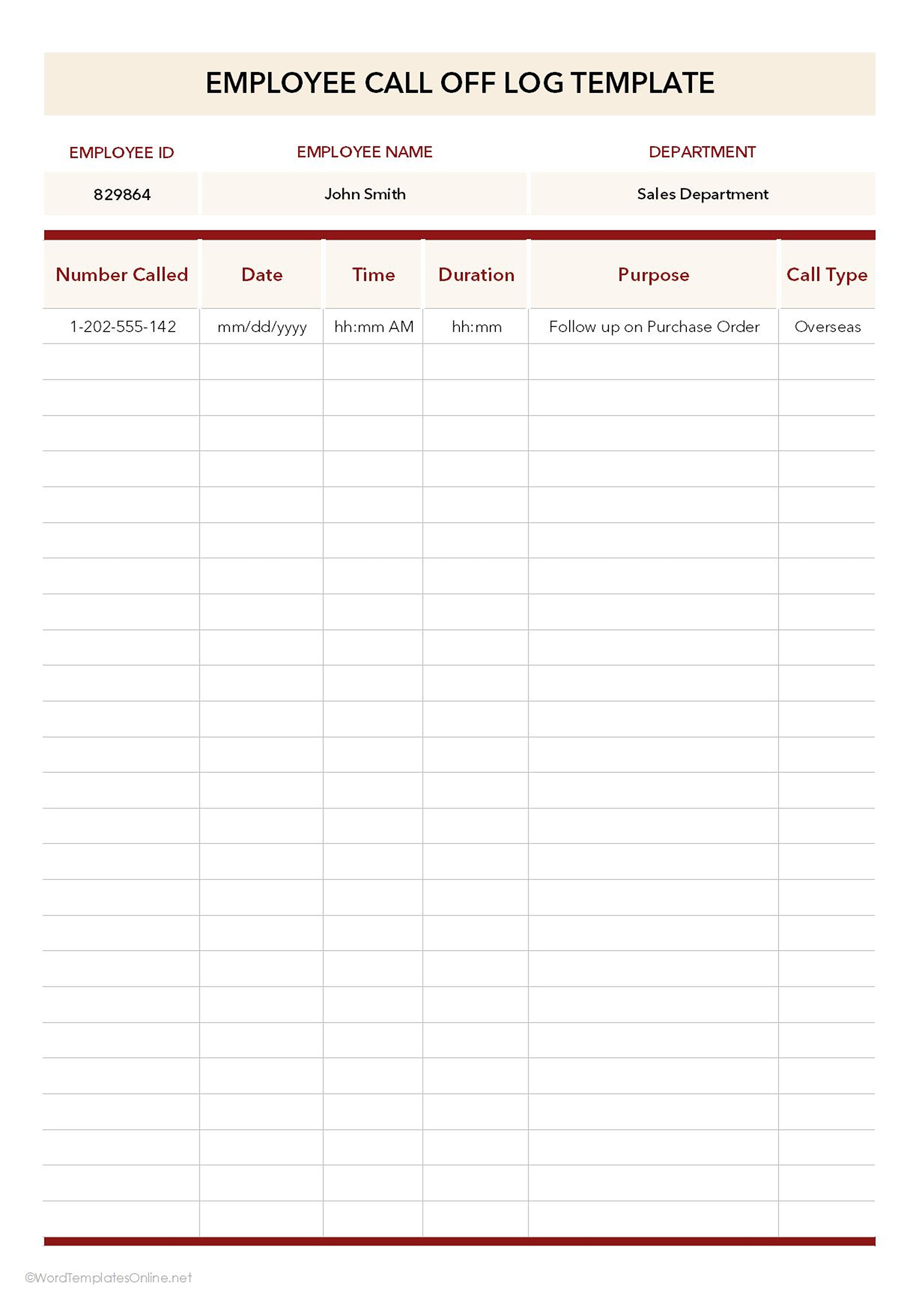
Employee call logs are designed to track calls made or received by employees. It helps managers and teams monitor performance and maintain records of internal or external communications.
This template is best for businesses that want to assess employee engagement, follow-up efficiency, and the outcome of calls for operational and reporting purposes.
This template provides a summary of:
- Employee ID, name, and department
- Number called
- Date and time of call
- Duration of call
- Purpose of call
- Call type
Use:
It is ideal for lead roles, like team managers or supervisors, to monitor employee communication patterns. It further tracks employee follow-ups, client or partner interactions, and departmental call activities. It also helps HR departments to evaluate performance and training.
Example: An HR coordinator at Google’s New York office calls a team member to discuss benefits enrollment questions. The coordinator logs the employee’s details, call date and time, purpose of the call, duration, and any follow-up actions. Later, the HR manager reviews the log to ensure all employee queries are addressed and to track HR service efficiency.
Parent call log template
Parent call logs are specifically designed to assist communications between school staff and parents. They are useful for tracking conversations regarding students’ academic progress, behavior, and other updates.
This template ensures that information is communicated, follow-ups are managed, and records are maintained for future reference.
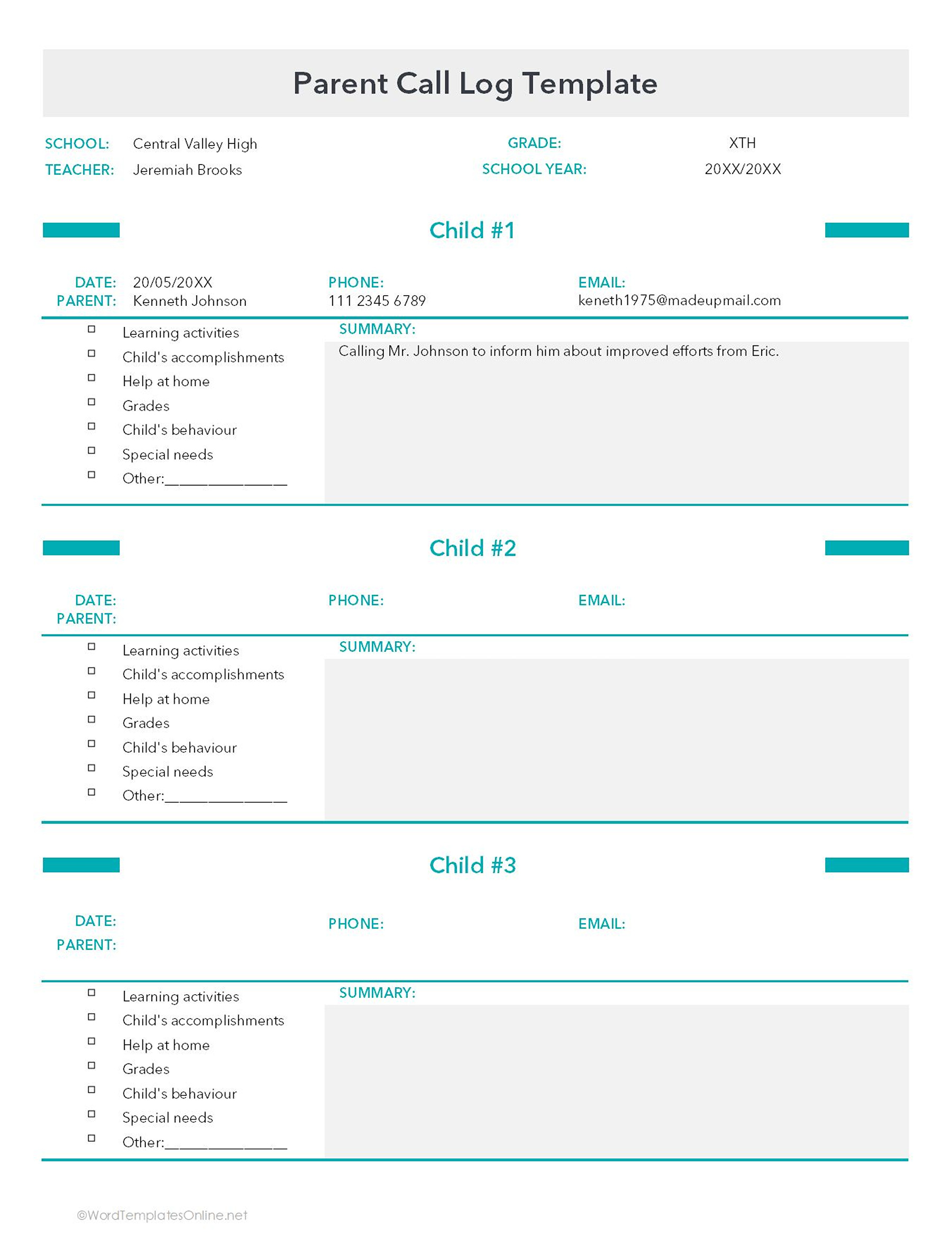
This Template Includes:
- School Name, Teacher, Grade, and School Year
- Parent Name, Phone Number, and Email
- Child-specific sections covering:
- Learning activities
- Child’s accomplishments
- Help at home
- Grades
- Behavior
- Special needs
- Others (additional notes)
Use:
It is best for teachers, school counselors, and admin staff who need to be in clear contact with parents. It allows tracking multiple children per parent, which helps keep essential information in one place. It can be beneficial to manage students with special needs or behavioral issues.
For Example, a teacher at Lincoln Elementary School in Chicago calls parent of a student with ADHD to discuss progress on completing homework. The teacher logs the child’s accomplishments, behavior improvements, and strategies used at home, along with action items for continued support. Later, the school counselor reviews the log to adjust learning strategies and provide targeted support for the student’s development.
Patient call log templates
Patient call logs track communications between healthcare staff and patients. It is beneficial for clinics, hospitals, and medical offices to manage patient inquiries, follow-ups, and treatment details.
We have designed these two templates for this purpose.
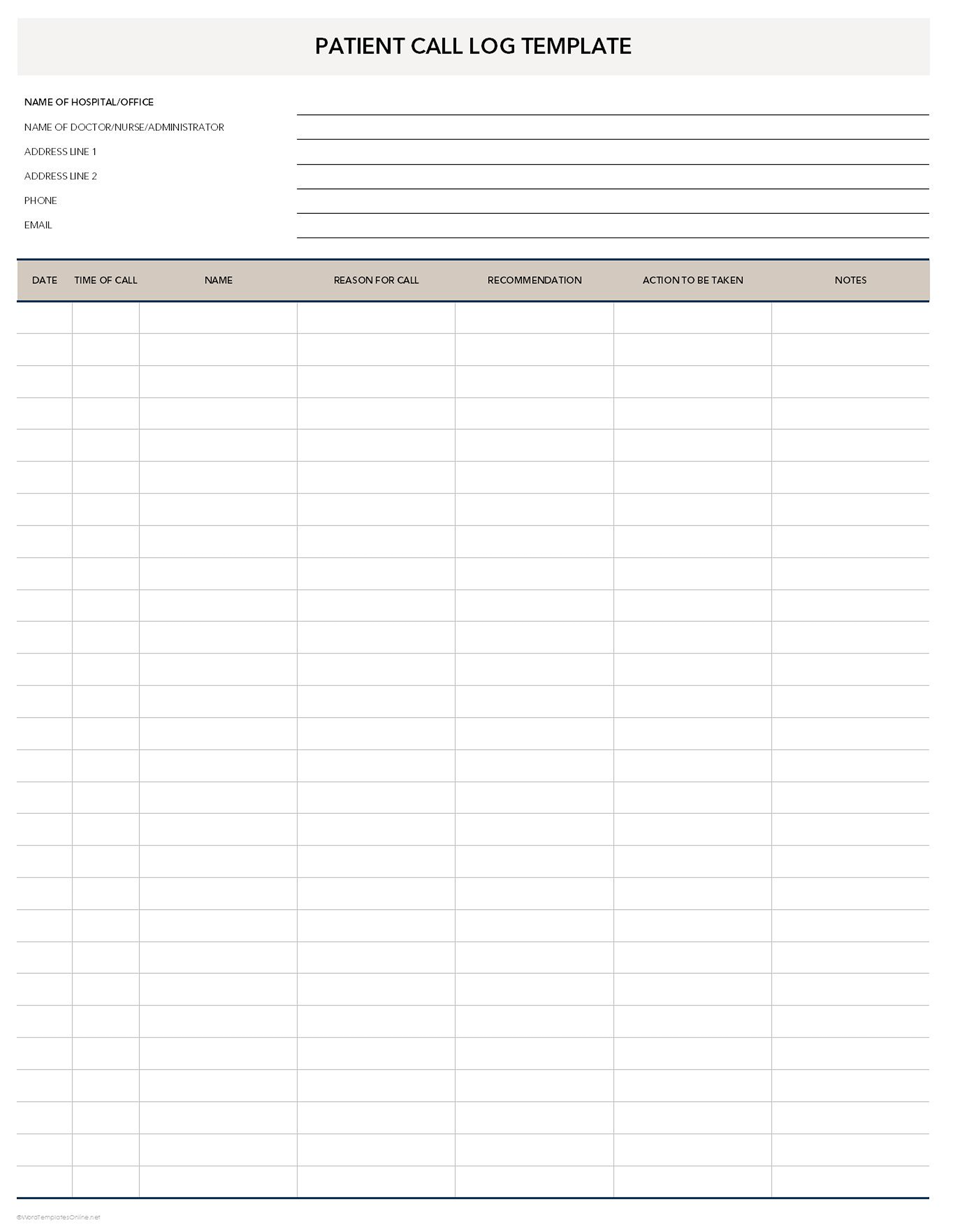
Patient Call Log Template (General communication & follow-up tracking)
This template is used for general communication with patients. It includes a section dedicated to recommendations and actions, which makes follow-up easier. It is designed for broader use beyond detailed symptom tracking.
This template records:
- Hospital/Office Name, Doctor/Nurse/Administrator
- Address, Phone, and Email
- Date and Time of Call
- Patient Name
- Reason for Call
- Recommendation, Action to Be Taken, Notes
Use:
This template is recommended for receptionists, nurses, and administrative staff.
Patient Call Log Template (Clinical details & symptom tracking)
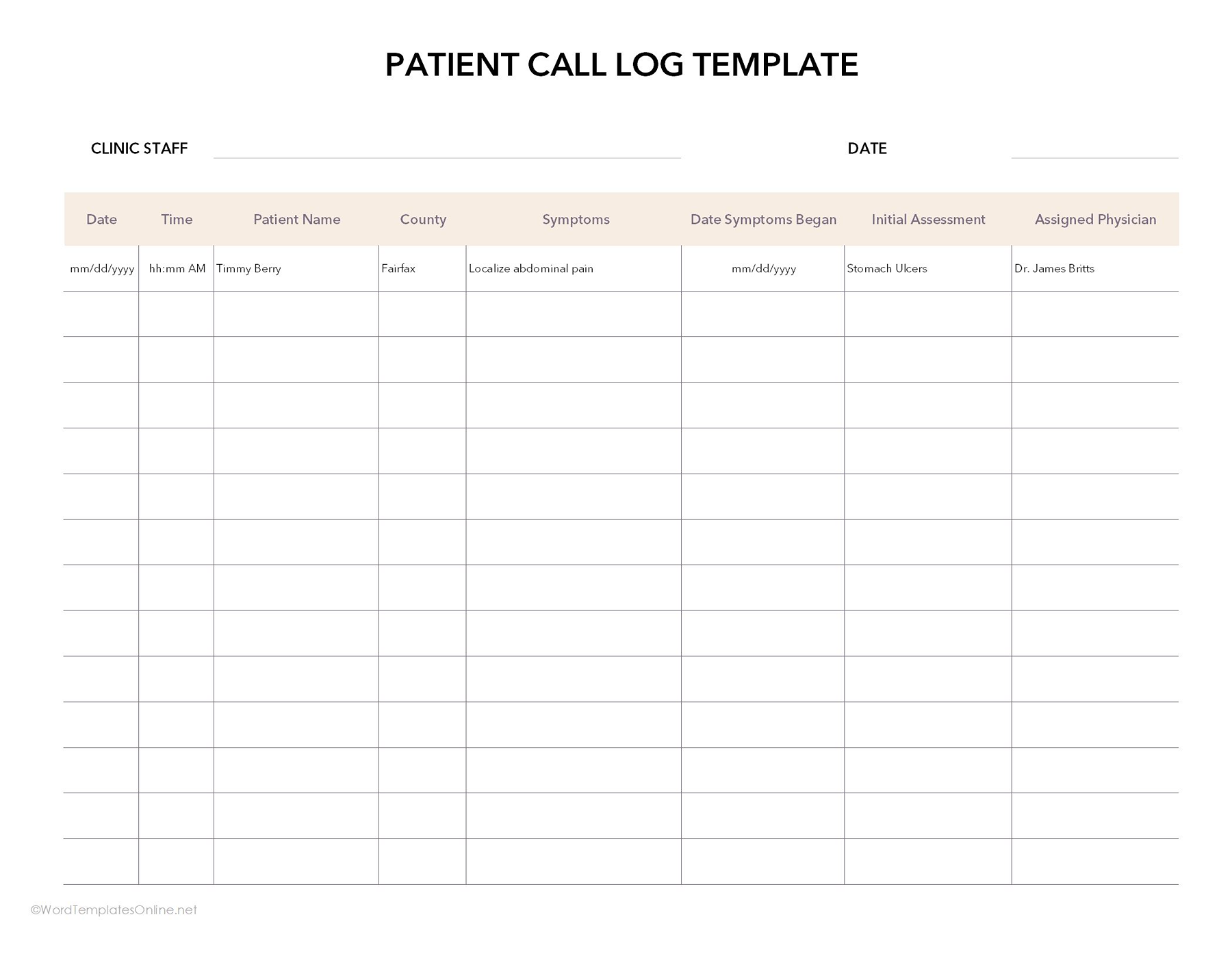
This template focuses more on detailed clinical information, such as symptom tracking and physician assignment.
It records:
- Clinic Staff Name and Date
- Date and Time of Call
- Patient Name and County
- Symptoms and Date Symptoms Began
- Initial Assessment
- Assigned Physician
Use:
It is perfect for clinics, hospitals, and medical offices that need to monitor patient symptoms and assign cases. It is beneficial for triage, appointment scheduling, and medical follow-ups.
For example: A nurse at the Cleveland Clinic documents a patient’s onset of flu-like symptoms, logs the date they began, records the initial assessment on the patient’s call log, and assigns the patient to Dr. Smith for follow-up care.
Sample call log template
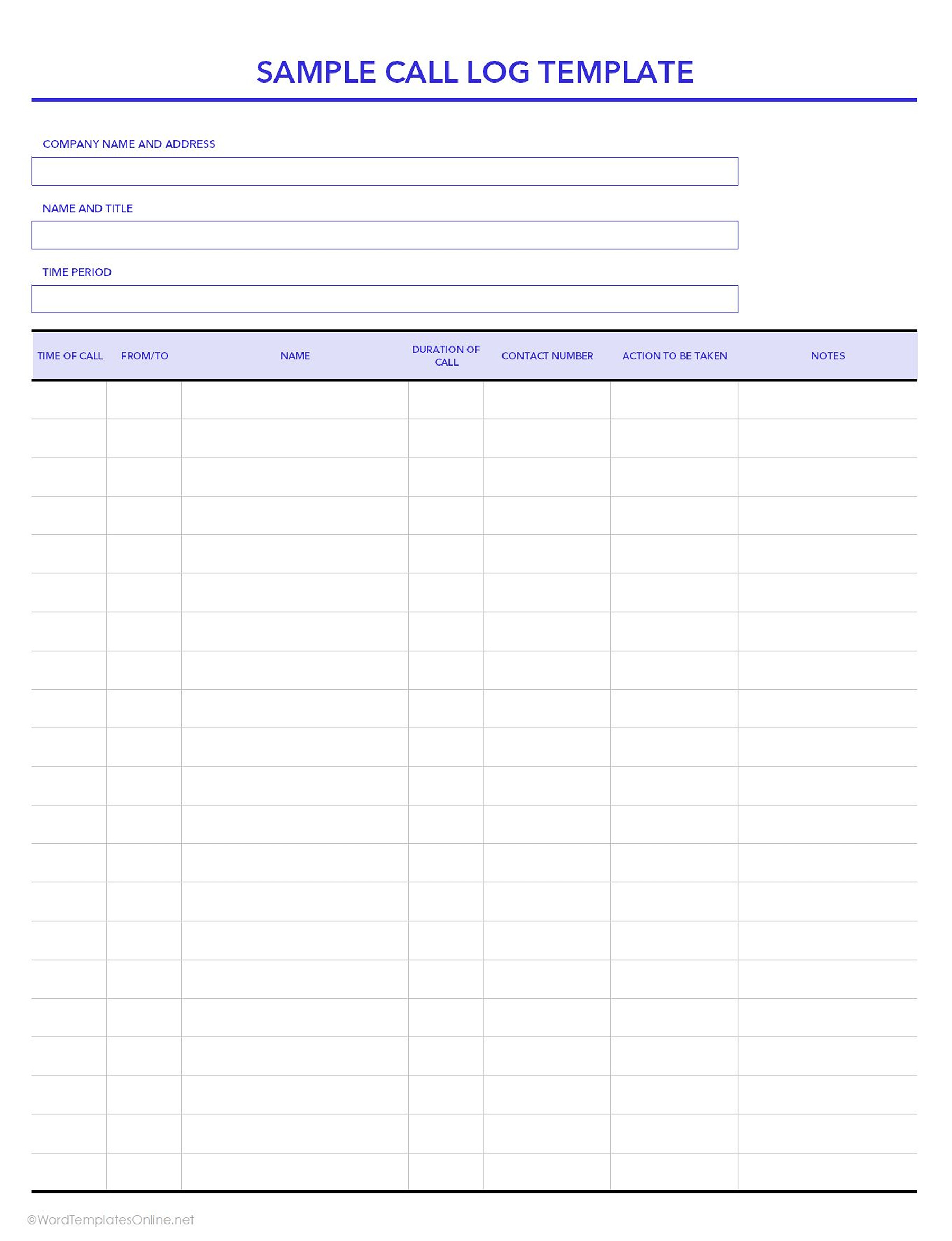
Sample call logs are versatile templates to document phone interactions in a professional manner. They provide a structured framework for tracking call details and maintain clear records of conversations.
These templates can also serve as a starting point for customizing call logs for specific needs, whether for business, client, or administrative purposes.
It lists:
- Company name and address
- Name and title of the caller
- Time period for the log
- Detailed call columns: Time of call, from/to, name, duration of call, contact number, action to be taken, notes
Use:
It has a flexible format, which makes it suitable for multiple use cases. For instance, an office assistant could log vendor calls, noting call duration, follow-up actions, and next steps, ensuring smooth operations. It is best for anyone needing a general call log.
Simple call log templates
Simple call logs provide a minimalist format to record phone calls. These templates capture only important call information, such as the date, time, person reached, duration, and follow-up notes, which makes them perfect for everyday use.
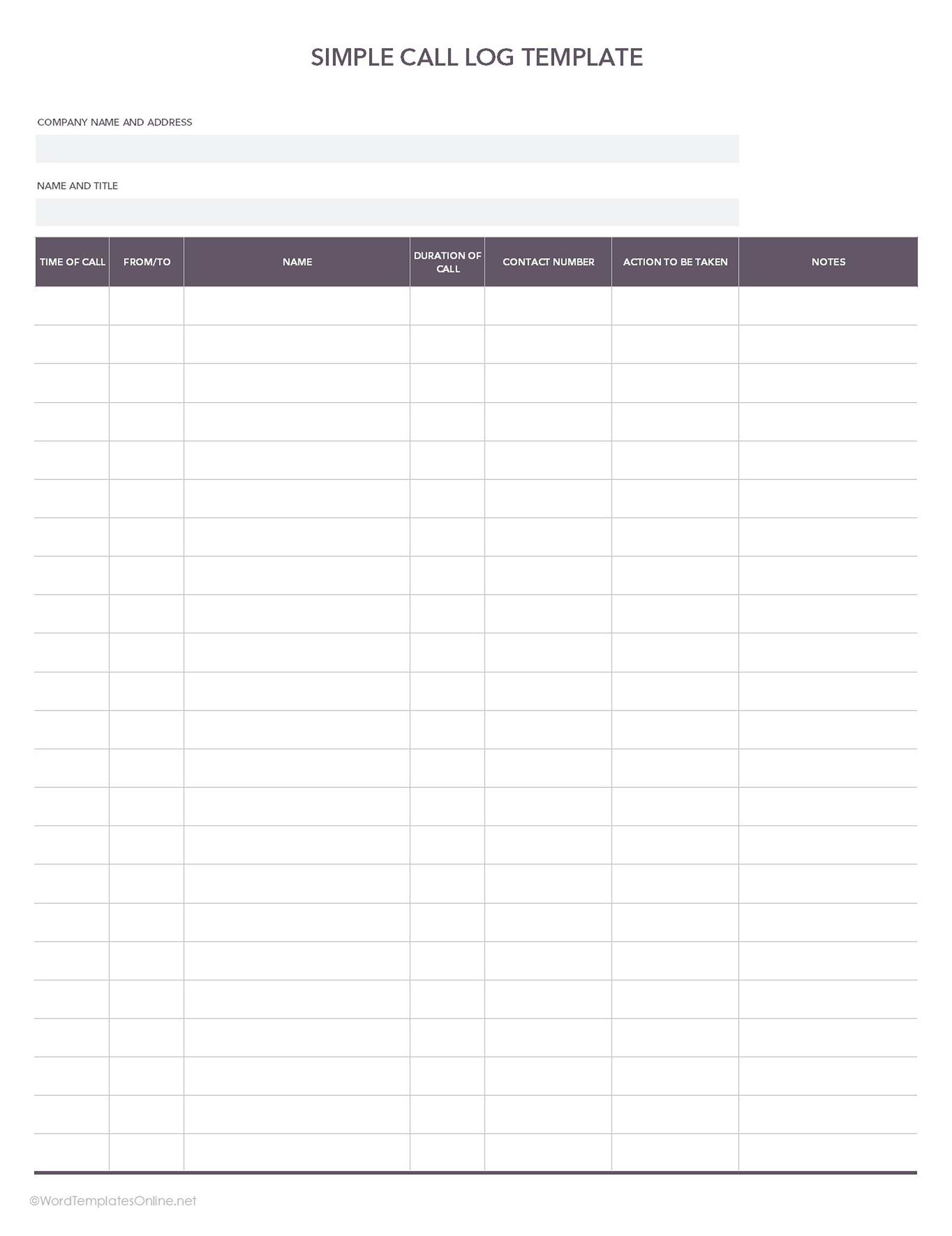
Simple Call Log Template 01
This template provides a simple format for capturing basic call details.
This Template Includes:
- Company name and address
- Name and title of the caller
- Time of call
- From/to, name
- Duration of call
- Contact number
- Action to be taken and notes
Use:
This template is helpful for anyone who needs a simple overview of daily calls.
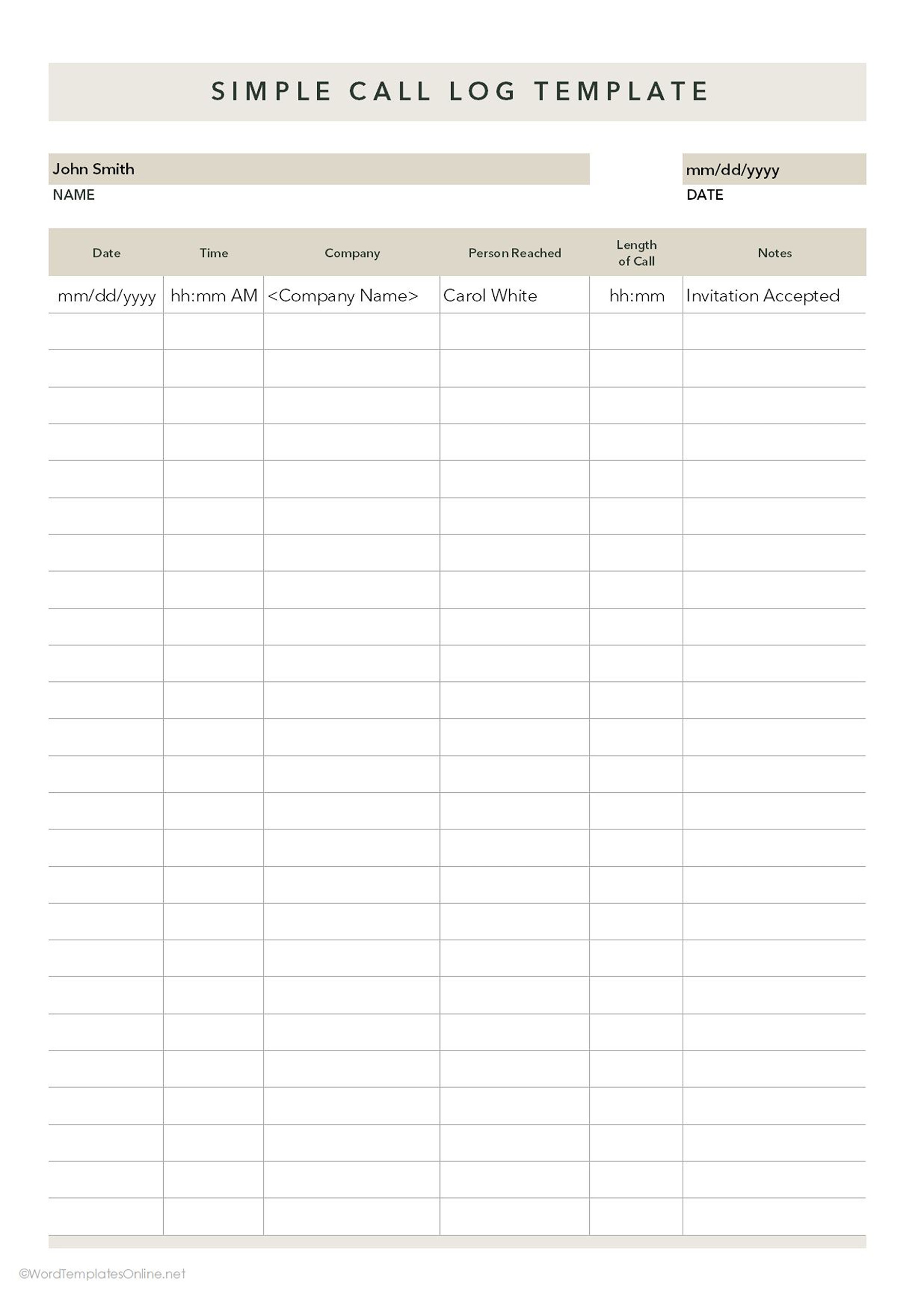
Simple Call Log Template 02
This template is minimal and focuses only on important details. It is easier to fill and is suitable for mobile use or fast-paced environments.
It includes:
- Name and date
- Date and time of call
- Company and person reached
- Length of call
- Notes
Use:
It is perfect for anyone who wants to track brief interactions such as invitations, quick check-ins, or call acceptances. It is best for short client calls, confirmations, or follow-up reminders. Startup founders, for instance, can use it to quickly track follow-up reminders or confirm appointments while on the go.
Tips for Using the Right Call Log Template:
- Choose a template that best fits your workflow. If you want in-depth tracking, select detailed logs, and if you want quick entries, use simple logs.
- You can customize fields, checkboxes, or dropdowns to match your team’s needs.
- You can also add or remove rows and columns as needed.
- Make sure to update the log immediately after each call, and maintain consistent wording for purposes, actions, and outcomes.
- It is highly recommended to keep logs easily accessible. Save on desktop or mobile to stay organized.
- You can also print them for manual use.
What We offer
- All of these templates are customizable and editable.
- Available in Microsoft Excel and Google Sheets.
- You can use it digitally and print it for manual use.
About This Article