
A project always sounds easy at first. “We’ll launch next month.” The wedding is still months away.” “I’ll switch careers this year.”
Everything looks easy until the deadline starts creeping up. And suddenly, tasks overlap, important milestones or dates get missed, and you’re left wondering what should’ve happened first. This is usually not because the plan was bad; it’s because you’re not sure which roadmap to follow. A timeline template is what you need at that moment. It lets you step back and see the bigger picture.
Plus, if you have this, you don’t need to worry about keeping dates in your head or jumping between calendars or notes, because you have every milestone in one place. So, whether you’re planning a personal goal, managing a project, or mapping out a product pathway, a template helps you keep everything organized so you can stay on track.
Let’s explore what the timeline template actually is, why you need one, and find out the different types that you can use in different situations:
What is a Timeline Template
Simply put, a timeline template is more than a place to write down dates; it’s where your plans finally start to make sense. Rather than thinking “What comes first?” or “Did we miss something?”, a timeline makes sure every step is in order, so you can see the journey from start to finish.
Why visual timelines make planning easier
Our brain prefers to see big pictures, and that’s exactly what a timeline gives. Through this, you don’t need to dig into notes or scroll through endless calendars; you’ve everything right in front of you. Plus. It gives you a quick glance of important milestones, lets you know the order of tasks, notices potential delays before they become problems, and keeps everyone on the same page.
Timeline vs. calendar vs. roadmap
They may look the same, but each one serves a different purpose. Here’s what everyone is designated to do:
| Tool | Best For | Think of It As… |
|---|---|---|
| Timeline | Showing milestones and the sequence of events | The story of your project from start to end |
| Calender | Looking for daily schedules, meetings, and appointments | The day planner that keeps you on time |
| Roadmap | Planning long-term goals, strategy, and direction | The big picture game plan that shows where you’re headed |
What’s Inside a Timeline Template
The templates may look like a simple line with a few dates, but this is not done. A perfect template provides a complete structure for seeing what happened, when it happened, and what’s coming.
Let’s see what makes it a “good” one:
1. Starting point
Every timeline relies on a solid kickoff point. This initial phase sets the stage for your plan or project, making a rock-solid anchor point that gives context to everything that unfolds later.
2. Milestones
This is where the important stuff gets its moment in the spotlight. Here, you can add major events, achievements, or checkpoints that let you see the moments that matter most.
3. Date & time scale
Well, this is the most essential part of the template,as it keeps your timeline grounded. Based on what you’re tracking, you might work with days, weeks, months, years, or even specific deadlines. The right scale makes the whole timeline really easier to follow.
4. Progress indicators
Want to check what is finished, currently underway, and waiting in the wings? The layout uses dynamic progress bars, color-coded cues, or different labels to give a quick visual status update.
5. Notes & details
Most of the time, a date alone doesn’t tell the whole story. That’s why a little space is given for notes, descriptions, or reminders that let you add useful context while keeping everything clean.
Timeline Templates Included in This Collection: Find the Most Relevant
Some stories are straightforward. But some have proper milestones, twists, deadlines, and a few “don’t forget this” moments along the way. That’s why this collection comes with different timeline layouts, so you can skip the “what’s right” struggle and jump straight into mapping your projects.
Career timeline template
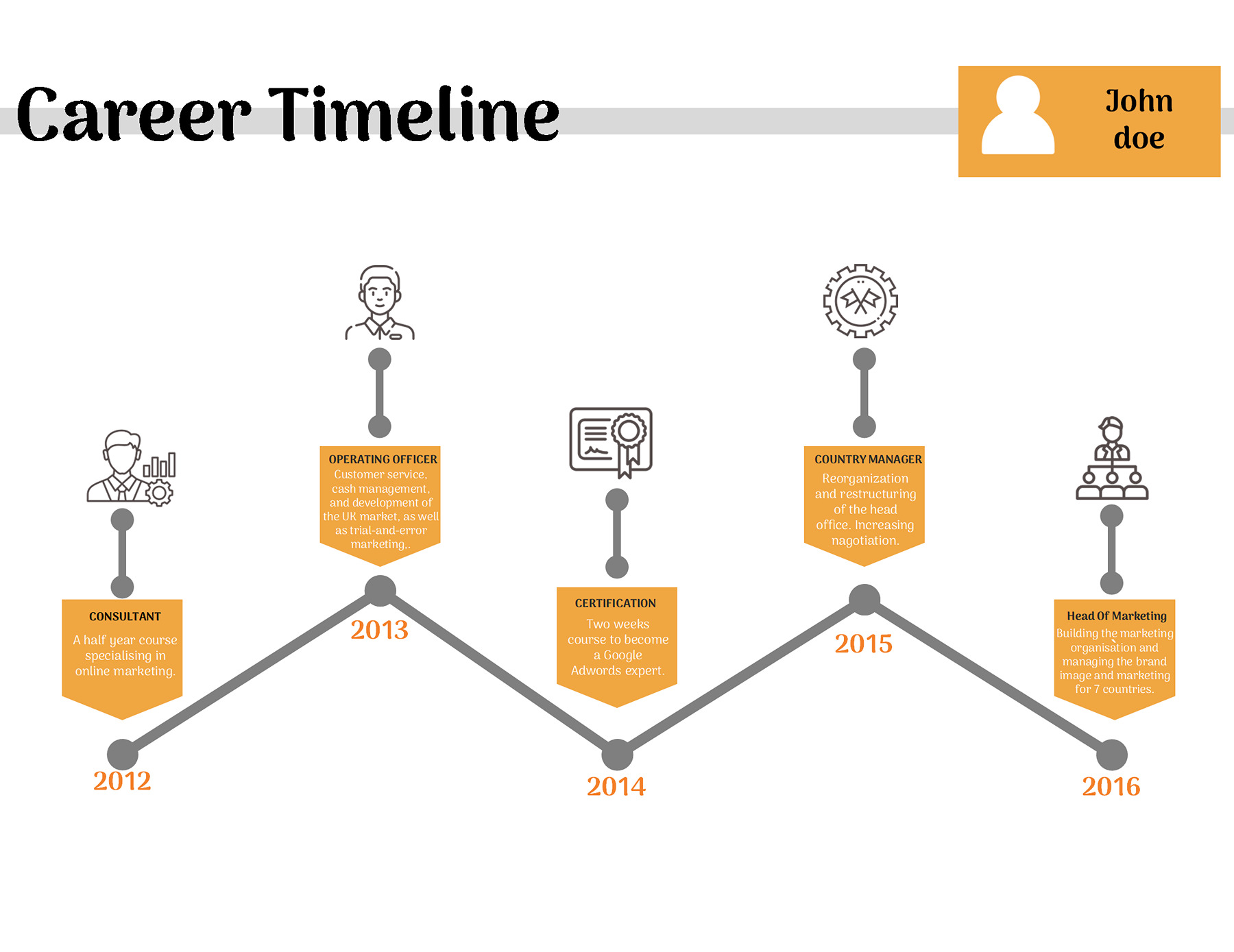
The first on our list is a career roadmap template that lays out every important event or marked stop. It comes with the following elements:
- Name & Profile Area: Here, you can write down your name and personal details to give the template a sense of personalization.
- Year Markers: The dates are added along the timeline that create a clear sense of progression, showing how your career moved from one stage to the next.
- Timeline Path: The zigzag line, you see, connects every stage of your career, making your journey easy to follow from earliest role to most recent ones,
- Job & Milestone Boxes: Here, you can add major achievements or roles that you have achieved so far.
- Icons: They are usually the small pictures of what you’ve done to make the layout a little unique.
- Descriptions: Every box has a little space for a short explanation, so you can mention what you are doing in a particular role or about an achievement.
Career Timeline Template
Product roadmap template
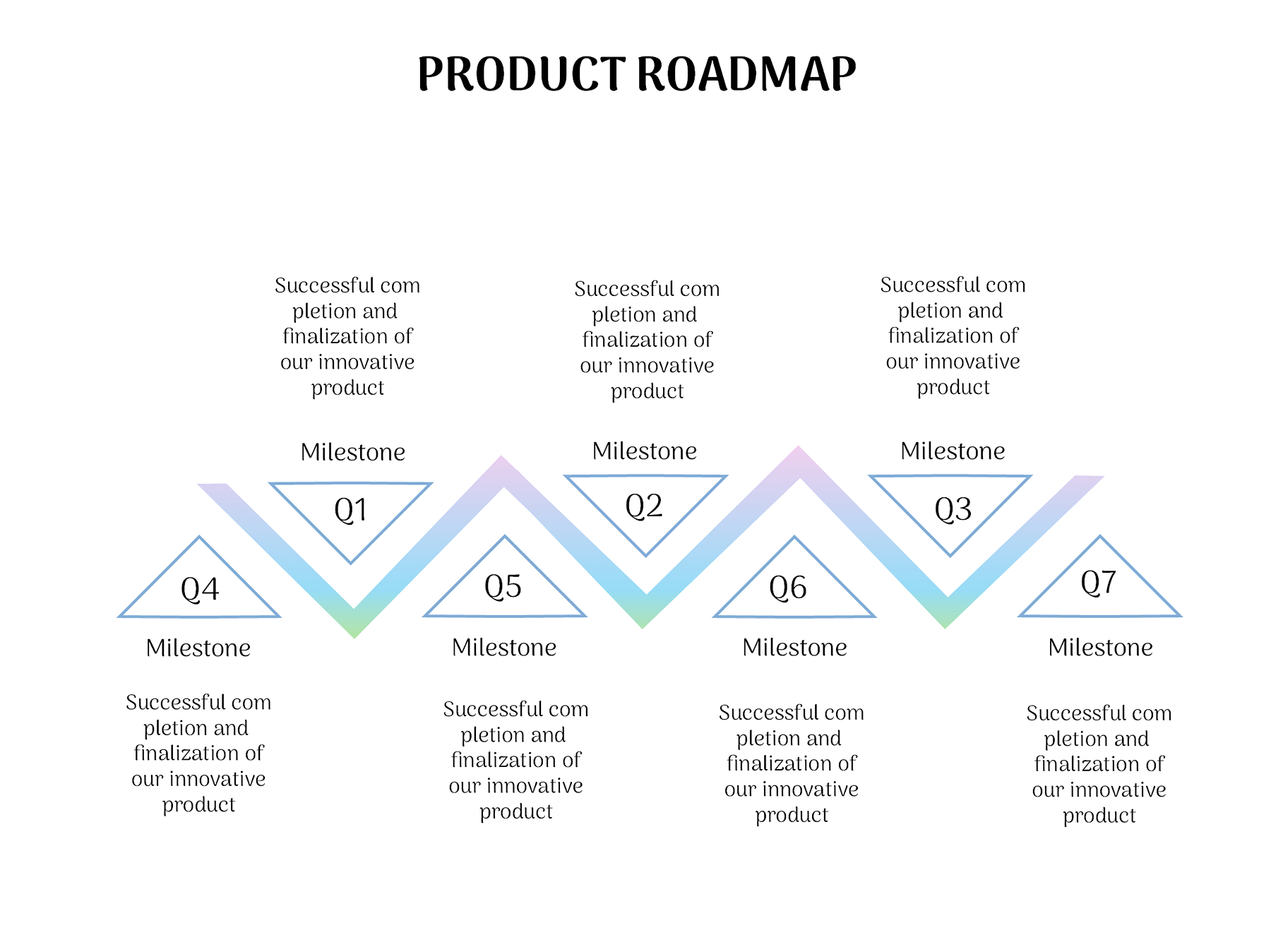
Want to see how your product is doing and where it has reached? This template is perfectly designed for this purpose and gives you a complete path from one milestone to the next.
The template has been divided into:
- A title that transparently labels the roadmap and keeps the focus on the product.
- The quarter markers, from Q1 to Q7, show how each milestone is planned.
- The milestones, where each marker shows an important stage or goal in the product journey.
- The zigzag line is here to represent how much your product has progressed so far and connects each stage so that you can easily follow the roadmap.
Colorful product roadmap timeline
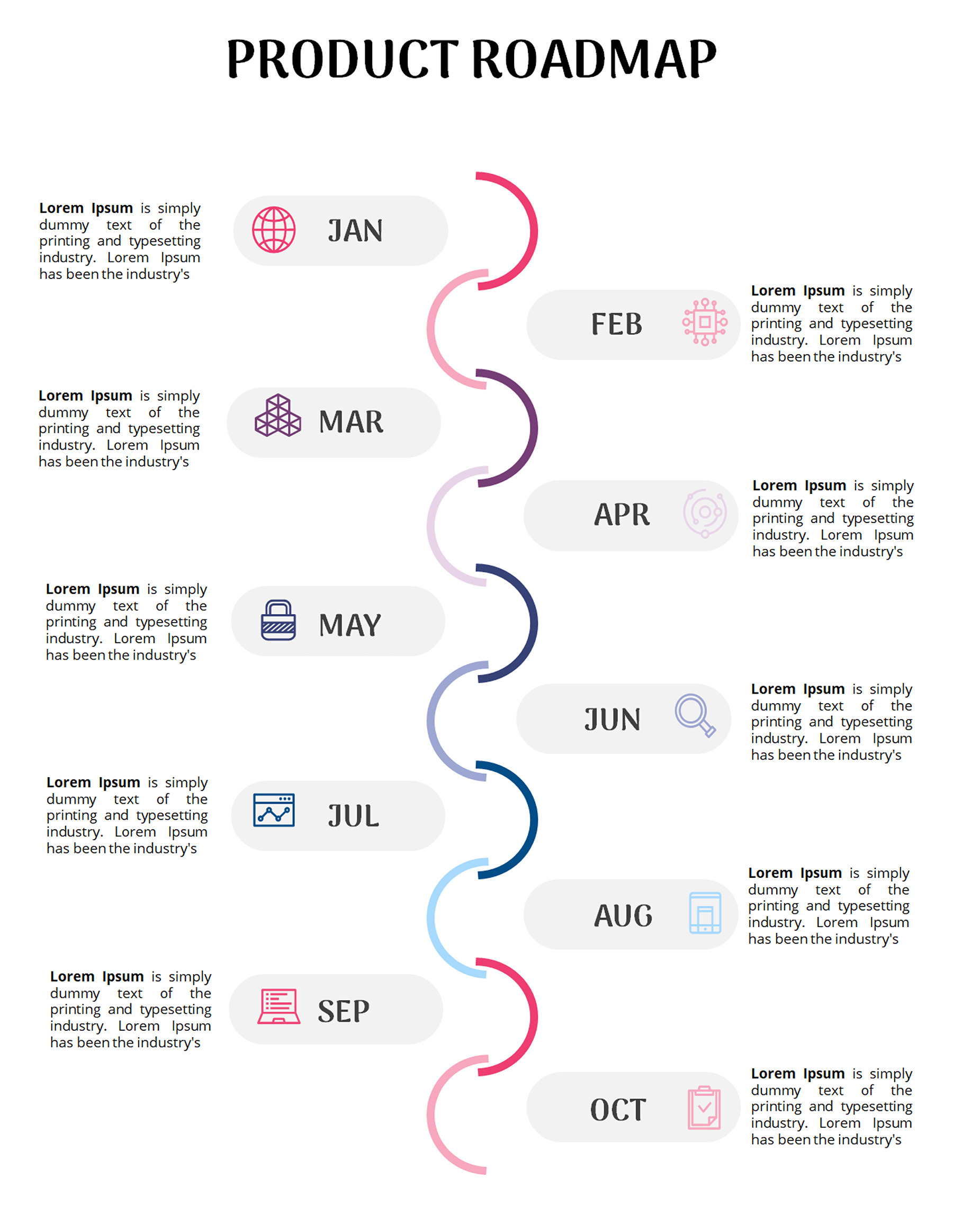
However, if you want to see your product growth month by month, you can give the template a try. As you can see, this lays out your plans from January to October, so that you can easily see what’s coming up. The basic things remain the same, such as each month has a space for description and an icon. Plus, the colorful winding lines tie everything together and give your timeline a fun, flowing look.
Product roadmap infographics
Product roadmap infographics
Construction timeline template
If you’re a constructor, it is very difficult to show people where the project has reached. This template removes this hassle and breaks a building project into four different stages, making it easy to see how the work moves from first idea to construction.
It covers key steps like conception, design, pre-conception, and construction, so everyone understands the project with a simple visual flow. Moreover, like any template, each stage has its own icon and short description area through which you can quickly understand what happens at that point.
Construction Timeline Template
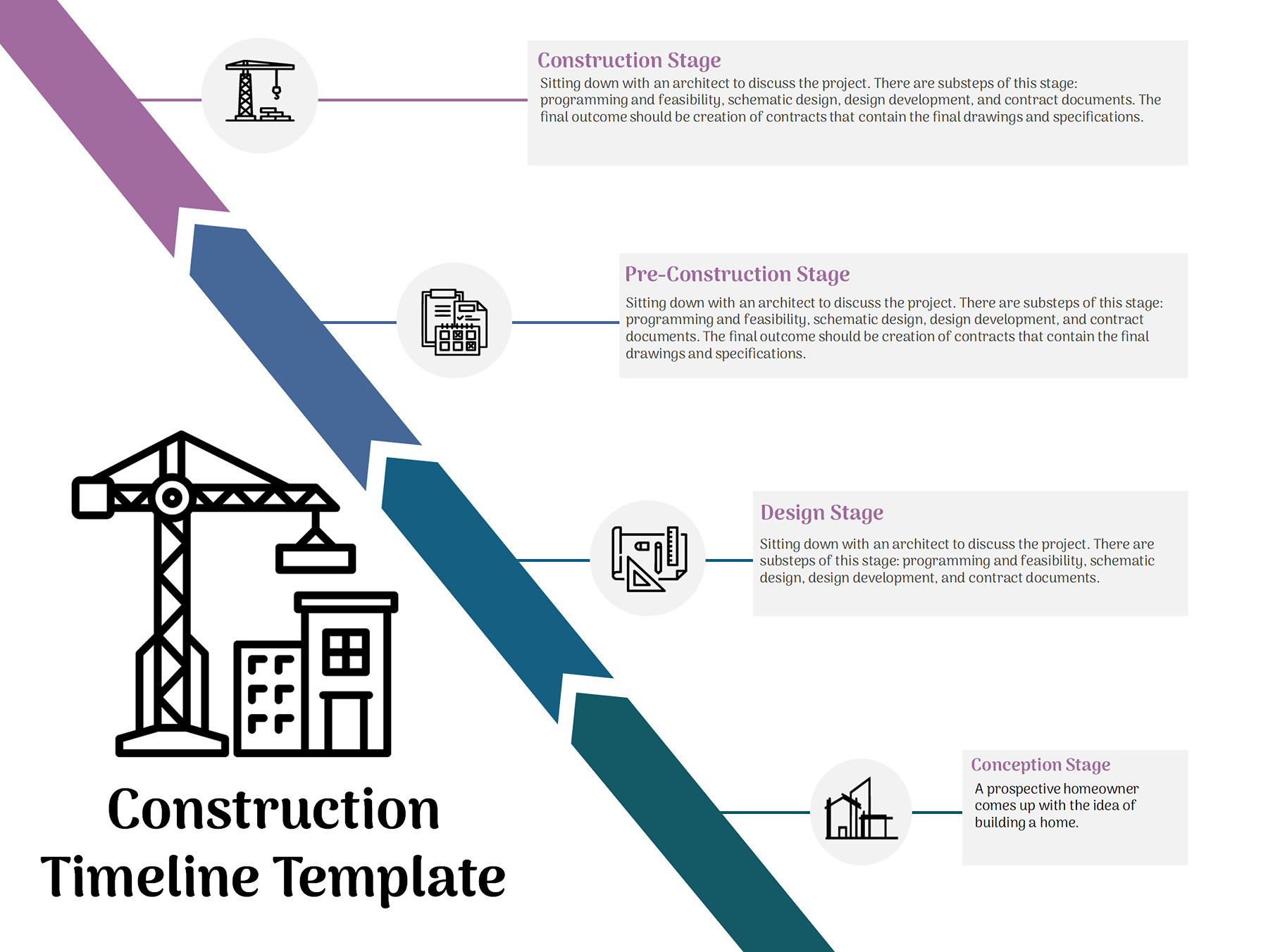
Construction Timeline Template
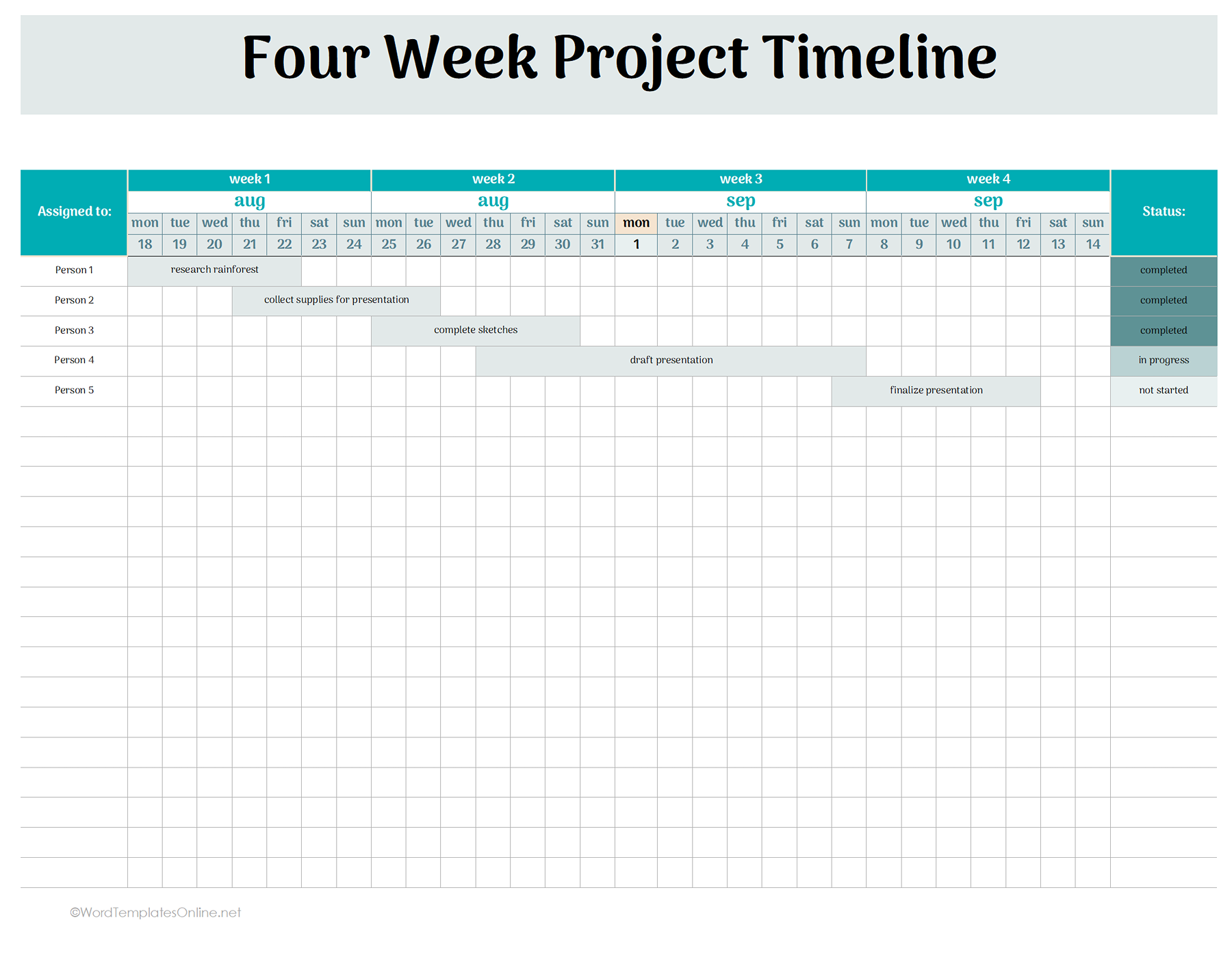
Four-week project timeline template
Suppose your boss showed up and gave you an exact four-week timeline. Well, you have plenty to do, and absolutely no need to keep it all in your head. This Four-Week Project Timeline Template is what you’re missing.
- First of all, you see a big heading that tells you exactly what you’re looking at.
- Next, the assigned-to column represents who’s responsible for each task, so there’s no “I thought you were doing it” confusion.
- After this, there’s a week-by-week timeline that is split into Week 1, Week 2, Week 3, and Week 4, which makes managing the project much easier.
- Plus, each week is broken into single days (dates), so you can pinpoint exactly when a task should start and finish.
- The shaded bars show how long each task takes. Just one glance and you know what’s happening and when.
- In the task details, you can mention specific activities such as research, collecting supplies, or finalizing a draft to have a better picture of a project.
- The status column is also given, which lets you mark tasks as completed, in progress, or not started.
- Got more tasks? No problem! We’ve added extra blank rows that give you plenty of room to add them without squeezing the previous columns or rows.
Four Week Project Timeline Template
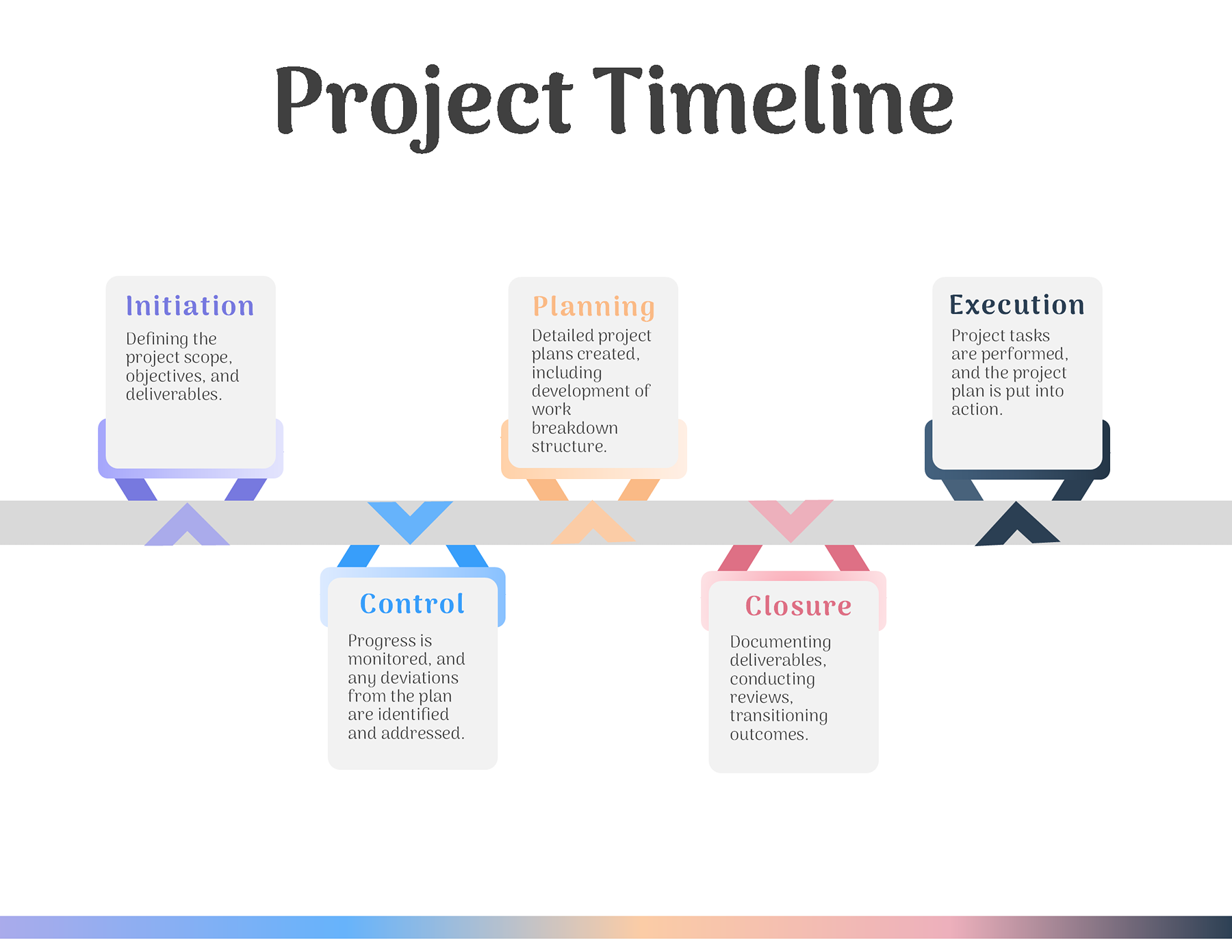
Gradient history (project) timeline
If you want to show a project journey in a colorful, step-by-step process, this gradient-style timeline is the perfect start. It literally breaks down the entire journey into five simple steps that make it easy to understand what’s going on.
- Initiation: Every project needs a starting point. Here, you will explain the scope of work and the main goals.
- Planning: This is where you describe how to turn those big ideas into a practical plan, such as tasks and a work breakdown.
- Execution: It is where the real work starts and how you move planned tasks into action.
- Control: Well, you can say this phase is keeping an eye on the project to catch issues and make sure everything stays on track.
- Closure: The final stage, where you check the scope of the work, review the results, and wrap everything up.
Gradient history timeline
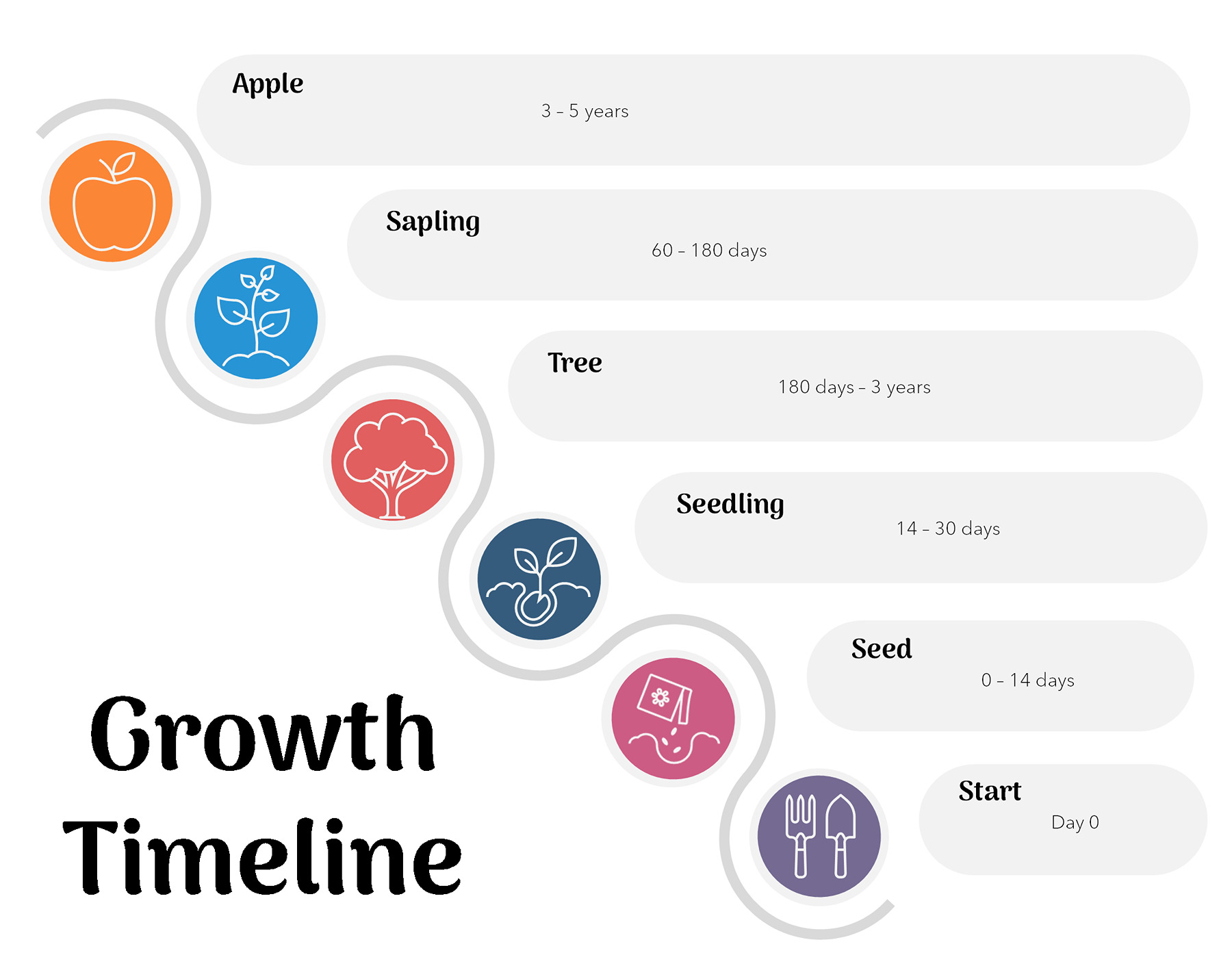
Growth timeline template
True to its name, this template shows a complete evolution from a tiny beginning to full maturity, using the life cycle of an apple. It tells the users in a simple way how it passes across six stages, from Start (Day 0) to Seed, Seedling, Tree, and Sapling, and culminates in the final Apple. Plus, it also shows how much time each stage will take. The winding path is what connects everything in order, making it easy to see what happens first and where it ends.
Growth timeline Template
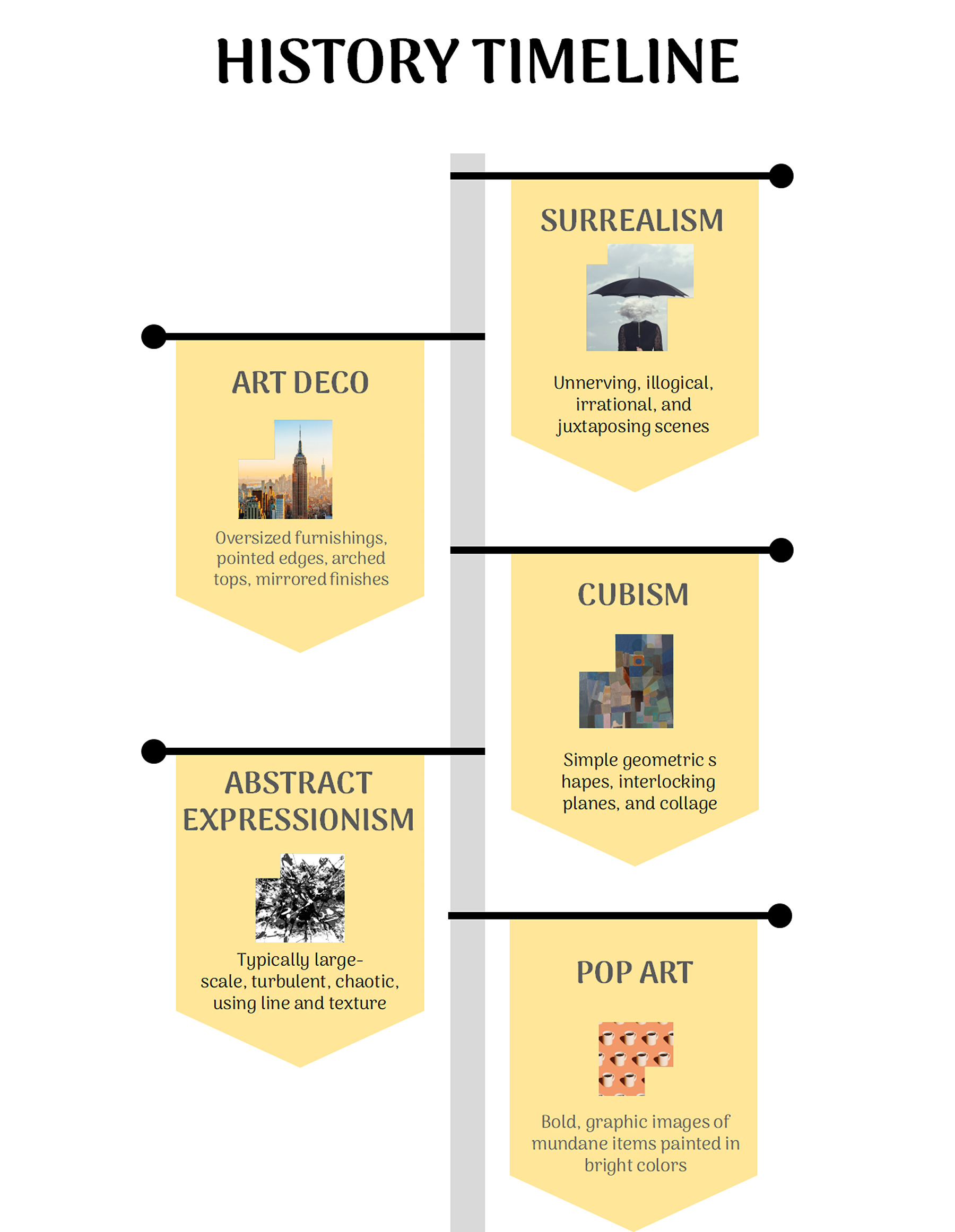
History timeline template
History is always boring, but if you don’t want everyone to doze off, you can use this template. Well, it turns different art movements or any historical story into an easy visual journey. As you can see in the example, each section in the template represents a movement such as Art Deco, Surrealism, Cubism, Abstract Expressionism, and Pop Art.
In addition to that, it also gives each section a place to add an image and description so that everyone gets the context. Furthermore, the connected timeline is what lets you follow the sequence without getting buried in dates and details.
Historical timeline Template
Marketing timeline template
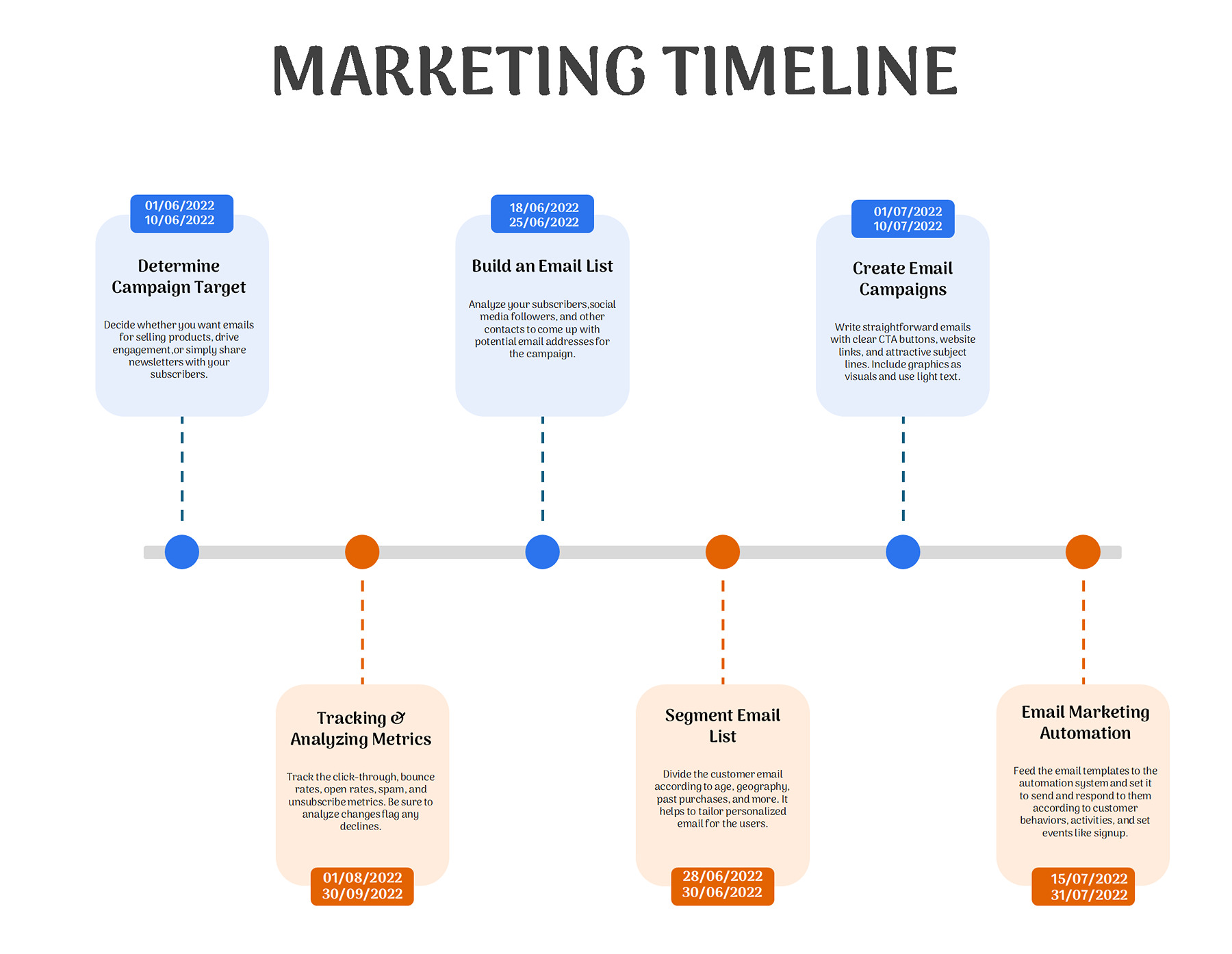
A marketing plan can quickly turn into a pile of dates, tasks, and “what you’re doing next?” moments. This template is what puts everything on track, so you can see how a campaign is doing. It breaks down into the following elements:
- Timeline: A line that gives a complete flow of a campaign, from the point it started to when it ended.
- Campaign Dates: This basically tells you the start and end dates of a task.
- Marketing Tasks: Whatever activities are on the to-do list, from defining your target audience to setting up automation, each one gets its spot.
- Task details: You will give a little context about what needs to be done.
- Color-Coded milestones: The blue and orange points separate different tasks and make it easy to scan the timeline.
Marketing Timeline Template
Wedding timeline planner
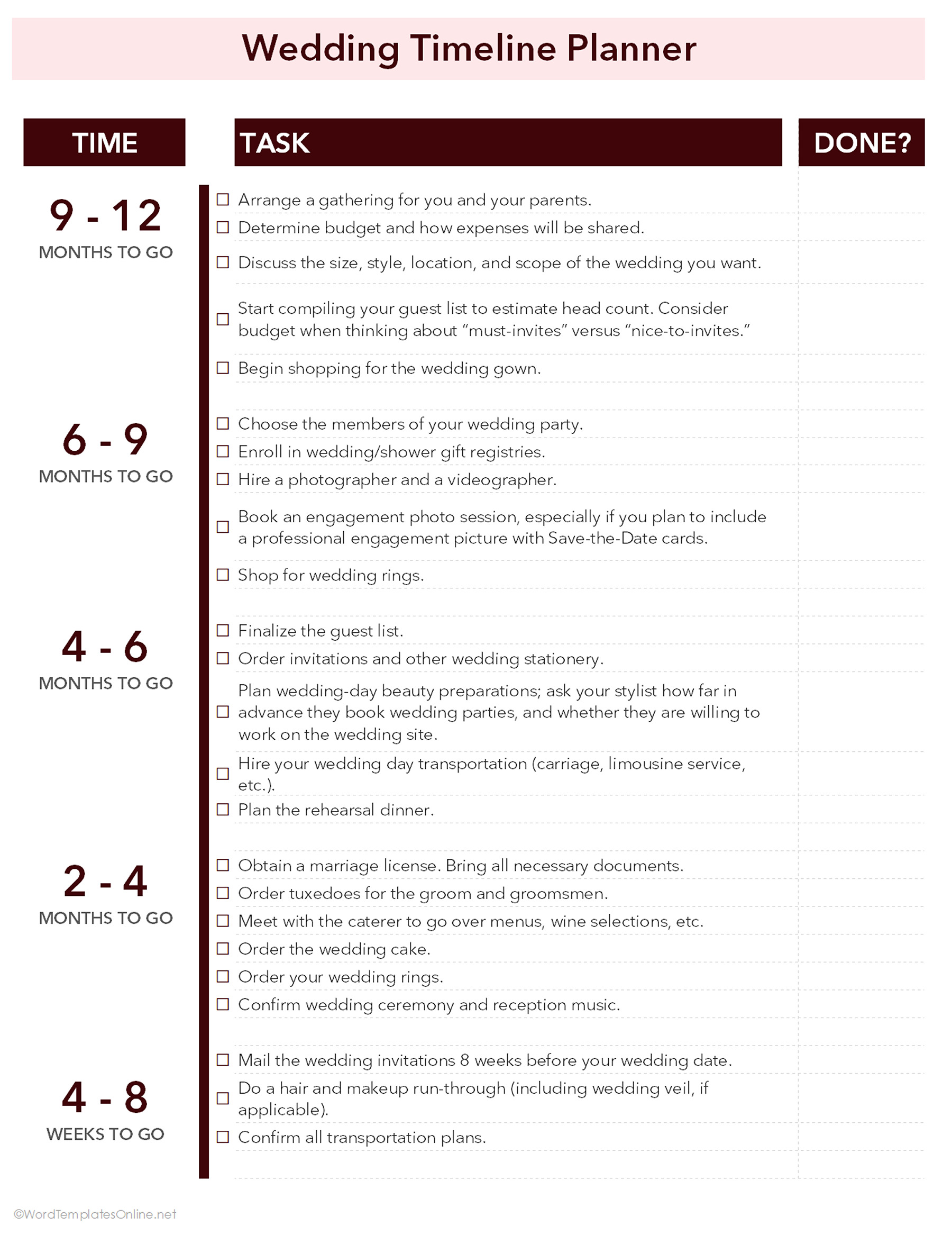
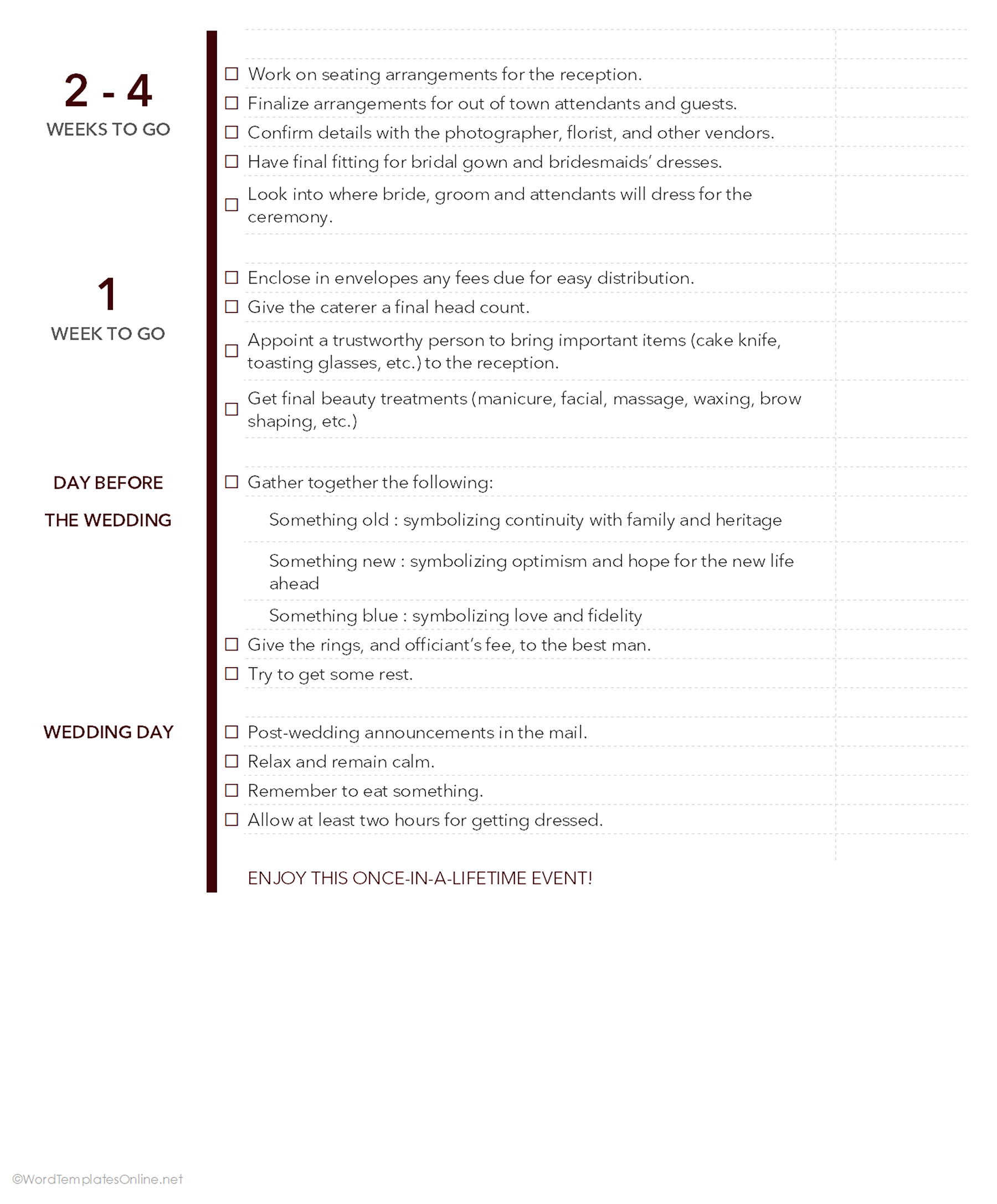
Planning a wedding is literally a full-time job with a very sparkly deadline! Looking for an outfit, booking a caterer, giving invites, in all the chaos, it’s easy to look at what’s more important. However, this template is a lifesaver as it keeps everything on track by breaking the big day into small stages.
Start with a big decision that takes more time and place it in the 9-12 month category, and afterward place everything, from booking vendors, invitations, outfits, seating, into a timeline that fits appropriately (9-12 to Wedding Day).
The best thing about this template is that it has a “done” color that lets you check off things as soon as they are completed, so you can keep moving without drawing in sticky notes.
Wedding timeline planner Template
Wedding timeline planner Template
Give Your Timeline a Little Upgrade With These Tips
A timeline always works best when it is considered a path to follow, not another project to manage. So, take it as your guide, not a burden you just need to rid yourself of. Here are a few tricks that make it better:
- Focus only on key milestones: You don’t need to put everything on the timeline. It’s not your big to-do list; it’s something that keeps you on track by passing you key moments. So, just put the goals or stages that matter the most.
- Use colors to separate phases: A simple black-and-white pathway can cause head-scratching. But you can avoid it by adding a burst of colors in different stages.
- Keep the time scale consistent: If you’re using quarters in a project, keep it that way. Don’t jump randomly between months, weeks, and individual days. This can cause confusion.
Don’t Let Timelines Mistakes Trip You Up
Not paying attention to these small mistakes can let your timeline fall apart. Here’s what to look for:
- Skipping major milestones: Don’t miss those big checkpoints that take you to the next step. Whether it’s an approval, testing stage, or final draft, if it keeps running the timeline, it deserves a place.
- Setting an unrealistic deadline: If a task is going to take a week, write it exactly. Trimming the time will not make your project run fast; in fact, it will create panic later.
- Forgetting to update the timeline: Nothing says “this document hasn’t been touched in months” like a deadline that passed weeks ago. If there’s any slight change in plan, update the timeline so everyone is following the same version.
Wrapping Up
Plan changes, deadline moves, and unexpected things pop up; that’s just how life works. All you need here is to “buckle you together” and use a good timeline template to let that chaos go somewhere else.
Whether you’re managing a project, planning a wedding, or checking out your career growth, the right template can help you see the journey transparently and let you know what deserves your attention ASAP!
Frequently Asked Questions
Which timeline template is best for project management?
Apparently, anyone who has clear goals, dates, task duration, and progress markers can be a great bet. You can explore our wide range of collections to choose what goes with your current situation.
Can I customize these templates?
Of course! And that’s the great thing about our template. You can delete or add text, labels, or other details to make it fit according to your needs.
About This Article