
Most of us start a new habit with full energy and a “Monday is the day” attitude. We buy running shoes, stock the fridge with healthy food, or promise to finally write a book. However, by Thursday night, life gets busy, willpower fades, and shoes stay in the closet gathering dust.
People say you need motivation, but it’s a trap because feelings are fickle. The truth is, if you truly want a habit to stay, you have to move it out of your head and onto a page. You need a PROPER SYSTEM! That’s where a Habit Tracker comes in. This is the only way that can take you from “I should” to “I did.” By tracking small wins, you stop fighting your brain and start building a streak you actually want to keep alive.
Now you must be thinking, how do I know what or what not to include in the Habit Tracker? The good news is that there are templates available. In this article, we will explore these templates and how a reliable one can actually help you track your habits and make progress.
So, What Makes a Habit Tracker Actually Work
A Habit tracker only works when you actually use it, and that’s where most people use it.
To make it work for the long haul, you really need two things. First, visibility means a lot. When people see their progress daily, it keeps them motivated and reminds them to stay on track.
The other is simplicity. If you have loaded your tracker with too many things, you’ll probably stop using it after a few days. So, it is best to keep it clean and simple.
Plus, what makes a habit stick for a longer time isn’t about being perfect; it’s about being consistent. You don’t need a 365-day streak to see results; what really matters is keeping showing up on days when you don’t want to. That’s exactly why these templates exist. They aren’t designed to judge you for missed days (like your gym trainer), they are built to be simple, visible, and low-pressure.
The Ultimate Habit Tracker Templates That’ll Keep You on Track (For Real)
Let’s be honest: not all habits are the same, and there is no one-size-fits-all template. That’s why different templates are designed to come to the rescue for you. Let’s find out which template is designed for which needs:
- If you want to build a strong daily routine: For this, the simple daily habit tracker template is your way to go. By covering the important details like task descriptions, weekdays, and your end goal, the format makes tracking really easy. It is perfect for managing habits like morning routines, workouts, or journaling, where showing up daily really matters.
Habit Tracker Template 01

Habit Tracker Template 01
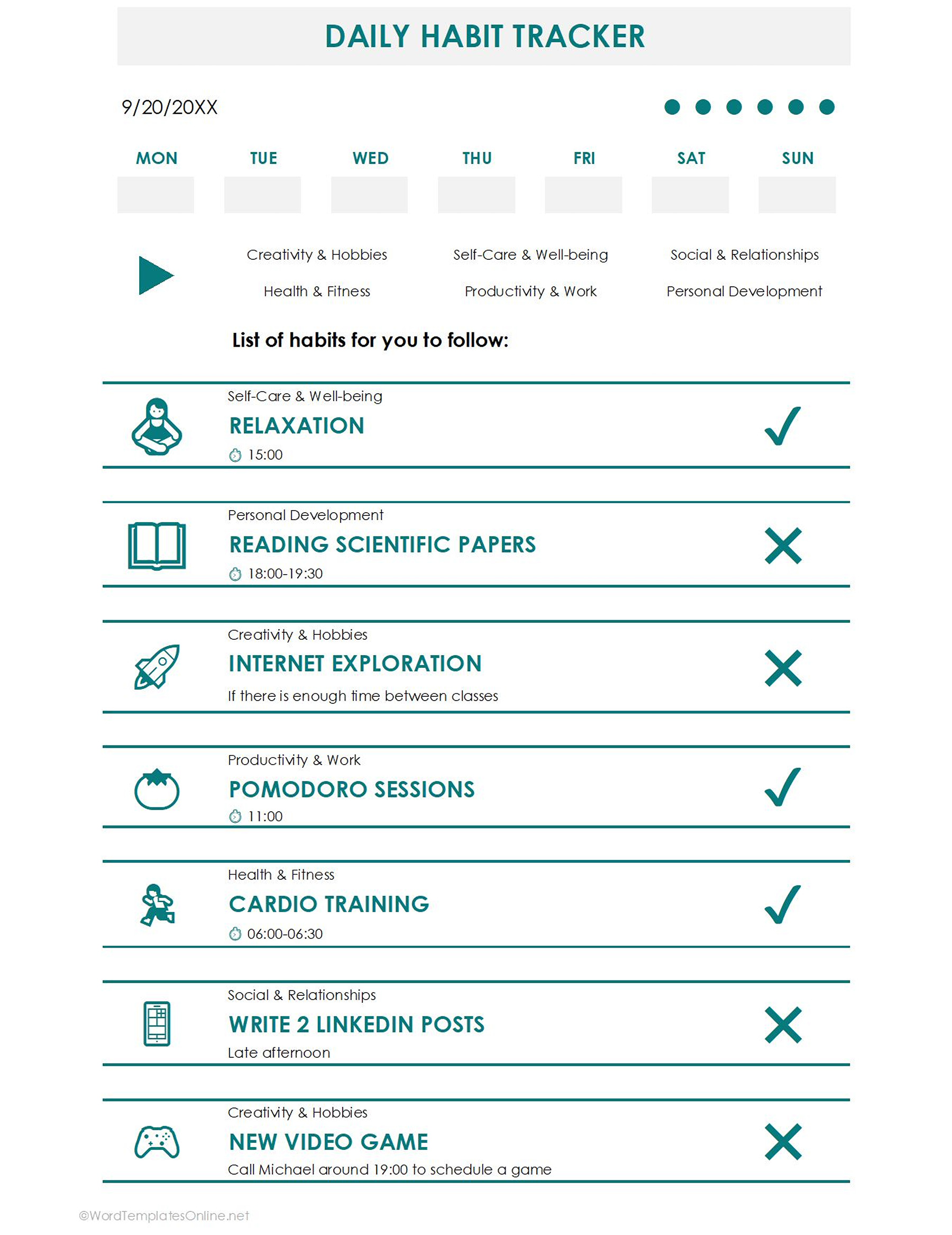
- If you want to organize your life across specific categories: Then you choose this Daily Habit Tracker template. Well, it is a high-level tool designed for people who want to track their habits across specific categories like “Health & Fitness” or “Productivity & Work.” As you have seen, it focuses on particular daily actions, allowing you to set clear time slots or triggers for each habit and mark them off with a simple check or cross to see exactly where your day succeeded or went off.
Habit Tracker Template 02
Habit Tracker Template 02
- If you want a visual storyboard for routine tasks:
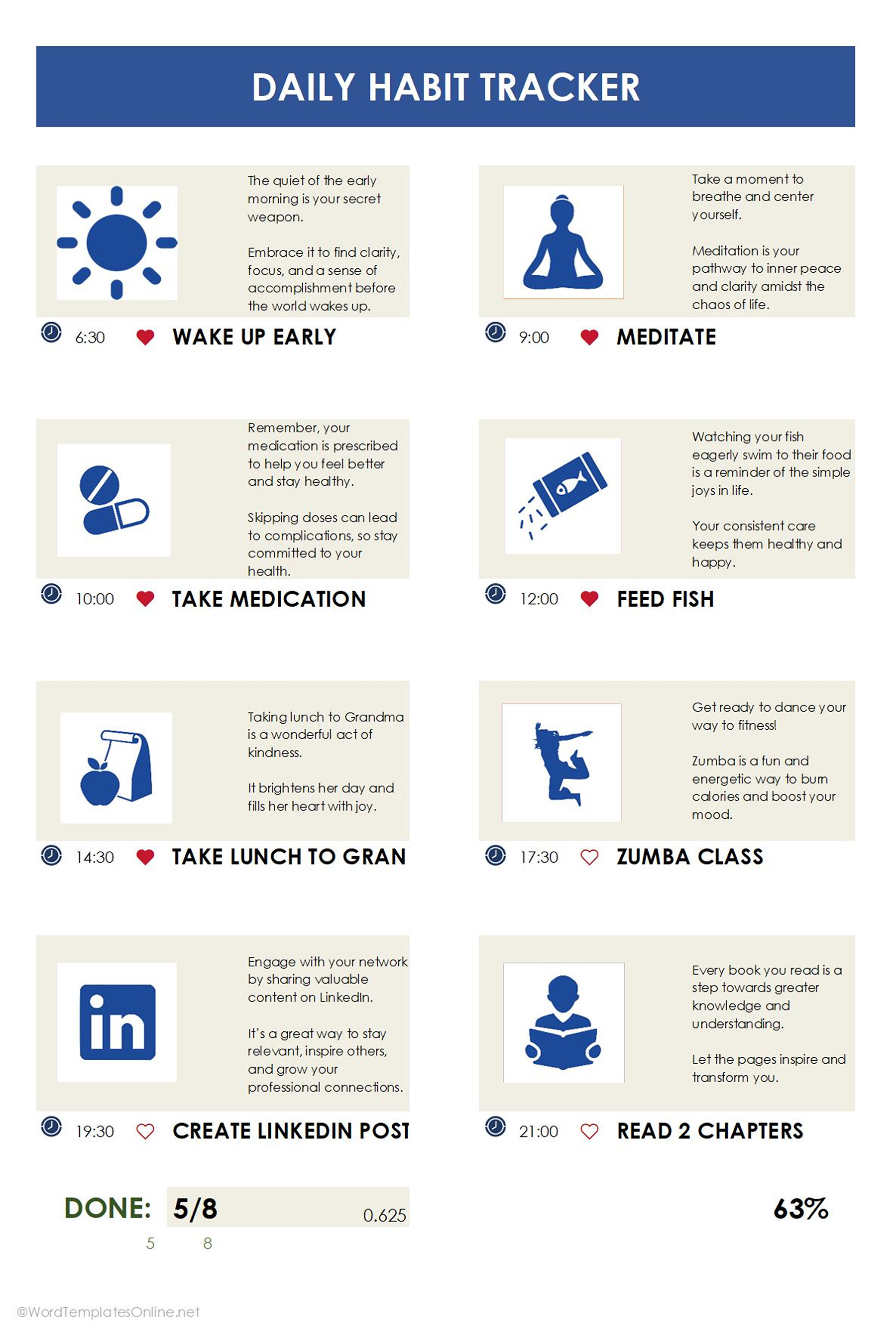
This template is a perfect choice. It describes your task visually and also focuses on the “why” behind every action, with inspiring deception for each task. Additionally, it uses specific time-stamping and a progress percentage at the bottom to give you a clear, status-keeping look at how much of your ideal day you actually fulfilled.
Habit Tracker Template 03
Habit Tracker Template 03
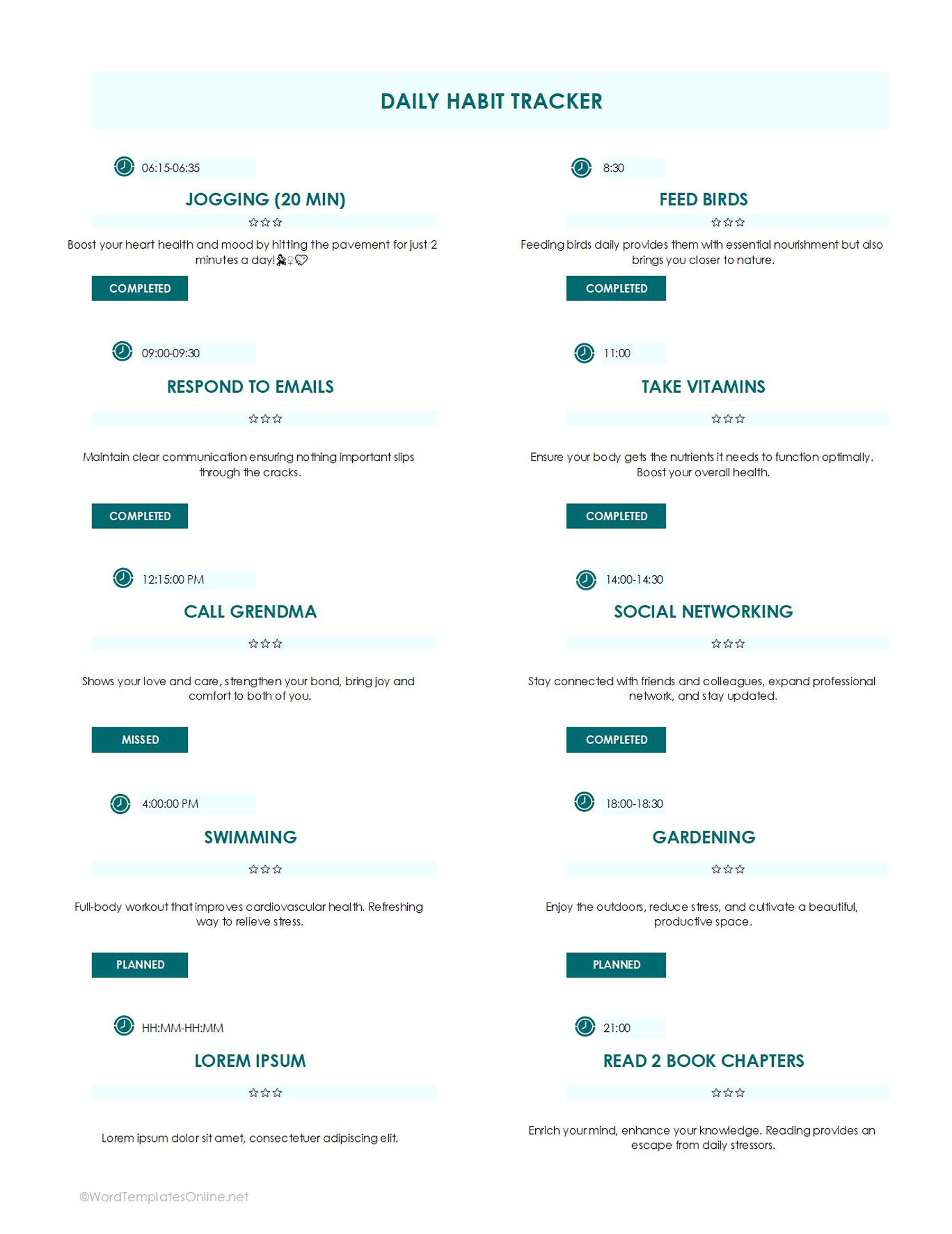
- If you want a time-blocked tracker: You must download this template. It is simply made for people who want a perfect routine and want to split their day by doing multiple tasks. In this, by adding time slots and giving status (completed, missed, or planned) to tasks, you easily check what your perfect day looks like. (where do you stand)
Habit Tracker Template 04
Habit Tracker Template 04
- If you have flexible habit goals: Then go for the weekly habit tracker template. It acts as your weekly habit dashboard that combines a daily checklist. It also includes a dedicated space for goal setting, running totals, and reflection on how far you have come.
Habit Tracker Template 05

Habit Tracker Template 05
- If you want to track your habits that happen only on certain days: For this, you need this Weekly Habit Tracker Template. It is one type that helps you check on your habits that happen over a few days, such as gym training, yoga classes, or others. As you can see, the template comes with separate sections for different habits where you can mark what’s done or what needs to be done for the entire week. Cherry on top? You don’t need to show up every day (you can add details once a week).
Habit Tracker Template 06

Habit Tracker Template 06
- If you want to look for long-term progress: Then this Monthly Tracker Template should be your first priority. What makes it your go-to choice is its sleek design that gives you a big-picture view of your habits across the entire month. You can list your habits in the description box and then track them day by day from 1 to 31. Overall, it’s great for finding out where you lack.
Habit Tracker Template 08

Habit Tracker Template 08
How to edit these habit tracker templates
The templates act as your habit-building head start and make tracking your tasks really easy. You don’t need to be a spreadsheet wizard or spend hours designing a layout from scratch because all the heavy lifting is already done.
To make it yours, you simply need to grab the version that fits your goal and open it in Google Sheets. From there, it’s a simple case of “point and click.” Edit what you think needs to be, and there you go. Plus, the beauty of these templates is that you can also adjust the color, change the layout, or even add or delete a row to make it your perfect fit.
Small Tricks That Make Habit Tracking Easier
No doubt, a habit tracker can be the ultimate lifesaver when you want to build a strong habit. But here are some tricks that can act as a cherry on top:
1. Your tracker should be visible
One of the common sayings is “out of sight is out of mind.” It means if your tracker is somewhere hidden from you or buried in a folder, you will forget it exists. For this, you need to keep it centered and front or pin the tab on your browser. If you want it in a print form, you can get a copy and place it where it can be seen frequently. The more you see it, the more difficult it is to ignore.
2. You must pair tracking with an existing routine
If you don’t want to forget a new habit is to stack it with the previous one. For instance, you need to tell yourself, “After I pour my morning coffee, I’ll check off my habits.” Attaching the tracker to something you already do in a day is the best way to keep the momentum.
3. Keep a reward for yourself when you make progress
Your brain loves a win, doesn’t it? So, don’t wait for the “big” breakthrough to celebrate. Set mini milestones, like maintaining a 7-day streak and treat yourself with the things you love, it can be your favorite snap, a coffee run, or a movie night. These small wings can actually make a huge difference by turning grind into game.
Common Habit Tracking Mistakes (That Make People Quit)
Consistency is a real game. We might start a new habit energetically, get everything sorted, yet on the third day, we feel like quitting. Well, if you don’t want this to happen to you, avoiding these mistakes can actually help:
- Making the Tracker Too Complicated: If tracking feels like a second job, you won’t keep up with it. NEVER EVER over-engineer the process with complex color codes or a 20-step description. The best tracker is the one that comes with the easy editable format, so you just need to “plug and play”.
- Starting with Unrealistic Numbers of Habits: What might feel like the best plan for Monday, but often ends up burning out, is to overhaul too many habits. Your willpower is a limited resource, so use it wisely. Start small, pick three core habits, and stay consistent with them until you add more to the plate.
- Forgetting to Review Progress: So the fact is, tracking is actually data; reviewing it basically helps you grow. If you never look back at your weekly or daily totals, you’ll miss the patterns that are holding you back. Take out some time and see what actually worked and what didn’t, so that you can adjust your plan for the coming week.
So, are you thinking of starting a new habit…
Then this is your sign to act a little differently this time. Skip the motivation part, give yourself something that keeps you accountable every day. What can help you in this is not a perfect plan or a massive list of goals to see results; all it takes is one good habit tracker template. The thing that makes it super beneficial is to help you show up on days when you don’t feel up to it for even 10 minutes. So instead of waiting for motivation, download a template, and there you go!
Frequently Asked Questions
Well, there is no sure-shot rule. Some say it takes three weeks, while others say 2 months. But generally, it depends on how strongly you want to build a habit.
In case you don’t make it in a day, don’t sweat it. The goal isn’t the perfect streak, it’s the growth. To make sure you make the most out of it, use the “Never Miss Twice” rule: if you skip a day, make it your priority to show up and track the other day.
For sure. You can easily use them on your phone as they come in Google Sheets or editable formats.
About This Article